

Data Virtualisation vs Replication in Salesforce
Showing external data in Salesforce without copying it sounds ideal, until reports, automation and performance enter the picture. Here is how to choose per data set.

Users want order history, invoices or policy details from other systems on Salesforce records. You can copy that data into Salesforce on a schedule, or you can leave it where it is and query it on demand. Both are legitimate. The wrong choice shows up later as slow pages, automation that cannot fire, storage bills or stale data in front of customers.
The options in Salesforce
Virtualisation means Salesforce reads data from the source at the moment it is needed:
- Salesforce Connect exposes external tables as external objects (API names end in
__x) through adapters such as OData, cross-org connections, or a custom adapter built with the Apex Connector Framework. Salesforce Connect is licensed separately in many editions, so check your contract. - Data Cloud data federation, part of its zero copy approach, queries supported warehouses and lakes without copying the data into Data Cloud.
- On-demand callouts from Apex or a Lightning Web Component that fetch and display data without storing it.
Replication means a copy of the data lives in Salesforce or Data Cloud:
- Integration jobs or middleware writing into standard or custom objects through the REST or Bulk API.
- Data Cloud data streams ingesting source data on a schedule or in near real time.
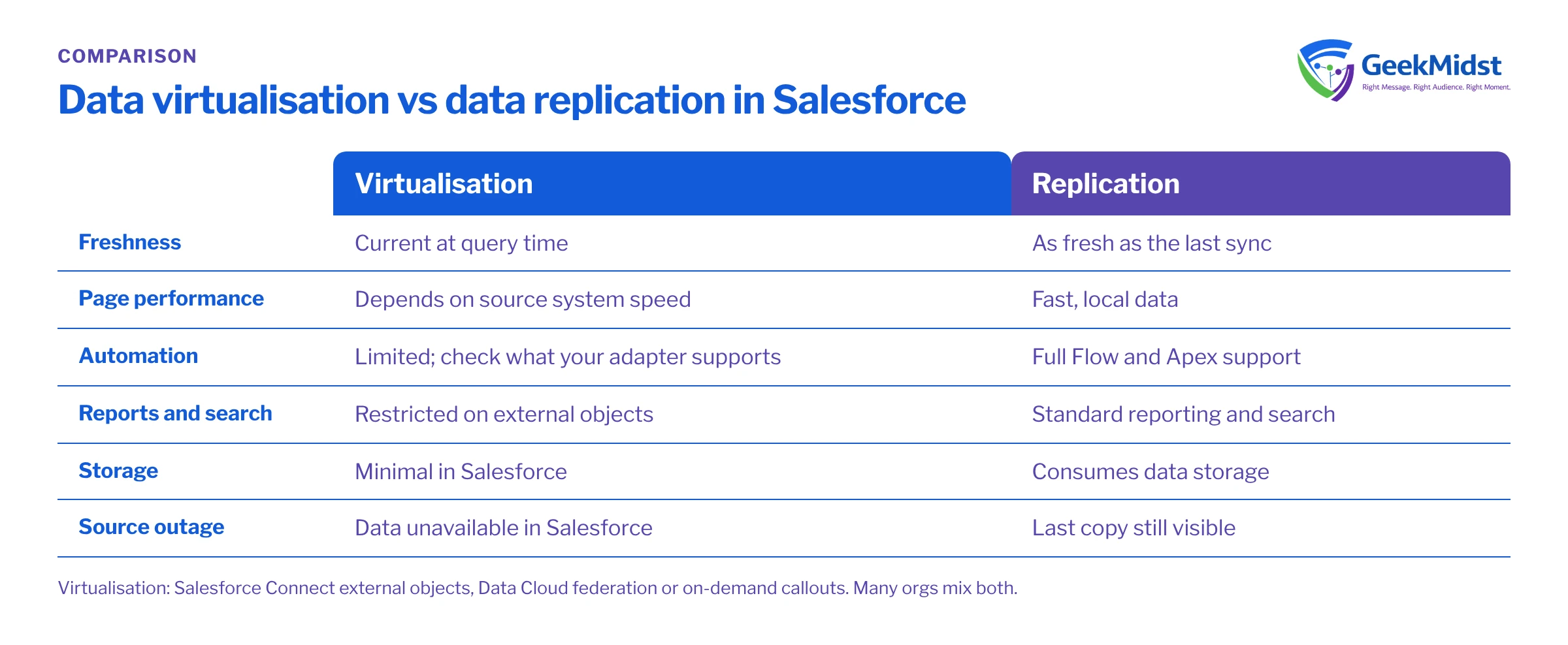
Trade-offs at a glance
| Virtualisation | Replication | |
|---|---|---|
| Freshness | Current at query time | As fresh as the last sync |
| Page performance | Depends on source system speed | Fast, local data |
| Automation on changes | Limited; check what your adapter supports | Full Flow and Apex support |
| Reports and search | Restricted on external objects | Standard reporting and search |
| Storage in Salesforce | Minimal | Consumes data storage |
| Source outage | Data unavailable in Salesforce | Last copy still visible |
| Sharing and security | Mostly enforced in the source | Salesforce sharing model applies |
| Build effort | Lower to start | Integration jobs and reconciliation |
What virtualised data looks like in practice
External objects are queried with SOQL much like other objects, but every query becomes a request to the external system. Which filters and sort options work depends on the adapter and the source.
Assumptions
ErpOrder__x is a sample external object defined through Salesforce Connect, with custom fields mapped from the ERP's order table.
SELECT ExternalId, OrderNumber__c, OrderStatus__c, OrderTotal__c, OrderDate__c
FROM ErpOrder__x
WHERE CustomerNumber__c = 'CUST-2231'
ORDER BY OrderDate__c DESC
LIMIT 20Because each query calls the source, a related list on a busy page can generate a lot of traffic to the ERP. Agree capacity with the source system owner, and test with realistic data volumes and user numbers.
Many platform features behave differently on external objects, or are not available at all, including some automation, reporting and sharing features. Check the current considerations for external objects in Salesforce Help before committing to a design.
Decision criteria
- Does Salesforce need to act on the data? If a change must trigger a flow, update a score or drive a journey, replicate it.
- Do users need to report on it alongside CRM data? Replication, or analysis in a warehouse, is usually more practical than reporting on external objects.
- How large and how old is it? Years of transactional history that users look at occasionally is a strong case for virtualisation.
- How reliable and fast is the source? A slow or frequently unavailable source makes virtualised pages slow or empty.
- Data minimisation. Keeping sensitive data in one system and reading it on demand can reduce exposure. Assess this with your privacy team under GDPR, India's DPDP Act or other regimes that apply.
- Storage and licensing. Weigh Salesforce data storage costs against connector licensing and source system load.
Choosing per data set
- 01
List the data sets
For each, note the source, volume, change frequency, owner and who needs to see it in Salesforce.
- 02
Record how it will be used
Display only, reporting, automation, segmentation or agent grounding. This drives most of the decision.
- 03
Pick a default per data set
Replicate what Salesforce acts on; virtualise large, read-mostly history; consider a summary copy plus a virtualised detail view where both apply.
- 04
Prototype the riskiest one
Build the virtualised or replicated version for the most demanding data set and test it with production-like volumes in a sandbox.
- 05
Define failure behaviour
Decide what users see when the source is down or a sync fails, and how support is alerted.
Our view: it depends on what Salesforce does with the data
There is no single right answer for a whole org. Most well-designed landscapes replicate the data Salesforce needs to act on, virtualise large reference or historical data, and use summary fields where users need a quick signal without the detail. For customer data used in segmentation and activation, Data Cloud adds a third option, covered in Data Cloud vs a data warehouse and choosing data stream ingestion patterns. Our integration services and architecture consulting cover both approaches.
Questions we hear
Can I build a record-triggered flow on an external object?
Is Data Cloud federation the same as Salesforce Connect?
Does virtualisation remove the need for integration work?
What about data storage costs?
Can we mix both for the same entity?
Design the right data access pattern
Bring us your list of external data sets and we will help you decide, one by one, what to copy, what to read on demand and how to handle failures.


