

Data Quality Checks Before Identity Resolution
Identity resolution amplifies bad data. These checks find placeholder emails, shared phones and broken identifiers before they merge the wrong people.

Identity resolution does exactly what your rules tell it to, on whatever data you give it. Give it a shop phone number recorded against two thousand customers and it will try to merge them. Give it customer IDs with and without leading zeros and it will keep the same person apart. An afternoon spent profiling source data before the first ruleset run is cheaper than weeks of explaining odd profiles to the business afterwards.
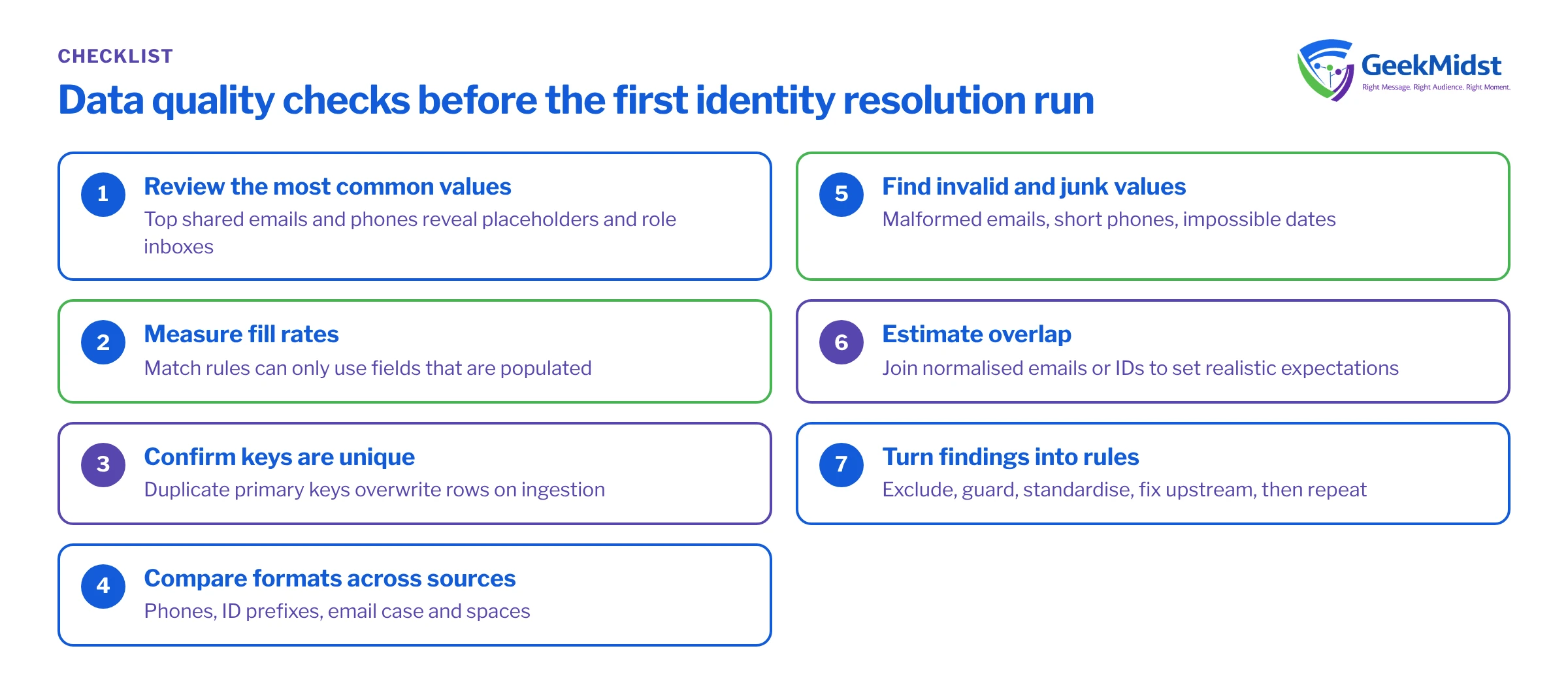
What to check, and why
Each check below targets a specific failure: either over-merging, where different people become one profile, or under-merging, where one person stays split.
Pre-resolution checks
| What you are looking for | Failure it causes | |
|---|---|---|
| Placeholder values | test@, noemail@, 0000000000, N/A, unknown | Over-merging through a shared fake value |
| Shared contact points | One email or phone on many records | Over-merging through households, role inboxes or staff entries |
| Format consistency | Case, spaces, country codes, ID prefixes | Under-merging when the same value is written differently |
| Key uniqueness | Duplicate primary keys within a source | Silent overwrites during ingestion |
| Fill rates | Share of records with each match field populated | Low match coverage and many single-source profiles |
| Invalid values | Malformed emails, impossible dates, short phones | Wasted matches and unreachable profiles |
Before you start
Run these checks where the data is easiest to query: your warehouse, a staging database or Data Cloud's query tooling against the ingested DLOs. The examples use plain SQL against a sample table called customer_extract with columns customer_id, email, phone, first_name and last_name. Adjust names and functions to your environment; string functions in particular vary between SQL dialects.
Check 1: the most common contact values
The fastest way to find placeholders and shared values is to look at the top of the frequency list. Real personal emails rarely appear more than a handful of times.
SELECT
  LOWER(TRIM(email)) AS email_norm,
  COUNT(*)           AS records
FROM customer_extract
WHERE email IS NOT NULL
GROUP BY LOWER(TRIM(email))
HAVING COUNT(*) > 5
ORDER BY records DESCReview the top fifty results with someone who knows the source. You will usually find a mix of test addresses, staff or store addresses, role inboxes and genuine family sharing. Agree what to do with each category: exclude, null out, or keep but never use as a match key on its own.
Check 2: fill rates for match fields
Match rules can only use fields that are populated. If only a third of loyalty records carry an email, your email-based rule will barely touch that source.
SELECT
  COUNT(*)                                             AS total_records,
  SUM(CASE WHEN email      IS NOT NULL THEN 1 ELSE 0 END) AS with_email,
  SUM(CASE WHEN phone      IS NOT NULL THEN 1 ELSE 0 END) AS with_phone,
  SUM(CASE WHEN first_name IS NOT NULL THEN 1 ELSE 0 END) AS with_first_name,
  COUNT(DISTINCT customer_id)                          AS distinct_ids
FROM customer_extractCompare distinct_ids with total_records. A gap means the intended primary key is not unique, and rows will overwrite each other on ingestion. Fix that before building the data stream.
Check 3: formats across sources
Take a sample of the same kind of value from each source and compare them side by side. Typical findings:
- Phones with and without country code, with spaces, dashes or a leading zero. Agree one format, such as E.164, and standardise in a data transform or in the extract.
- Customer or loyalty IDs with different prefixes or padding, for example
LOY-00123against123. - Emails with trailing spaces or mixed case. Normalised matching handles some of this, but cleaning first makes results predictable and easier to debug.
- Names in all capitals in one source and title case in another, which matters for display after reconciliation.
Check 4: invalid and junk values
Look for emails without an @ or a domain, phones that are too short, names like xxx or customer, and birth dates in the future or a century ago. These rarely cause merges, but they create unreachable profiles and clutter segment counts.
Check 5: overlap between sources
Finally, estimate how many people appear in more than one source by joining normalised emails or IDs across extracts. If the CRM and the loyalty platform share almost no emails, either the populations really are different or one source is storing emails in a different format. Both answers change how you write match rules, and the overlap figure gives the business a realistic expectation of how many profiles will actually unify before anyone sees the first count.
Turning findings into rules
- Exclude values that are never real, such as test domains and all-zero phones, before mapping.
- Guard values that are sometimes shared, such as landlines and generic inboxes, by pairing them with a name in match rules.
- Standardise formats in one place, so every source reaches the DMO in the same shape.
- Fix upstream where you can: a form that forces a phone number produces fake phone numbers.
- Repeat the checks after go-live on a schedule, because new sources and new staff habits bring new problems.
Common mistakes
- Profiling only the biggest source, while a small one carries the bridging value.
- Excluding shared values from matching but still sending them to activation, so a role inbox receives personal content.
- Cleaning in Data Cloud while the source keeps producing bad data, with nobody told.
Checklist
- Top shared emails and phones reviewed per source.
- Placeholder list agreed and excluded.
- Fill rates recorded per match field and source.
- Primary keys confirmed unique.
- Formats standardised for phone, email and IDs.
- Findings shared with source owners.
Related reading
Want your data profiled before the first ruleset run?
We can run these checks across your sources, agree exclusions with the data owners and hand over a clean starting point for identity resolution.


