

Scoping a Salesforce Marketing Implementation
Most marketing implementations that overrun were scoped as a list of features. Here is how to scope around use cases, data and decisions instead.

Most Salesforce marketing projects that overrun were not badly built. They were scoped as a list of features ("set up Journey Builder", "connect CRM", "build templates") with no agreement on which customer moments matter, which data has to exist, or who decides when something is finished. The build then becomes the place where those questions get answered, which is the most expensive place to answer them.
This guide sets out a scoping method that works whether you are starting on Marketing Cloud Engagement, Marketing Cloud Next or Account Engagement (formerly Pardot), and whether the build is done in-house or by a partner.
Scope use cases, not features
A feature list tells you what will be configured. A use case tells you what a customer will experience and what the business expects from it. Write each use case in one line: trigger, audience, channel, content, outcome. For example: "When a customer places a first order, send a two-email onboarding series to opted-in customers, personalised by product category, to encourage a second purchase."
That single line already implies most of the scope. You need order data with a reliable first-order flag, a consent field, product category on the order or line, a journey with at least one wait and one decision, two templates with dynamic content, and a way to measure second purchases. Features follow from use cases. The reverse is rarely true.
The dimensions that drive effort
Once you have a ranked list of use cases, assess each one against the dimensions below. These are where effort and risk actually sit, and they are usually underestimated because they are invisible in a demo.
Scoping dimensions and what to ask
| Question to answer | Evidence that it is understood | |
|---|---|---|
| Data sources | Which systems hold the data, and who owns each? | A named owner and a sample extract for every source |
| Identity | What key identifies a person across systems? | An agreed subscriber or contact key and how duplicates are handled |
| Consent | Where is consent captured, stored and changed? | A consent record per channel with a source of truth |
| Integration | How often must data move, and in which direction? | Agreed frequency, direction and failure handling per feed |
| Content | Who writes, designs and approves each asset? | Named approvers and a realistic content calendar |
| Reporting | What will prove the use case worked? | A defined metric, baseline and reporting location |
| Operations | Who runs it after go-live? | A named team with time allocated, not just access |
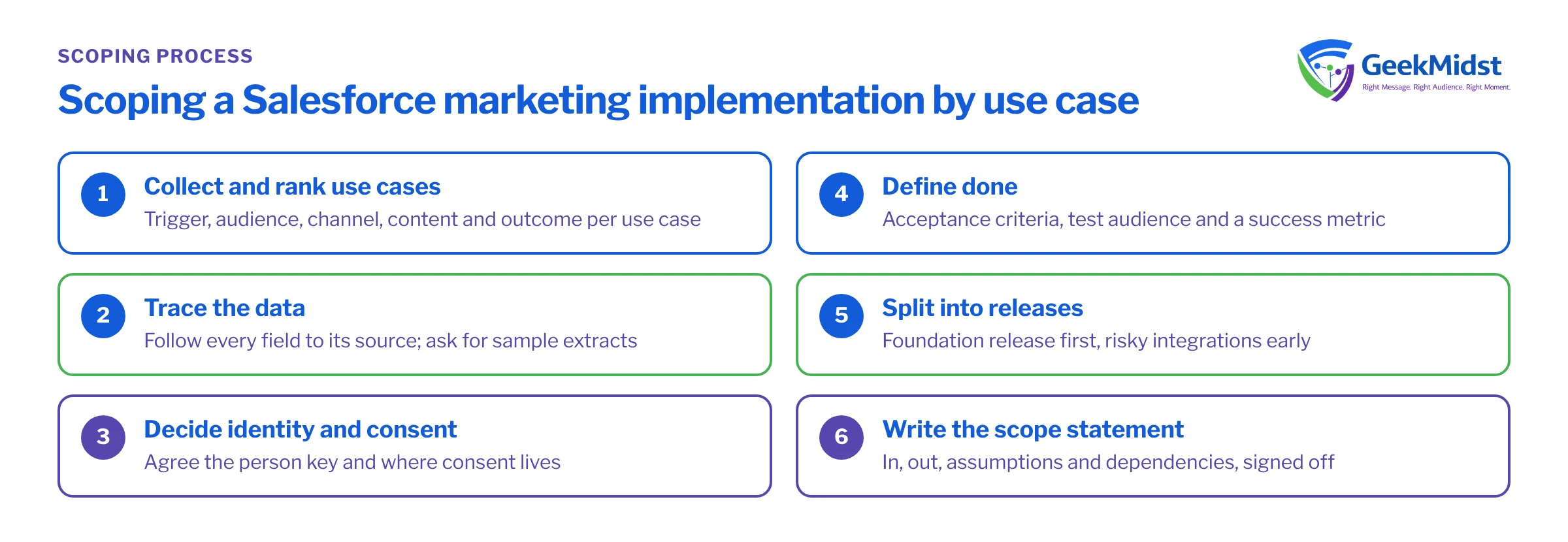
A scoping process that holds up
- 01
Collect and rank use cases
Gather candidate use cases from marketing, sales and service. Rank by business value and by how much data work each needs, so the first release has a few high-value, low-dependency items.
- 02
Trace the data for the top use cases
For each one, follow every field back to its source system. Request sample extracts early; a sample answers more questions than a meeting.
- 03
Decide the identity and consent model
Agree the key that identifies a person and where consent lives before anyone designs a journey. Both are hard to change once data is loaded.
- 04
Define done for each use case
Write acceptance criteria, the test audience and the metric. If nobody can say what done looks like, the use case is not ready to scope.
- 05
Split into releases
Group use cases into a foundation release (data, identity, consent, a first journey) and later releases. Put risky integrations early, not last.
- 06
Write the scope statement
Record what is in, what is explicitly out, the assumptions and the dependencies on other teams. Get it signed off by the person who owns the budget.
Worked example: a first-release scope statement
Here is a shortened scope statement for a retailer starting on Marketing Cloud Engagement with Sales Cloud as the CRM. The names are illustrative.
In scope
- Marketing Cloud Connect between Sales Cloud and one Marketing Cloud business unit, syncing Contact and a custom Order object.
- Subscriber key set to the Salesforce Contact ID, with a documented rule for leads that have not converted.
- A daily SQL Query Activity that builds
Onboarding_Eligible_DEfrom synced order data. - One onboarding journey (two emails, one decision split on product category) and one preference centre on CloudPages.
- A reporting data extension built from data views for sends, opens, clicks and unsubscribes.
Out of scope
- SMS and push channels, loyalty data, migration of historic email engagement from the previous platform.
- Changes to the CRM data model beyond two new fields on Contact.
Assumptions and dependencies
- The CRM team adds the two Contact fields before the build starts.
- Brand provides approved copy and design for both emails before template build.
- The sending domain is authenticated (SPF, DKIM, DMARC) by the client's IT team.
Notice what this does. Every item is testable, the exclusions prevent the common "while you're in there" requests, and the dependencies name who has to do what. That is the difference between a scope and a wish list.
Common scoping mistakes and how to spot them
- Treating data as someone else's problem. Symptom: the plan has weeks for journey build and a single line for "integration". Diagnose by asking for a sample of each feed. If nobody can produce one this week, the integration is the project.
- Scoping templates by count. "Ten templates" says nothing about effort. A template with three dynamic content blocks and AMPscript lookups is a different job from a static newsletter. Scope by the number of variants and data dependencies.
- Leaving consent to the end. If unsubscribe and preference handling are designed after journeys, journeys get rebuilt. Agree the consent model in the foundation release.
- No owner after go-live. A scope with no operations line produces a platform that works on launch day and decays afterwards. Name the team and the hours they will spend.
- Ambiguous exclusions. "Phase 2" is not an exclusion. Write what is out, and say what would trigger a change request.
Scoping checklist
- Ranked use cases written as trigger, audience, channel, content, outcome.
- A named owner and a sample extract for each data source.
- An agreed identity key and consent model.
- Acceptance criteria and a success metric for every in-scope use case.
- Releases that put data and integration risk first.
- Explicit exclusions, assumptions and dependencies, signed off.
- A named operations team for after launch.
Related reading
Questions we hear
How long should scoping take?
Should we scope everything up front or release by release?
Who should sign off the scope?
What if our data is not ready?
Want a second pair of eyes on your scope?
GeekMidst can review a draft scope, trace the data behind your priority use cases and help you split the work into releases that hold.


