

Testing Journeys Before Activation
Once a journey is live, mistakes reach real customers. Build a branch coverage matrix, run every path and prove who received what before you activate.

An activated journey is hard to take back. Contacts who entered a broken version keep moving through it, emails go out with the wrong content, and stopping the journey leaves people half-way through. Testing journeys before activation is cheaper than any recovery plan, and it is mostly a matter of preparing the right test contacts and checking each path on purpose.
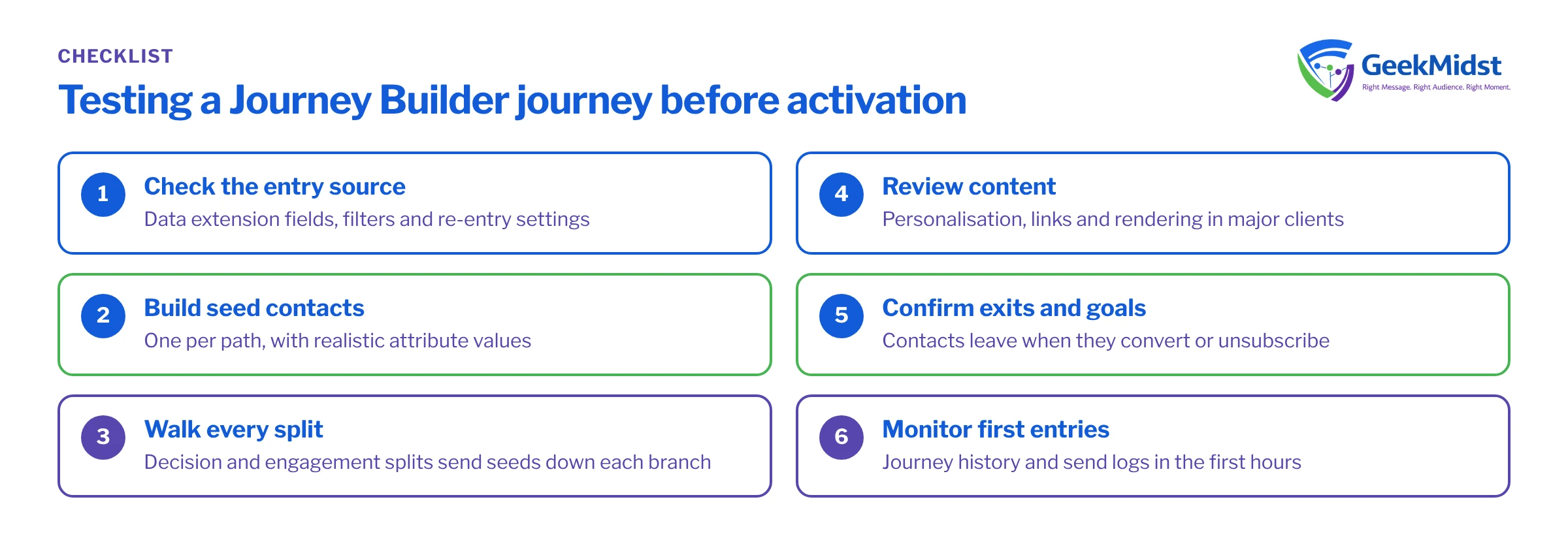
Decide what you are testing
A journey test has four layers, and each fails in its own way:
- Entry: the right people enter, once, at the right time. This covers entry source filters, contact evaluation, re-entry settings and schedules.
- Logic: each split sends people down the correct path, waits behave as designed, and exit criteria and goals remove people when they should.
- Content: every message renders correctly for every persona, including fallbacks for missing data, links, unsubscribe and sender details.
- Side effects: updates to data extensions or CRM records, and any API calls, happen correctly and only once.
Build a branch coverage matrix
Before testing, define one test persona for every path through the journey. The matrix below is for a simple onboarding journey with a decision split on product type and an engagement split on the first email. Use internal addresses or a seed list, never real customer data.
Example branch coverage matrix
| Entry data | Expected path | Expected messages | |
|---|---|---|---|
| qa-001 | Product Basic, opens email 1 | Basic, engaged | Welcome, Basic tips, Upgrade offer |
| qa-002 | Product Basic, does not open | Basic, not engaged | Welcome, Basic reminder |
| qa-003 | Product Pro, opens email 1 | Pro, engaged | Welcome, Pro setup guide |
| qa-004 | Product Pro, does not open | Pro, not engaged | Welcome, Pro reminder |
| qa-005 | Product blank | Default path | Welcome, Generic tips |
| qa-006 | Meets exit criteria after email 1 | Exits at next evaluation | Welcome only |
| qa-007 | Added twice to the entry source | One journey instance | No duplicate Welcome |
Use Journey Builder's own checks
Journey Builder validates a journey before activation and flags configuration problems such as missing content or incomplete activities. Treat validation as the minimum, not the test. Journey Builder also offers a test mode that runs contacts through the journey without activating it, with waits shortened so you can follow each path quickly. Which activities behave fully in test mode varies, so check current details in Salesforce Help and test anything unsupported separately.
For content, preview each email with every persona's data and send test emails to a seed list. Previews catch most AMPscript errors; test sends catch rendering and link problems. For personalisation failures, see How to debug AMPscript personalisation errors.
A pre-activation test run
- 01
Freeze the version
Agree that design, content and the entry data extension are final for this test. Changes after testing mean testing again.
- 02
Load the test personas
Populate the entry source with the matrix personas, using keys with a clear prefix such as qa- so they are easy to find and remove.
- 03
Validate and preview
Run validation, preview every email for every persona and send tests to the seed list.
- 04
Run the paths
Use test mode, or a test copy of the journey with short waits, and act out opens or clicks for the personas that need them.
- 05
Check data and side effects
Confirm data extension updates, CRM activities and exits against the matrix, and query the data views to prove who received what.
- 06
Sign off
Record the result for each persona with the tester's name and date before anyone activates.
Prove who received what
After a test run, query the journey data views rather than relying on inboxes. The query below lists sends from a journey to test contacts. It assumes a target data extension Journey_QA_Sends_DE, a journey named Onboarding_QA and test keys starting with qa-.
SELECT
    j.JourneyName,
    j.VersionNumber,
    ja.ActivityName,
    s.SubscriberKey,
    s.EventDate
FROM _Sent s
INNER JOIN _JourneyActivity ja
    ON ja.JourneyActivityObjectID = s.TriggererSendDefinitionObjectID
INNER JOIN _Journey j
    ON j.VersionID = ja.VersionID
WHERE j.JourneyName = 'Onboarding_QA'
AND s.SubscriberKey LIKE 'qa-%'Mistakes that get through
- Testing only the happy path. The default and blank-data paths are where broken personalisation lives.
- Wrong entry settings. Allowing re-entry when it should not be allowed, or evaluating all records instead of new ones on a scheduled data extension entry, causes duplicate sends.
- Send times and time zones. A send window or wait-until time that suits one time zone may land at night in another. See Throttling and send windows in Journey Builder.
- Goals and exit criteria never exercised. People who convert should leave. Include a persona who meets them.
- Testing a different setup from production. Content, data extensions and sender profiles must be the ones that will be used live.
Final checklist
- Every path in the matrix has a persona and a recorded result.
- Validation passes, with any warnings explained.
- Every email previewed and test-sent for each persona.
- Entry source, contact evaluation and re-entry settings confirmed.
- Exit criteria and goals tested.
- Send windows checked for each audience time zone.
- Sign-off recorded before activation.
The Journey QA checklist turns this process into a working document, and our Journey Builder consulting service can run it with your team.
Get a journey checked before it goes live
We can review your journey design, build the coverage matrix and run a structured pre-activation test alongside your team.


