

Triggered Sends vs Journey API Entry Events
When another system needs to fire a Marketing Cloud message, you can call a triggered send, the Transactional Messaging API or a journey entry event. Here is how to choose.

An order is placed, a password reset is requested, a trial is about to expire. Another system needs Marketing Cloud Engagement to send something now. There are three common ways to do it, and they suit different jobs: a single fast transactional email, or the first step of a longer conversation. Picking the wrong one leads to slow receipts or journeys that are hard to maintain.
The three options
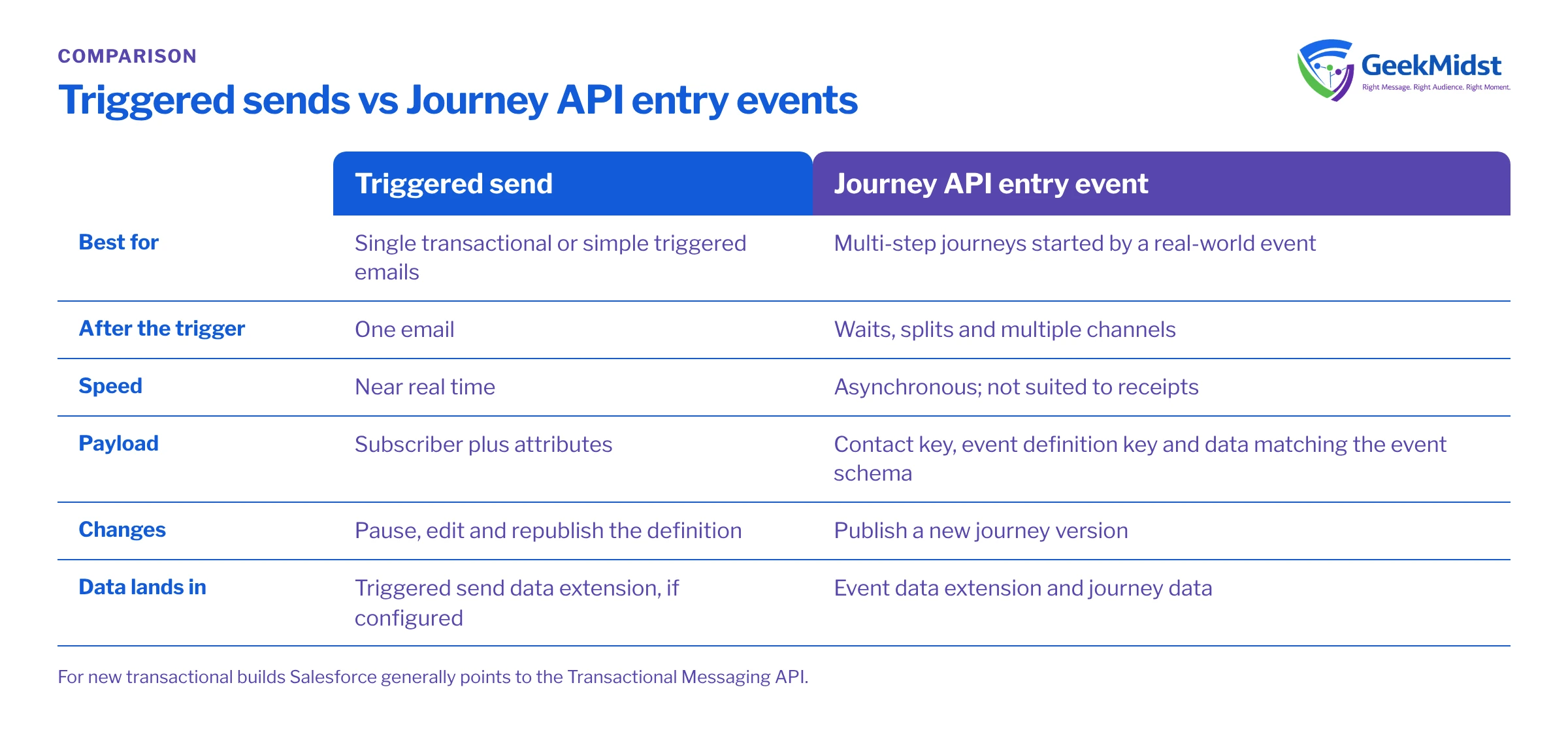
Classic triggered sends. A triggered send definition in Email Studio links one email to a send classification and a target. Your system calls the SOAP or REST API with the subscriber and attributes, and one email goes out. Triggered sends are long-established and widely used. Changes to the email need the definition to be paused and republished.
Transactional Messaging API. A newer REST API for single transactional emails (and SMS) built on send definitions you create through the API or as transactional send journeys in Journey Builder. It is designed for low-latency, one-to-one messages and is the route Salesforce points new transactional builds towards.
Journey API entry events. Your system posts an event to the journey events endpoint with a contact key, an event definition key and data. The contact enters a journey and moves through as many steps, waits and splits as you design. Entry is processed asynchronously, so it suits conversations rather than receipts that must arrive in seconds.
How they compare
| Triggered send | Transactional Messaging API | Journey API entry event | |
|---|---|---|---|
| Best for | Single transactional or simple triggered emails | Single, time-critical transactional messages | Multi-step journeys started by a real-world event |
| Steps after the trigger | One email | One message | Waits, splits, multiple channels |
| Speed | Near real time | Designed for low latency | Asynchronous, less suited to receipts |
| Payload | Subscriber plus attributes | Recipient plus attributes | Contact key plus data matching the event schema |
| Change management | Pause, edit, republish the definition | Update the definition via API or journey | New journey version |
| Where data lands | Triggered send data extension if configured | Send logs and tracking | Event data extension and journey data |
Before you start
All three use OAuth 2.0 access tokens from an installed package with API integration credentials. Your system requests a token from the authentication endpoint for your tenant (https://YOUR_SUBDOMAIN.auth.marketingcloudapis.com/v2/token), then calls the REST endpoint on the same subdomain. Give the integration only the permissions it needs, and store the client secret in your integration platform's secret store, not in code. The payloads below use sample keys and example.com addresses.
Example: entering a journey from an event
POST https://YOUR_SUBDOMAIN.rest.marketingcloudapis.com/interaction/v1/events
{
  "ContactKey": "CUST-000123",
  "EventDefinitionKey": "APIEvent-trial-expiry",
  "Data": {
    "SubscriberKey": "CUST-000123",
    "EmailAddress": "sam.sample@example.com",
    "PlanName": "Starter",
    "TrialEndDate": "2026-11-01"
  }
}Example: sending one transactional email
POST https://YOUR_SUBDOMAIN.rest.marketingcloudapis.com/messaging/v1/email/messages/{messageKey}, where messageKey is a unique ID you generate for this message so that it can be looked up later and not sent twice.
{
  "definitionKey": "order-confirmation",
  "recipient": {
    "contactKey": "CUST-000123",
    "to": "sam.sample@example.com",
    "attributes": {
      "OrderNumber": "SO-1001",
      "OrderTotal": "49.00"
    }
  }
}Decision criteria
Ask these questions in order:
- Is it one message that must arrive quickly? Receipts, password resets and one-time codes belong on the Transactional Messaging API or an existing triggered send, not in a marketing journey.
- Does the event start a sequence? A trial expiry with reminders, a cart recovery with a follow-up, an onboarding series: use a journey entry event, designed as described in Designing a multi-step Journey Builder automation.
- Who will change it, and how often? Marketers can maintain journeys and their content more easily. Transactional definitions tend to be owned by a technical team and change rarely.
- Is the message commercial or transactional? Send classification affects which subscription rules apply. Do not route promotional content through a transactional path to bypass opt-outs.
- What does the calling system need back? The Transactional Messaging API lets you query a message's status by its key, which helps support teams answer "did the email go?".
Many teams use both: a transactional send for the instant receipt, and a journey event for the follow-up programme. See Transactional email via API for a reference design.
Errors, retries and monitoring
- Authentication failures usually mean an expired token or the wrong subdomain. Cache tokens until shortly before expiry rather than requesting one per call.
- Validation errors on journey events often come from field names or types that do not match the entry data extension, or an inactive journey version.
- Retries need idempotency. Reuse the same
messageKeyfor transactional retries; for journey events, rely on re-entry settings and a unique key in the entry data. - Silent drops happen when a subscriber is unsubscribed or held. Log the request and response on your side so you can reconcile with Marketing Cloud tracking.
The Salesforce API integration error handling guide covers retry patterns in more detail, and the Salesforce Developers documentation is the reference for current endpoints and limits.
Checklist
- Message type classified as transactional or commercial
- Route chosen per message, not per project
- Installed package scoped to the minimum permissions
- Payload schema documented and validated before calling
- Idempotency keys defined for retries
- Request and response logging in the calling system
- Monitoring for failed and dropped sends agreed with an owner
Questions we hear
Are classic triggered sends being retired?
Can a journey send a receipt quickly enough?
Do API-triggered contacts count towards my contact total?
Can I send SMS the same way?
Connecting a system to Marketing Cloud?
We can help you choose the right send route for each message, design the payloads and build the error handling around them.


