

Marketing Cloud SQL errors and fixes
Duplicate primary keys, truncation, type mismatches, ORDER BY rules and timeouts — what causes them and how to fix each one.

Query activities in Automation Studio write the result of a SELECT into a target data extension. Most failures come from a mismatch between what the query returns and what the target data extension accepts.
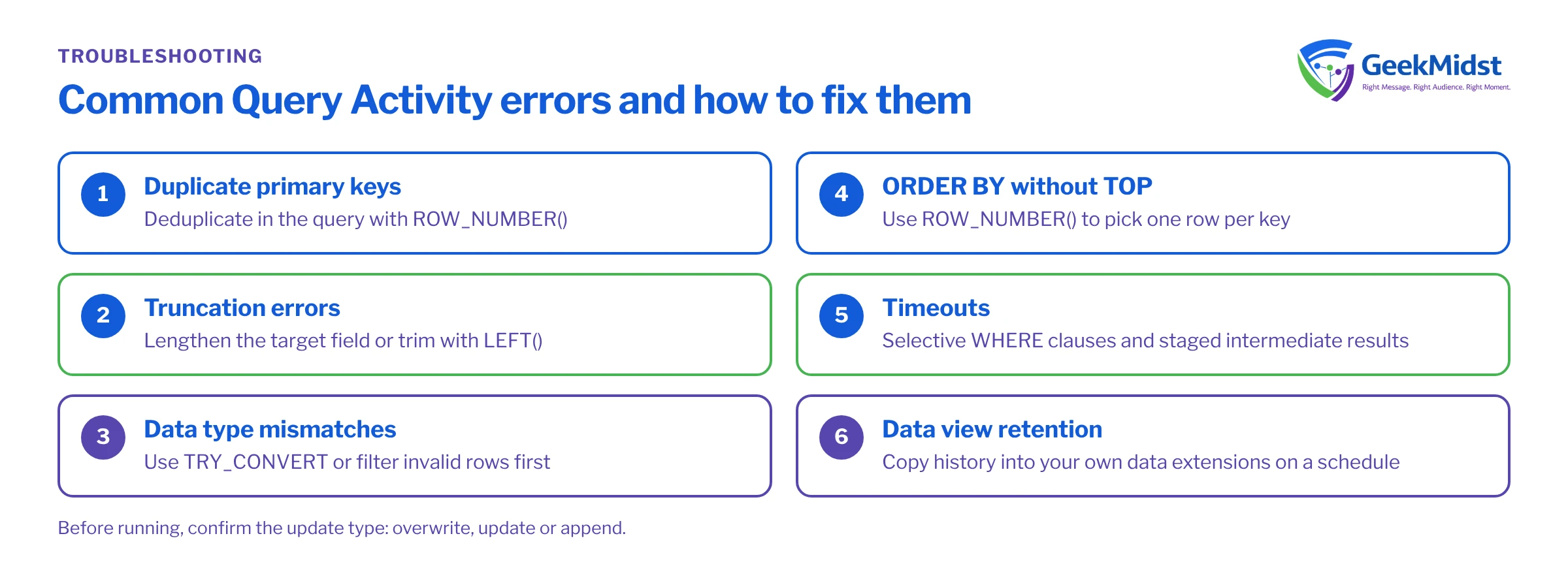
1. Duplicate primary key violations
If the target data extension has a primary key and your query returns two rows with the same key, the activity fails. Deduplicate inside the query with ROW_NUMBER().
SELECT SubscriberKey, EmailAddress, LastPurchaseDate
FROM (
    SELECT
        o.SubscriberKey,
        o.EmailAddress,
        o.PurchaseDate AS LastPurchaseDate,
        ROW_NUMBER() OVER (PARTITION BY o.SubscriberKey ORDER BY o.PurchaseDate DESC) AS rn
    FROM [Orders] o
) x
WHERE x.rn = 12. Truncation errors
A text value longer than the target field length causes an error. Either increase the field length in the target data extension or trim explicitly with LEFT(field, 100).
3. Data type mismatches
Writing text into a Date or Number field fails when a value cannot be converted. Use TRY_CONVERT or filter invalid rows before inserting.
4. ORDER BY without TOP
ORDER BY is only allowed together with TOP in the outer query. If you only need ordering to pick one row per key, use ROW_NUMBER() as shown above.
5. Timeouts
Query activities have a run-time limit (commonly cited as 30 minutes; check Salesforce Help for the current figure). Reduce scanned data with selective WHERE clauses, stage intermediate results in their own data extensions, and avoid joining large data views without a date filter.
6. Data views and retention
System data views such as _Sent, _Open and _Click hold a limited history (roughly six months). Copy what you need for long-term reporting into your own data extensions on a schedule. Data view timestamps are recorded in Central Standard Time (no daylight saving adjustment), so allow for that when you filter by date or compare with your own data.
7. NULL into a required field
If a target field is not nullable and the query returns NULL for it, the row cannot be written and the activity errors. This often happens after a LEFT JOIN, where unmatched rows bring back NULLs. Either make the field nullable, supply a default with ISNULL(field, 'Unknown') or COALESCE, or filter those rows out.
8. Column names that do not match the target
The query writes to target fields by column name, not by position. Alias every computed column (... AS LastPurchaseDate) so it matches a field in the target data extension exactly. A column without a matching field, or an unaliased expression, is a common reason a query that "looks right" fails validation.
9. Ambiguous columns in joins
When two joined tables share a column name, such as SubscriberKey, an unqualified reference is ambiguous. Give every table an alias and prefix every column with it.
10. Unsupported T-SQL
The query activity accepts a single SELECT statement based on SQL Server syntax. Procedural features such as variables (DECLARE), temporary tables, stored procedures and cursors are not available. If you need multi-step logic, split it into several query activities that write to staging data extensions and run them in sequence in one automation.
11. Names that need brackets or a prefix
Data extension names containing spaces or hyphens must be wrapped in square brackets: [Order Lines]. To query a shared data extension from a child business unit, use the ENT. prefix, for example ENT.Shared_Customers.
SELECT s.SubscriberKey
FROM _Sent s
LEFT JOIN _Open o
    ON  o.SubscriberKey = s.SubscriberKey
    AND o.JobID = s.JobID
    AND o.IsUnique = 1
WHERE s.EventDate >= DATEADD(DAY, -30, GETDATE())
  AND o.SubscriberKey IS NULL
GROUP BY s.SubscriberKeyThis example shows several of the fixes together: aliases on every table, a date filter on the data view to limit how much is scanned, and GROUP BY so each subscriber appears once and a primary key on SubscriberKey in the target will not be violated.
Troubleshooting a failed run
- Open the automation's activity history and read the error message in full. It usually names the field or constraint involved.
- Run the query against a copy of the target data extension with no primary key and all fields nullable. If it succeeds, the problem is a constraint (key, length, type or required field), not the SQL itself.
- Check the copy for duplicates, over-long values and
NULLs in fields the real target requires. - If the query times out, measure how many rows each source contributes and add date filters or staging steps.
- Remember that Validate Syntax checks the statement, not the data, so a query can validate and still fail at run time.
Checklist before you run
- Target data extension fields, lengths and types match the
SELECToutput - Primary keys are unique in the result
- Update type (overwrite, update, append) is what you intend
- Query tested against a sample data extension first
- Every computed column has an alias that matches a target field
- Required target fields cannot receive
NULL - Data view queries have a date filter
For rendering the results in email, see AMPscript LookupRows vs LookupOrderedRows.


