

How to Debug AMPscript Personalisation Errors
A practical routine for finding the AMPscript line that breaks a send, reproducing it with a known subscriber and writing personalisation that fails gracefully.

An email previews perfectly, then the send errors, or a handful of subscribers get a blank greeting while everyone else looks fine. Most AMPscript personalisation problems are caused by data that differs from what the code expects, not by the syntax itself. This guide shows how to find the failing line, reproduce it with a known subscriber, and write code that degrades gracefully.
Before you start
The examples assume a sendable data extension called Customers_DE keyed on SubscriberKey, and a related Orders_DE with SubscriberKey, OrderNumber and OrderDate. These are sample names; replace them with your own. Make changes in a test business unit or a copy of the email, and use a seed list for test sends before touching live content.
Where AMPscript errors come from
AMPscript runs at render time: when you preview, when you send a test, and once for every subscriber during a real send. Three different kinds of problem show up:
- Validation errors are caught when you save, preview or start the send: an unclosed block, a missing
ENDIF, a mistyped function name, or a personalisation string that does not exist in the sending context. - Runtime errors appear only for some subscribers: a lookup returns no rows and the code calls
Row()on the empty set, an empty date is passed toFormatDate(), or a value contains characters the code did not expect. - Silent errors fail nothing but produce wrong output: an attribute that is empty for some people, a lookup against the wrong field, or a variable that is set in one branch and not in the other.
Runtime errors during a send are the costly ones. Depending on the error and how the send is configured, the subscriber may be skipped or the whole job may stop. Treat every lookup and every optional field as something that can be empty.
%%[
VAR @subKey, @firstName, @rows, @row, @orderNo, @orderDate

SET @subKey = _subscriberkey

/* AttributeValue returns empty instead of erroring if the field is missing */
SET @firstName = AttributeValue("FirstName")
IF Empty(@firstName) THEN
  SET @firstName = "there"
ENDIF

/* Explicit sort so "latest order" really is the latest */
SET @rows = LookupOrderedRows("Orders_DE", 1, "OrderDate DESC", "SubscriberKey", @subKey)

IF RowCount(@rows) > 0 THEN
  SET @row = Row(@rows, 1)
  SET @orderNo = Field(@row, "OrderNumber")
  SET @orderDate = Field(@row, "OrderDate")
ELSE
  /* For an order email, sending without an order is wrong: skip this subscriber only */
  RaiseError("No order found for subscriber", true)
ENDIF
]%%
Hi %%=v(@firstName)=%%, thanks for order %%=v(@orderNo)=%%
%%[ IF NOT Empty(@orderDate) THEN ]%%
placed on %%=FormatDate(@orderDate, "dd MMMM yyyy")=%%.
%%[ ENDIF ]%%What the guarded version does differently
AttributeValue()instead of%%FirstName%%. A personalisation string that does not exist in the sending data extension causes a validation error.AttributeValue()returns an empty value, which you can then test withEmpty().RowCount()beforeRow(). CallingRow(@rows, 1)when the lookup found nothing is one of the most common reasons a send fails for some subscribers only.LookupOrderedRows()with a sort.LookupRows()does not promise an order, so "the latest order" can change between previews. The LookupRows vs LookupOrderedRows guide covers this in detail.RaiseError()with the second argument set totrue. This skips the current subscriber and lets the rest of the send continue. Without it, a raised error stops the send, which is rarely what you want in a batch. Use it only where sending without the data would be wrong.- Formatting only when there is a value. Passing an empty or malformed date to
FormatDate()is a frequent runtime error.
Reproducing the error on a test CloudPage
Send-time error messages are often brief. To see the full message, run the suspect block on a private test CloudPage, wrapped in Server-Side JavaScript so you can catch the exception. A CloudPage has no subscriber context, so hard-code the key of the subscriber that failed (use a test record, not a real customer, where you can).
<script runat="server">
Platform.Load("Core", "1.1.1");
// Build the AMPscript as a string; splitting the delimiters stops it running early
var amp = "%%" + "[ SET @rows = LookupOrderedRows('Orders_DE', 1, 'OrderDate DESC', 'SubscriberKey', 'TEST-0001') "
        + "SET @row = Row(@rows, 1) "
        + "SET @d = FormatDate(Field(@row, 'OrderDate'), 'dd MMMM yyyy') ]" + "%%";
try {
  Platform.Function.TreatAsContent(amp);
  Write("Block ran. Order date: " + Variable.GetValue("@d"));
} catch (e) {
  Write("Error: " + Stringify(e));
}
</script>Symptom to cause: a quick lookup
| Likely cause | First thing to check | |
|---|---|---|
| Send fails for a few subscribers | Row() or Field() on an empty lookup result | Add a RowCount() guard |
| Error at preview about an invalid field | Personalisation string not in the sending data extension | Use AttributeValue() or add the column |
| Blank or odd greeting | Attribute empty or padded in the source data | Empty() check and a fallback value |
| Date errors or shows a default date | Empty or non-date value passed to FormatDate() | Format only after an Empty() check |
| Different order shown each preview | LookupRows() result order is not guaranteed | Use LookupOrderedRows() with a sort |
| Fine in Email Studio, fails in a journey | Code expects columns the journey entry data does not have | Compare the entry data extension schema |
| Links broken or untracked | Variable URLs not wrapped or encoded | Use RedirectTo() and URLEncode() |
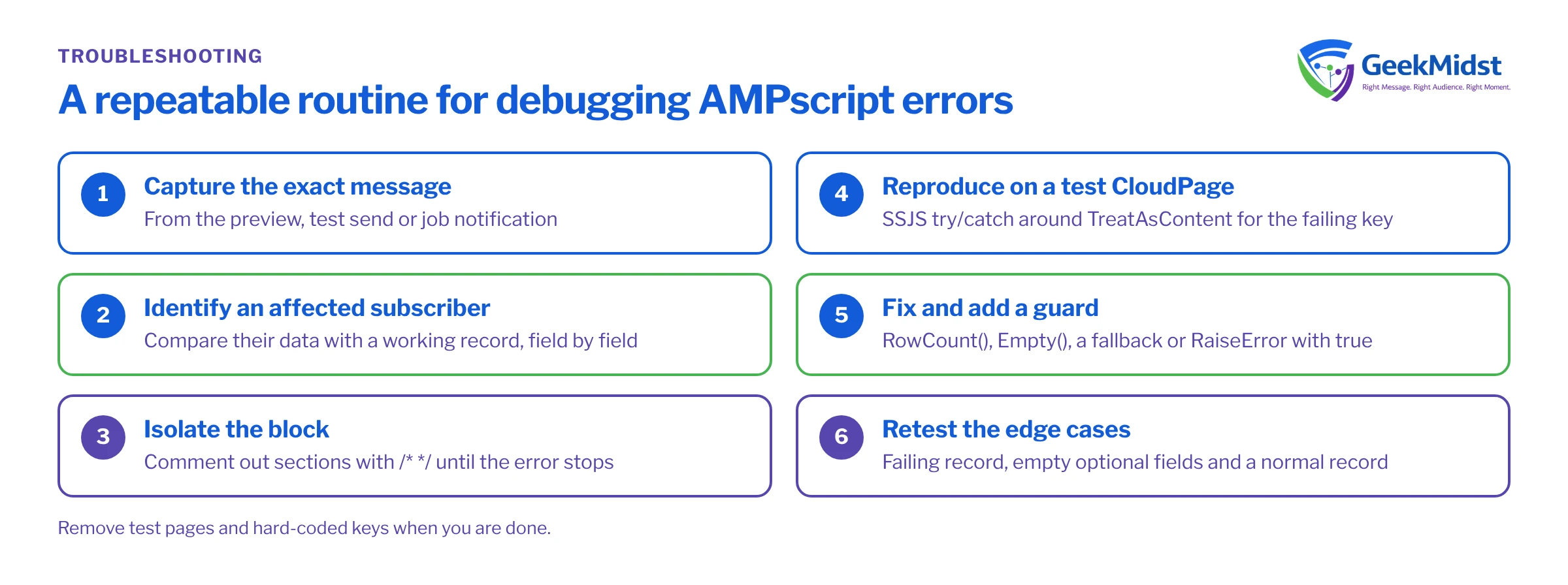
A repeatable diagnosis routine
- 01
Capture the exact message
Copy the error text from the preview, test send or job notification. Note whether it names a function, field or line.
- 02
Identify an affected subscriber
Find a subscriber key that fails. If only some fail, compare their data with one that works, field by field.
- 03
Isolate the block
Comment out sections with /* */ inside the AMPscript block until the error stops. The last section removed is your suspect.
- 04
Reproduce on a test page
Run the suspect code against the failing key on a private CloudPage using the harness above to read the full error.
- 05
Fix and add a guard
Correct the cause, then add the check that would have prevented it: RowCount(), Empty(), a fallback or a controlled RaiseError().
- 06
Retest the edge cases
Preview again with the failing record, a record with empty optional fields and a normal record before you resend.
Checklist before you resend
- Every
Row()andField()call is protected by aRowCount()check. - Every optional attribute has an
Empty()check and a sensible fallback. - Lookups that need a specific record use an explicit sort.
- Variables used in output are set on every branch, not only inside one
IF. RaiseError()is used deliberately, withtruewhere a single subscriber should be skipped.- You previewed with an empty record, a no-lookup-rows record and a normal record.
- Test pages and hard-coded keys have been removed.
Related reading
- AMPscript cheat sheet for function syntax at a glance.
- AMPscript vs Server-Side JavaScript for when to switch languages.
- Journey QA checklist for testing personalised emails inside journeys.
- Function reference on the Salesforce Developers documentation site.
Still chasing a send error?
If a template keeps failing for some subscribers, we can review the AMPscript, the data behind it and your test approach, and leave you with code that fails safely.


