

Decision Splits vs Engagement Splits in Journeys
Decision splits branch on data, engagement splits branch on how someone reacted to an earlier email. Here is how each one evaluates, and when to use which.

Two journeys can look identical on the canvas and behave completely differently, because one branches on a field that was frozen at entry and the other on a field that updates daily. Choosing between a decision split and an engagement split, and feeding each the right data, is one of the most common sources of journey bugs in Journey Builder.
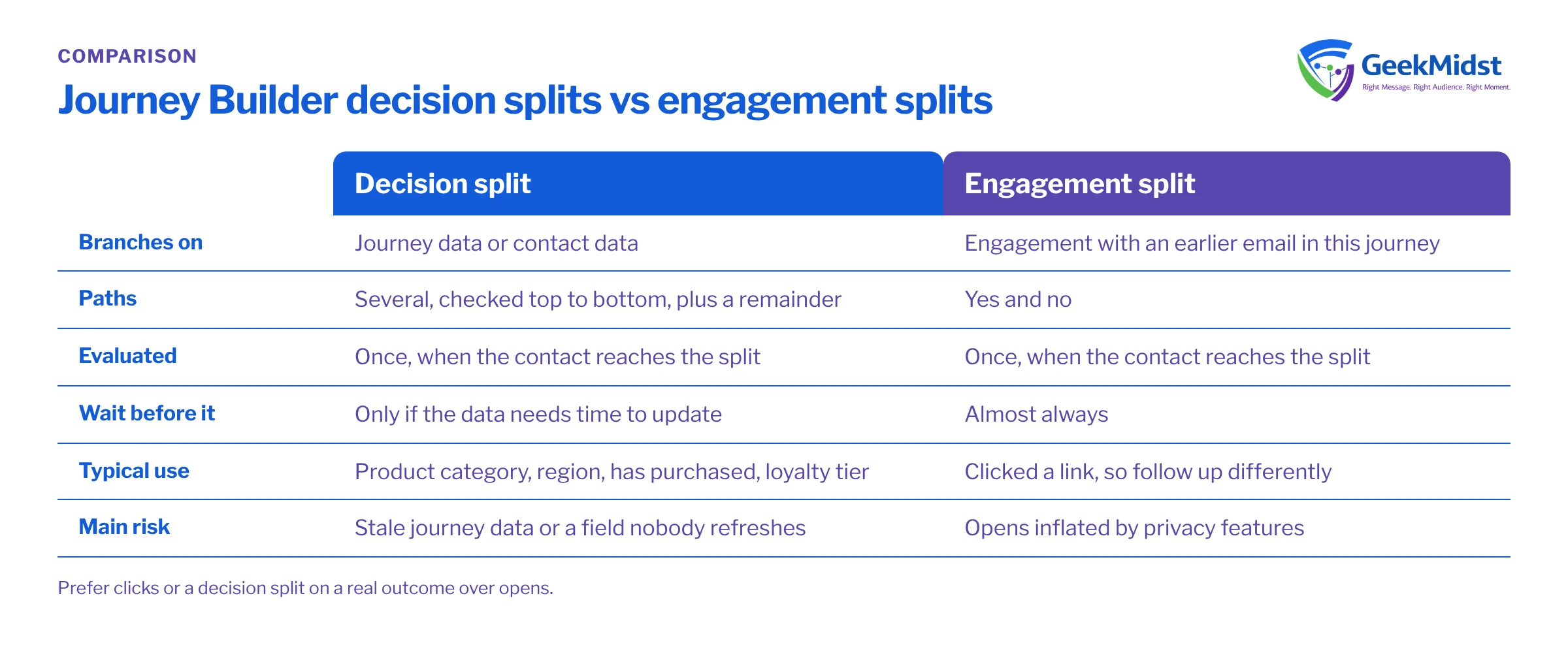
How a decision split evaluates
A decision split sends each contact down the first path whose filter they match. Paths are checked in order, top to bottom, and anything that matches none goes to the remainder path. Filters can use:
- Journey data: the values captured from the entry source when the contact entered. These do not change during the journey.
- Contact data: attributes in Contact Builder attribute groups, read at the moment the contact reaches the split. If the underlying data extension has been updated since entry, the split sees the new value.
That difference matters. "Has the customer purchased since entering?" can only be answered with contact data. "Which product did they enter with?" is best answered with journey data, because it should not change.
How an engagement split evaluates
An engagement split looks back at a specific email activity earlier in the same journey and asks whether the contact engaged with it, for example opened it or clicked a link (any link, or one you choose). Contacts go down a yes or no path.
It evaluates when the contact arrives at the split. If the split sits immediately after the email, almost nobody has had time to engage and nearly everyone takes the no path. Put a wait before it that reflects how long your audience realistically takes to respond.
Random splits, briefly
A random split divides contacts by percentage. It is the right tool for tests and holdout groups, not for business logic. Use it to keep a control group that receives no message, so you can measure what the journey actually changes.
Side by side
| Decision split | Engagement split | |
|---|---|---|
| Branches on | Journey data or contact data | Engagement with an earlier email in this journey |
| Number of paths | Several plus a remainder | Yes and no |
| Data read when | Contact reaches the split | Contact reaches the split |
| Needs a wait before it | Only if the data needs time to update | Almost always |
| Typical use | Product category, region, has purchased, loyalty tier | Clicked a link, follow up differently |
| Main risk | Stale journey data or a field nobody refreshes | Opens inflated by privacy features |
Worked example: branching on a real outcome
Suppose a journey should send a follow-up only to people who have not booked a demo since entry. An engagement split on "clicked the booking link" is tempting, but it measures interest, not the booking. A decision split on contact data measures the outcome.
To make that work, a nightly automation maintains a flag in a data extension that is linked to the contact in an attribute group. The query below sets HasBookedDemo for every contact currently in the journey's audience.
SELECT
    a.SubscriberKey,
    CASE WHEN b.SubscriberKey IS NOT NULL THEN 1 ELSE 0 END AS HasBookedDemo,
    GETDATE() AS FlagUpdatedDate
FROM DemoJourney_Audience_DE a
LEFT JOIN (
    SELECT DISTINCT SubscriberKey
    FROM Demo_Bookings_DE
    WHERE BookingStatus = 'Confirmed'
) b ON b.SubscriberKey = a.SubscriberKeyIn the journey, place a wait long enough for at least one flag refresh, then a decision split with the filter Contact_Flags_DE.HasBookedDemo is True. Bookers take the first path (exit or a thank-you), and everyone else takes the remainder path to the follow-up.
Common mistakes and how to diagnose them
- Everyone goes down one path. Check the split's position: an engagement split with no wait before it, or a decision split on a field that is empty for most contacts. Look at the field values for a sample of contacts at the time they hit the split.
- Path order hides contacts. A broad first filter catches people intended for a later, narrower path. Order paths from most specific to most general.
- Decisions on stale journey data. A loyalty tier captured at entry is wrong by week three. Move the filter to contact data and confirm the data extension is refreshed often enough.
- Attribute group not linked. Contact data only works if the data extension is related to the contact in Contact Builder on the right key. Test with a known contact.
- Engagement split pointing at the wrong email. After copying a journey or creating a new version, confirm the split still references the intended email activity.
Checklist
- Each split has a written question it answers
- Journey data used only for values that should not change
- Contact data fields have an owner and a refresh schedule
- Waits placed before engagement splits and before refresh-dependent decisions
- Remainder path designed, not left as an afterthought
- Clicks or outcomes preferred over opens
- A random split holdout where you need to measure impact
Related reading
Questions we hear
Can a decision split use data from Salesforce CRM?
Can an engagement split check an email sent outside the journey?
How long should the wait before an engagement split be?
Are split paths evaluated more than once?
Journey logic not behaving?
We can review your splits, the data behind them and your test approach, and show you exactly where contacts are being routed and why.


