

Writing Reliable Apex Tests
Tests that create their own data, prove behaviour in bulk and mock every callout. Patterns, code and a fix table for the usual causes of flaky Apex tests.

A test class that passed last month fails in today's deployment, and nobody changed the code it covers. Usually an admin added a validation rule, a Flow started firing on insert, or the test quietly depended on data that only existed in one sandbox. Writing reliable Apex tests means writing tests that create their own world, prove behaviour rather than chase coverage, and fail only when the code is genuinely wrong.
What a reliable test actually does
Salesforce requires at least 75% overall Apex code coverage to deploy to production, and every trigger needs some coverage. That number is a gate, not a goal. A test that executes every line but asserts nothing will pass while the logic is broken. A reliable test does four things:
- Arranges its own data. It never relies on records that happen to exist in the org. Tests run with
SeeAllData=falseby default, and you should keep it that way. - Acts on a realistic volume. Triggers receive records in chunks of up to 200, so at least one test per trigger path should insert or update records in bulk.
- Asserts outcomes. It checks field values, record counts, thrown exceptions and side effects, with a message on each assertion that explains the expectation.
- Is isolated and deterministic. It does not depend on the order tests run in, the current time or the running user's profile unless it controls them.
Before you start
The examples assume a custom text field Tier__c on Account and a service class AccountTierService, called from a before-insert trigger, that sets Tier__c to Gold when AnnualRevenue is at least 1,000,000. They use the Assert class available in current API versions; older code uses System.assertEquals, which still works. Treat the code as a pattern to adapt, not something to paste into production.
Start with a test data factory
A factory class keeps record creation in one place. When an admin adds a required field or a validation rule, you update the factory once instead of fixing forty test classes. Let callers ask for records without inserting them, so they can adjust fields first.
@isTest
public class TestDataFactory {
    public static List<Account> createAccounts(Integer count, Boolean doInsert) {
        List<Account> accounts = new List<Account>();
        for (Integer i = 0; i < count; i++) {
            accounts.add(new Account(Name = 'Test Account ' + i));
        }
        if (doInsert) {
            insert accounts;
        }
        return accounts;
    }
}Arrange once with @TestSetup, then assert behaviour
A method annotated with @TestSetup runs once per test class. Each test method then sees its own copy of that data, and changes made by one method are rolled back before the next. Setup gets faster without coupling test methods to each other.
The class below proves the bulk path with 200 records and a negative path where no tier should be set.
@isTest
private class AccountTierServiceTest {

    @TestSetup
    static void makeData() {
        List<Account> accounts = TestDataFactory.createAccounts(200, false);
        for (Account a : accounts) {
            a.AnnualRevenue = 2000000;
        }
        insert accounts;
    }

    @isTest
    static void assignsGoldTierInBulk() {
        List<Account> accounts = [SELECT Id, Tier__c FROM Account];
        Assert.areEqual(200, accounts.size(), 'Setup should create 200 accounts');
        for (Account a : accounts) {
            Assert.areEqual('Gold', a.Tier__c, 'High revenue accounts should be Gold');
        }
    }

    @isTest
    static void leavesTierBlankWithoutRevenue() {
        Account a = TestDataFactory.createAccounts(1, false)[0];
        Test.startTest();
        insert a;
        Test.stopTest();
        a = [SELECT Tier__c FROM Account WHERE Id = :a.Id];
        Assert.isNull(a.Tier__c, 'Accounts without revenue should have no tier');
    }
}Test.startTest() and Test.stopTest() give the code under test a fresh set of governor limits, so setup DML does not eat into the limits you are trying to verify. Asynchronous work queued between them, such as future methods, queueable jobs and batch jobs, runs when stopTest() is called, so you can assert the results of async code straight afterwards.
Users, permissions and mixed DML
Code often behaves differently for different users. Use System.runAs() with a user created in the test to check sharing-dependent logic. Note that runAs changes record sharing for the block; it does not by itself enforce object or field permissions on code running in system mode. Code that explicitly runs in user mode, for example queries using WITH USER_MODE, will respect the run-as user's permissions.
System.runAs() is also the usual way around mixed DML errors. If a test needs to insert a User or assign a permission set and also insert business records, do the setup-object DML inside a runAs block.
Mock every callout
Tests cannot make real HTTP callouts. Implement HttpCalloutMock (or WebServiceMock for generated SOAP classes) and register it with Test.setMock(). Write one mock per scenario you care about: success, an error status, a malformed body. Failure paths are where integration code usually breaks. If the test also needs DML, do it before Test.startTest() and make the callout inside the start and stop block.
@isTest
private class InvoiceClientTest {

    private class PaidInvoiceMock implements HttpCalloutMock {
        public HttpResponse respond(HttpRequest req) {
            HttpResponse res = new HttpResponse();
            res.setStatusCode(200);
            res.setHeader('Content-Type', 'application/json');
            res.setBody('{"invoiceId":"INV-001","status":"PAID"}');
            return res;
        }
    }

    @isTest
    static void parsesPaidInvoice() {
        Test.setMock(HttpCalloutMock.class, new PaidInvoiceMock());
        Test.startTest();
        String status = InvoiceClient.getStatus('INV-001');
        Test.stopTest();
        Assert.areEqual('PAID', status, 'Status should be read from the response body');
    }
}Why tests turn flaky, and the fix
| Likely cause | Fix | |
|---|---|---|
| Fails after an admin change | A new required field, validation rule or duplicate rule rejects factory data | Update the factory and run all tests in a sandbox before each release |
| Fails only in some orgs | The test reads existing records, hard-coded IDs or org-specific settings | Create all data in the test and query record types by DeveloperName |
| Passes alone, fails in a full run | Shared static state or reliance on run order | Reset statics and keep each method independent |
| Fails at month end or near midnight | Date logic uses the real current time | Pass dates in, or compute expected values in the test |
| Asserts against the wrong record | A query without ORDER BY returns rows in no guaranteed order | Filter precisely or add ORDER BY |
| Duplicate value errors | Hard-coded external IDs or usernames collide | Generate unique values in the factory |
| Hits governor limits in the test | Setup DML fires automation inside the measured block | Do setup before Test.startTest() |
Mistakes worth catching in code review
@isTest(SeeAllData=true)added to make a test pass. It hides a missing factory and ties the test to one org.Test.isRunningTest()branches in production code that skip real logic. Occasionally necessary, but every use is code that is not tested.- Assertions only on
size(). Check the field values the requirement actually cares about. - No negative tests. If the code should reject bad input, assert that it does: call it in a try block, put
Assert.fail()after the call, and assert on the caught exception. - Catching every exception inside the test and ignoring it.
When a test fails during deployment, read the full stack trace first, then rerun that single class in a sandbox with debug logs on. Most failures point to data setup rather than the class under test. The Apex Developer Guide on Salesforce Developers documents each testing method in detail.
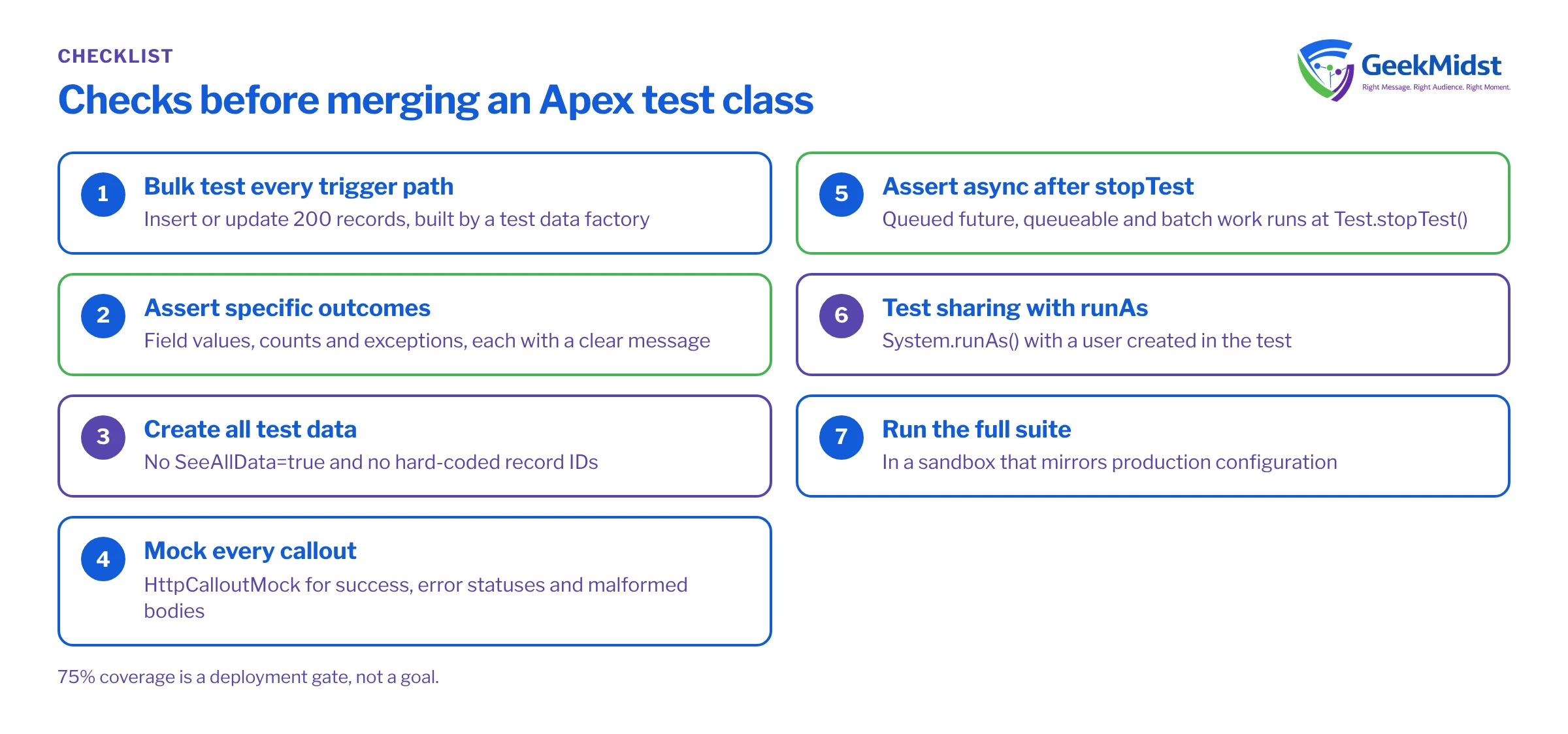
Checklist before you merge
- Every trigger path has a bulk test with 200 records.
- Each test method asserts specific outcomes with clear messages.
- No
SeeAllData=trueand no hard-coded record IDs. - Callouts are mocked for success and failure.
- Async work is asserted after
Test.stopTest(). - Sharing-sensitive logic is tested with
System.runAs(). - The full suite passes in a sandbox that mirrors production configuration.
Related reading
- Bulkifying Apex triggers covers the patterns these bulk tests should prove.
- When to use Apex instead of Flow helps decide what should be code in the first place.
- A practical Salesforce release testing checklist puts unit tests in the wider release picture.
- Our Salesforce testing and QA service reviews existing test suites and builds factories your team can maintain.
Get your test suite reviewed
If deployments keep failing on tests nobody trusts, we can review your Apex test suite, fix the flaky ones and set up a data factory your developers can build on.


