

A Practical Salesforce Release Testing Checklist
Salesforce upgrades your org three times a year and your team ships changes in between. This checklist keeps both kinds of release from surprising your users.

Two kinds of release change a Salesforce org. Salesforce itself ships three major releases a year (Spring, Summer and Winter), applied to your org whether or not you are ready. And your own team deploys configuration and code on its own schedule. Both can break a flow, a page layout or an integration, and both deserve a repeatable testing routine rather than a scramble the week before.
This checklist is written for platform owners and small delivery teams who do not have a dedicated QA department but need to release with confidence.
Before you start
You need three things in place before any checklist helps:
- An inventory of what matters. A short list of business-critical processes: lead capture, opportunity to order, case handling, marketing sync, key integrations. If it is not on the list, it will not be tested.
- A sandbox strategy. At least one sandbox that mirrors production configuration closely, refreshed on a known cadence. For seasonal releases, Salesforce upgrades some sandbox instances ahead of production during the preview window; check the release dates and your sandbox instance on the Salesforce Trust site and in the release notes.
- Named testers. Business users who own each critical process and will sign off on it.
Seasonal release routine
- 01
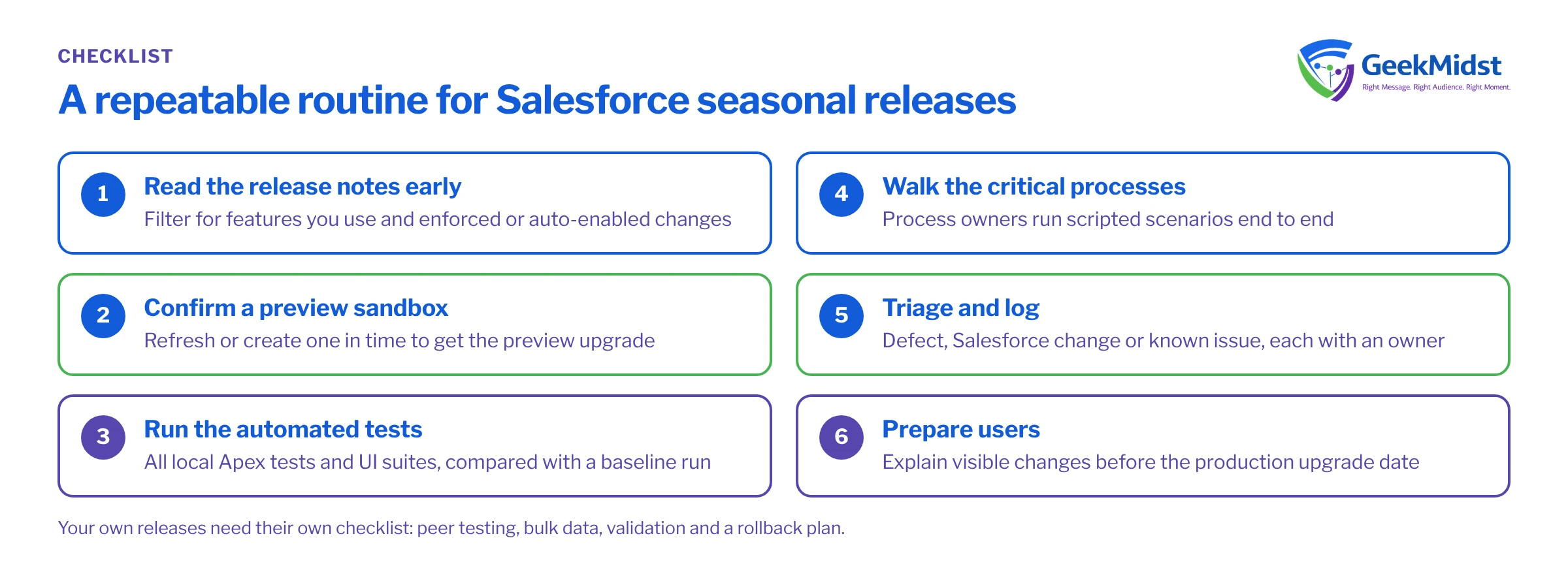
Read the release notes early
When release notes are published, filter for features you use and for changes marked as enforced or auto-enabled. Note anything touching security, authentication, Flow, Lightning components or APIs your integrations call.
- 02
Confirm a preview sandbox
Check whether your chosen sandbox will be on the preview instance. If not, refresh or create one in time to be upgraded with the preview.
- 03
Run the automated tests
Run all local Apex tests and any UI or integration test suites in the upgraded sandbox. Compare results with a run from before the upgrade.
- 04
Walk the critical processes
Have process owners run their scripted scenarios end to end, including integrations and email or notification steps.
- 05
Triage and log
Record every difference, decide whether it is a defect in your org, a Salesforce change you must adapt to, or a known issue, and assign an owner.
- 06
Prepare users
Tell users about visible changes before the production upgrade date, and plan any configuration changes you need on or after that date.
What to test, by risk
| Why it breaks | How to test | |
|---|---|---|
| Apex and triggers | API version behaviour, test data assumptions | Run all local tests and compare with a baseline |
| Flows | Changed element behaviour, new validation | Scripted scenarios with bulk and single records |
| Custom LWC and Aura | Platform changes to base components and security | Load each page that hosts them, check console errors |
| Integrations | Authentication, API changes, IP or TLS changes | Run a full sync cycle and check error stores |
| Permissions | Newly enforced permission changes | Log in as each key profile or permission set group |
| Reports and dashboards | Field or object changes | Open the executive and operational dashboards |
Checklist for your own releases
Seasonal releases are predictable. Your own releases are where most incidents start, because the change is new and the person who built it is often the one who tested it.
Scope and build
- Every change is linked to a user story with acceptance criteria someone other than the builder can check.
- The release contents are listed as components (or a source-tracked branch), not as "everything Priya worked on".
- Dependencies are identified: fields referenced by flows, permission sets that grant new fields, picklist values used in automation.
Test
- Each story is tested in a sandbox by someone who did not build it.
- Automation is tested with bulk data, not just one record. A flow that works on one record can fail on two hundred loaded by Data Loader or an integration.
- Apex tests pass with meaningful assertions, not just coverage. See writing reliable Apex tests.
- A regression pack covering the critical process list is run, even if the change looks unrelated.
- Users with different profiles test the screens they actually use.
Release
- The deployment is validated against production before the release window, with tests run.
- A rollback plan exists for each component: what to redeploy, what to deactivate, and what data might need correcting. Some changes, such as deleted fields and changed data, cannot simply be rolled back.
- Data changes (backfills, picklist migrations) have their own script and their own check.
- Users are told what changed and where to report problems.
After release
- Smoke test the critical processes in production within the release window.
- Watch error stores, flow error emails and integration logs for at least a day.
- Hold a short review: what slipped through and which check would have caught it.
Common mistakes
- Testing only in a developer sandbox. Developer sandboxes do not contain production data, so data-dependent logic and sharing behaviour may not show up. Use a partial or full copy sandbox for regression where you can.
- Testing as a System Administrator. Admins bypass many permission problems that real users will hit.
- Skipping integration tests because the integration "has not changed". The thing it talks to may have.
- No baseline. Without a record of test results before the change, you cannot tell whether a failure is new.
- Release notes read by one person. Share a short summary with the team and process owners.
Keep the checklist alive
A checklist that never changes is a sign nobody uses it. After each release review, add the check that would have caught the issue, and remove checks that never find anything and cost real time. Store the checklist next to the release plan so it is used, not filed.
Related reading
Want a release process your team can repeat?
We can help you set up regression packs, sandbox routines and sign-off steps that fit the size of your team.


