

Designing a Salesforce Data Model That Scales
The decisions that matter most in a Salesforce data model: grain, ownership, relationship types, data skew and volume, plus a review process to follow before you build.

Most Salesforce data model problems are invisible on day one. They show up two years later as record locking errors during data loads, reports that time out, sharing recalculations that run for hours, or a custom object nobody dares to change because twelve integrations write to it. Designing a Salesforce data model that scales means making a handful of decisions deliberately at the start, and writing them down.
Start from the business questions, not the screens
Before creating any object, list the questions the business needs to answer and the processes that create data. "Which accounts renewed late last quarter?" tells you that renewals are records with dates, not a checkbox on Account. Then decide, for each entity:
- Grain. What does one record represent? An order or an order line? A subscription or a subscription period? Getting grain wrong is the most expensive mistake to undo.
- Ownership and visibility. Who owns these records and who needs to see them? This drives the choice between lookup and master-detail more than anything else.
- Volume and growth. Roughly how many records now, and in three years? Ten thousand and ten million need different designs.
- Source of truth. Is Salesforce the system of record, or a copy of data mastered elsewhere? Copies need an external ID and a clear sync direction.
Prefer standard objects where they genuinely fit
Standard objects such as Account, Contact, Opportunity, Case, Product and Order come with built-in behaviour, reporting and integration support that you would otherwise rebuild. Use them when the meaning matches. Do not force a concept into a standard object just to avoid a custom one: a site visit stored as a Task with ten custom fields is harder to report on and secure than a small custom object.
Choose relationships on purpose
Relationship type decides delete behaviour, sharing, roll-ups and locking. The table summarises the trade-offs.
Relationship types compared
| Lookup | Master-detail | Junction object | |
|---|---|---|---|
| Parent required | Optional by default | Always | Both parents required |
| Deleting the parent | Configurable; child is usually kept | Children are deleted too | Junction records are deleted with either parent |
| Sharing and ownership | Child has its own owner | Child inherits from the parent | Access depends on both parents |
| Roll-up summary fields | Not available natively | Available | Available on both parents |
| Best for | Optional or loose links | Records that cannot exist without the parent | Many-to-many relationships |
Master-detail is attractive because of roll-up summaries, but child records inherit sharing from the parent and saving a child can lock the parent. If a parent will accumulate a very large number of children, or the children need their own owner, a lookup with Flow or Apex maintaining any summaries may scale better.
Watch for data skew
Data skew is when too many child records point at one parent, or one user owns too many records. Salesforce guidance commonly uses around 10,000 child records per parent as the point where skew starts to cause trouble. Typical symptoms are UNABLE_TO_LOCK_ROW errors during bulk loads and slow sharing recalculation after ownership or role changes.
Common causes are a catch-all "Unknown" account that collects orphaned contacts, an integration user that owns every record, and lookups to a single placeholder record. Fix the design rather than the symptom: distribute records across real parents, assign ownership meaningfully and avoid placeholder parents.
You can spot account skew with an aggregate query like the one below. On very large objects it may time out, so run it in a full sandbox or against an extract.
SELECT AccountId, COUNT(Id) contactCount
FROM Contact
WHERE AccountId != null
GROUP BY AccountId
HAVING COUNT(Id) > 10000
ORDER BY COUNT(Id) DESC
LIMIT 50Design for large data volumes early
When an object will hold millions of rows, query selectivity matters. Filters on indexed fields, such as Id, Name, OwnerId, lookup fields, external IDs and unique fields, let the query optimiser avoid full scans. Mark integration keys as External ID so upserts and filters use an index. Avoid leading wildcards in LIKE filters and filtering on formula fields in high-volume queries. For data that must be kept but is rarely used, plan archiving from the start, whether into Big Objects, an external store or a data platform. Thresholds and indexing options change over time, so check current large data volume guidance in Salesforce Help.
Keep the model understandable
Scale is also about people. A model that only its original builder understands does not scale to a team.
- Give every custom object and field a description and help text that explains what it means, not what type it is.
- Use consistent API names and avoid suffixes like
Status2__c. - Use record types for genuinely different processes on the same entity, not for every layout variation.
- Use picklists for short, stable value lists and a reference object for lists that change often or carry their own attributes.
- Keep a data dictionary and update it whenever fields change.
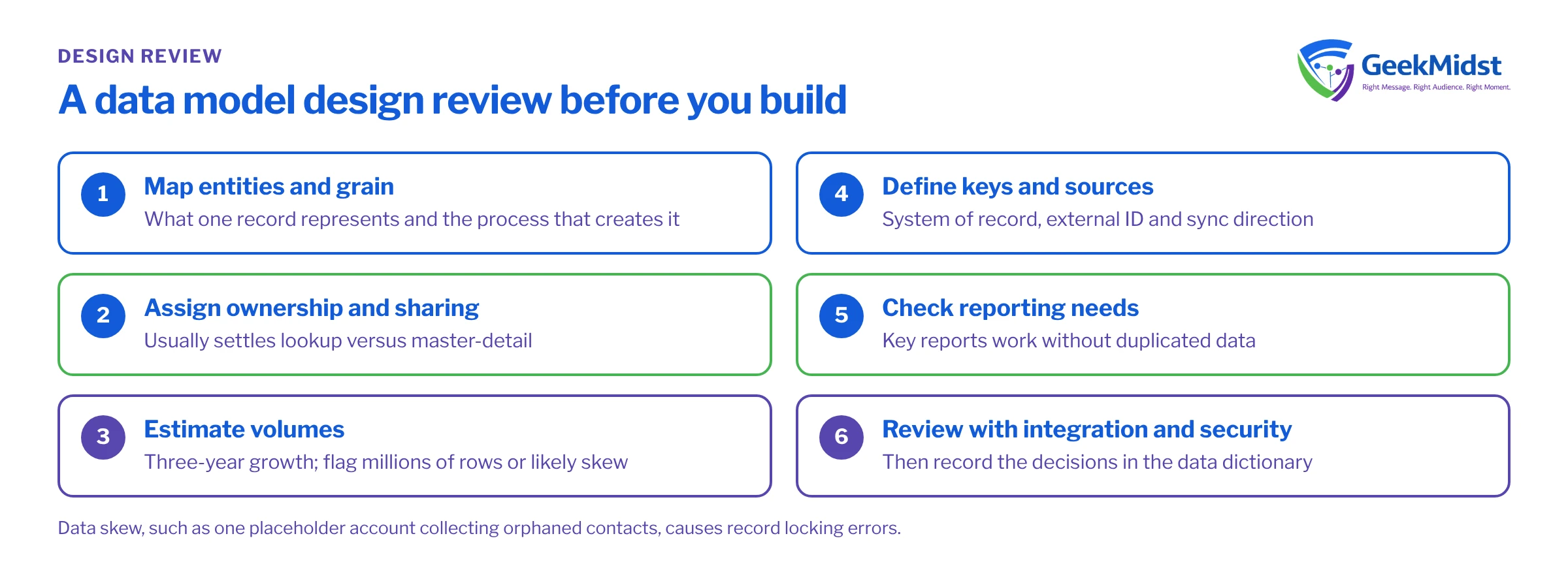
A design review before you build
- 01
Map entities and grain
List each entity, what one record represents and the process that creates it. Agree this with the business before anything is built in Setup.
- 02
Assign ownership and sharing
Decide who owns each object and its org-wide default. For most relationships this settles lookup versus master-detail.
- 03
Estimate volumes
Record current counts and three-year growth per object, and flag anything likely to reach millions of rows or create skew.
- 04
Define keys and sources
Name the system of record and the external ID for every object fed by an integration, and the direction of sync.
- 05
Check reporting needs
Confirm that key reports can be built from the proposed relationships without duplicated data or awkward report types.
- 06
Review with integration and security owners
Walk through the model with whoever owns integrations and data protection, then record the decisions in the dictionary.
Questions we hear
Should we use one object with record types or several objects?
Can we change a lookup to master-detail later?
How many custom fields is too many on one object?
When should data live outside Salesforce?
Related reading
- Writing Salesforce requirements that developers can build helps capture the business questions this process starts from.
- Salesforce CRM and marketing data synchronization covers keys and sync direction for marketing data.
- Our Salesforce architecture consulting service reviews proposed and existing models.
Review your data model before it hardens
We can review an existing or proposed data model for skew, sharing and volume risks, and give you written recommendations with the trade-offs explained.


