

Journey Builder vs Automation Studio
Both tools can send email and run on a schedule, which is why logic ends up split across them. Here is a clear rule for which does what, and how they work together.

Journey Builder and Automation Studio overlap just enough to cause confusion. Both can send email, both can run on a schedule, and both can touch data extensions. Without a clear rule, teams end up with lifecycle logic in Automation Studio, data preparation in journey splits, and nobody sure where a given email comes from.
The short version: Automation Studio prepares data in batches. Journey Builder decides what happens to each contact over time. The rest of this guide explains why, and how to use them together.
What Automation Studio does well
An automation runs on a schedule or when a file lands in a file location. It executes steps in order, and activities within the same step run in parallel. Typical activities include Import File, File Transfer, SQL Query, Data Extract, Filter, Script (Server-Side JavaScript), Verification and Send Email.
Automation Studio works on sets of rows. It is the right tool for loading files from other systems, joining and cleaning data with SQL, building audiences, producing extracts and running housekeeping. It has no concept of an individual contact's path: every row goes through the same steps at the same time.
What Journey Builder does well
A journey admits contacts from an entry source (a data extension, an API event, Salesforce data through Marketing Cloud Connect and others) and moves each one through activities: messages, waits, decision splits, engagement splits, random splits, contact updates and custom activities. Every contact has their own timing and path, and you can define goals, exit criteria and re-entry rules.
Journey Builder works on one contact at a time. It is the right tool for welcome series, onboarding, abandoned cart, renewal and any programme where the next step depends on what the person did or on their own dates.
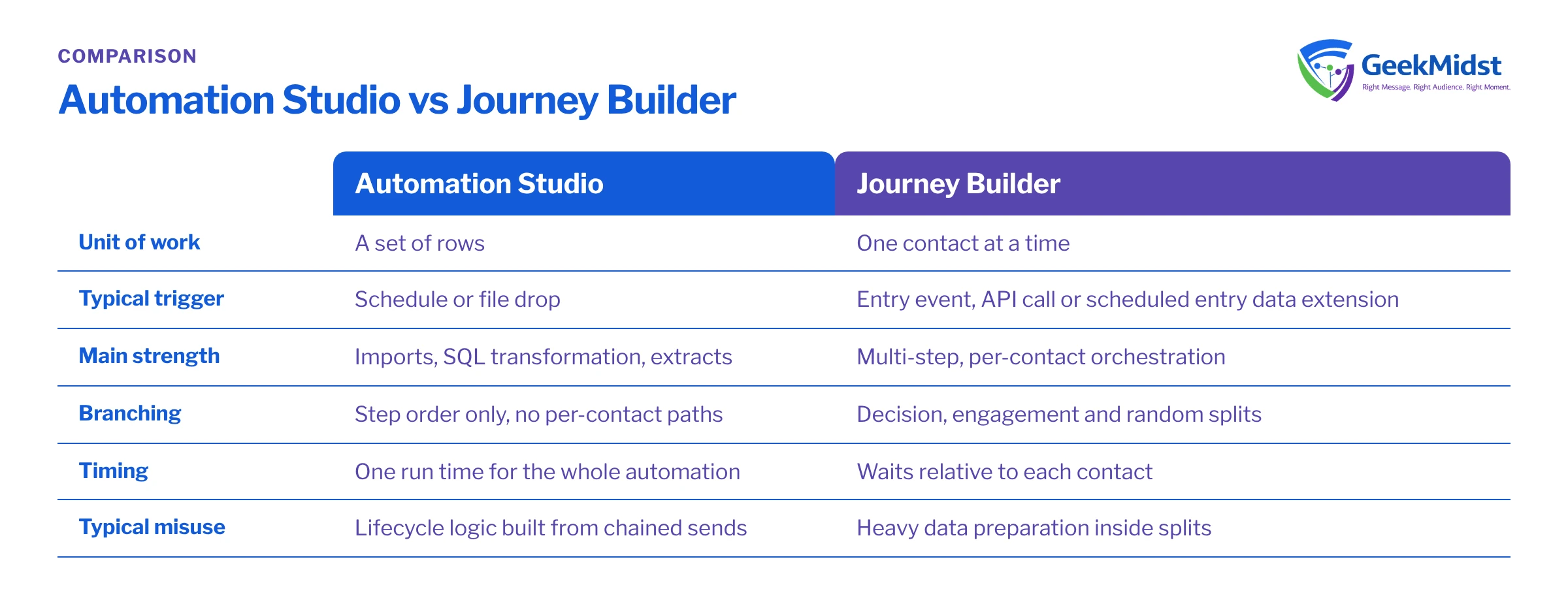
How they compare
| Automation Studio | Journey Builder | |
|---|---|---|
| Unit of work | A set of rows | One contact at a time |
| Typical trigger | Schedule or file drop | Entry event, API call or scheduled entry data extension |
| Main strength | Imports, SQL transformation, extracts | Multi-step, per-contact orchestration |
| Branching | Step order only, no per-contact paths | Decision, engagement and random splits |
| Timing | One run time for the whole automation | Waits relative to each contact |
| Code | SQL Query and SSJS Script Activities | Little code; logic lives in data and split criteria |
| Monitoring | Run history and activity status | Journey analytics and contact history |
| Typical misuse | Lifecycle logic built from chained sends | Heavy data preparation inside splits |
The pattern that works
Prepare in Automation Studio, orchestrate in Journey Builder. A post-purchase programme is a good example: an automation imports yesterday's orders, a SQL Query Activity builds a clean entry data extension, and a journey picks up the new rows and handles the messages, waits and splits.
Assumptions
Customers_DEholds one row perSubscriberKeywithEmailAddress,FirstNameand anEmailOptInboolean.Orders_DEholds one row per order withOrderID,SubscriberKeyandOrderDate.- The target
PostPurchase_Entry_DEhas a composite primary key ofSubscriberKeyandOrderID, and the query runs with the Overwrite action.
SELECT
    c.SubscriberKey,
    c.EmailAddress,
    c.FirstName,
    o.OrderID,
    o.OrderDate
FROM Customers_DE c
INNER JOIN Orders_DE o
    ON o.SubscriberKey = c.SubscriberKey
WHERE o.OrderDate >= DATEADD(day, -1, CAST(GETDATE() AS date))
  AND o.OrderDate < CAST(GETDATE() AS date)
AND c.EmailOptIn = 1Two details matter. GETDATE() returns Marketing Cloud server time, not your local time zone, so test the date window around midnight in your region. And if a customer can place several orders in a day, decide whether the journey should run once per order or once per customer, then set the primary key and journey re-entry settings to match. Our guide to deduplicating with ROW_NUMBER covers the second case.
Common mistakes and how to spot them
- Lifecycle programmes built in Automation Studio. Several Send Email activities separated by Wait activities, with filters in between. Hard to read, impossible to personalise timing per contact. Move these into a journey.
- Journey runs before data is ready. If the journey's entry schedule fires before the automation finishes, contacts enter with stale or partial data. Align the schedules, or drive the journey entry from the automation where that option is available in your account.
- Data preparation inside decision splits. Complex attribute logic across many related data extensions makes journeys slow to build and hard to test. Precompute flags with SQL and split on a single field.
- Ignored re-entry settings. Contacts either never re-enter when they should, or receive the same series twice. Decide this deliberately for each journey.
- Overwrite where Update was meant. An Overwrite query on a data extension that other processes append to will silently remove their rows.
Decision checklist
- Does the work apply the same operation to many rows at once? Automation Studio.
- Does each person need their own timing, path or response-based branching? Journey Builder.
- Is it a one-off or recurring batch send with no follow-up logic? Either can work; a simple scheduled send or automation is often clearer.
- Does a journey need data from other systems? Prepare it in Automation Studio first.
For journey design detail, see designing a multi-step journey and testing journeys before activation. If you are evaluating the newer on-platform product, journeys work differently there; see Marketing Cloud Next vs Engagement.
Questions we hear
Can Journey Builder replace Automation Studio?
Should we ever send email from Automation Studio?
How do we choose between API entry and data extension entry?
Why do contacts not enter our journey?
Can an automation and a journey share a data extension safely?
Untangle your automations and journeys
If your Marketing Cloud account has logic scattered across both tools, we can map what runs where and propose a cleaner structure. See our Journey Builder consulting and Automation Studio services.


