

Moving from Engagement to Marketing Cloud Next
Moving from Marketing Cloud Engagement to Marketing Cloud Next is a rebuild on a new foundation, not a copy. Here is how to inventory, map, sequence and run both safely.

You have years of data extensions, AMPscript, automations and journeys in Marketing Cloud Engagement, and you are being asked whether, when and how to move to Marketing Cloud Next. The honest starting point is that this is a rebuild on a different foundation, not an export and import. Planning it well is mostly about deciding what to rebuild, what to retire and how long to run both.
Why this is not a lift and shift
Marketing Cloud Engagement keeps its own data model, subscriber records and scripting languages in a separate tenant. Marketing Cloud Next runs on the Salesforce Platform with Data Cloud (now branded Data 360) as its data layer, Flow for journeys and platform consent objects for subscriptions. Many concepts have an equivalent, but the implementation underneath is different, so code and automation generally need to be redesigned.
Capabilities in Marketing Cloud Next continue to change from release to release. Before committing a timeline, check current feature availability against your requirements in Salesforce Help, and treat any gap as a reason to sequence, not a reason to guess. Our guide to Marketing Cloud Next vs Marketing Cloud Engagement compares the platforms in more depth.
How common Engagement concepts translate
| Engagement concept | Marketing Cloud Next direction | Planning note |
|---|---|---|
| Data extensions | Data Cloud data streams and data model objects | Redesign around the data model rather than copying tables |
| SQL Query Activities | Data Cloud transforms and calculated insights | Rewrite and re-test; SQL dialects differ |
| Subscriber Key and All Subscribers | Individual, contact points and unified profiles | Decide identifiers and identity resolution early |
| Publication lists and unsubscribes | Communication subscriptions and consent objects | Migrate status with dates and sources where known |
| Journey Builder | Flow-based journeys | Redesign each journey; do not mirror old workarounds |
| AMPscript and SSJS | Platform personalisation and Flow or Apex logic | Expect to rewrite; simplify where you can |
| CloudPages | Landing pages and forms on a Salesforce site | Rebuild and redirect old URLs where needed |
| Automation Studio | Scheduled flows and data refresh schedules | Map each automation to its purpose first |
Planning the move
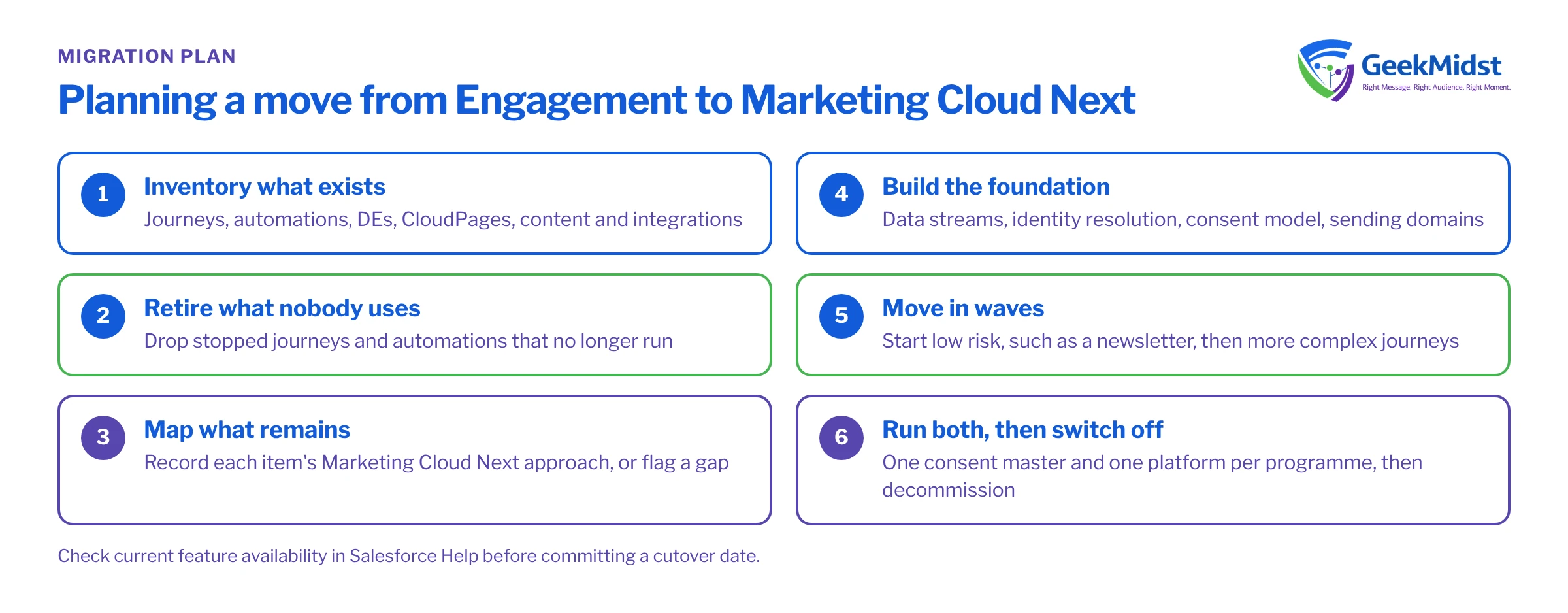
- 01
Inventory what exists
List journeys, automations, data extensions, CloudPages, content and integrations. Note owner, last run date and whether anything depends on it.
- 02
Retire what nobody uses
Automations that have not run in months and journeys that are stopped are candidates to drop. This often shrinks scope considerably.
- 03
Map what remains
For each item, record its target approach in Marketing Cloud Next, or flag it as a gap to revisit.
- 04
Build the foundation
Data streams, identity resolution, consent model and sending domains come before any journey.
- 05
Move in waves
Start with a low-risk programme such as a newsletter or welcome journey, then move higher-value or more complex journeys.
- 06
Run both, then switch off
Operate both platforms for a period with clear rules, then decommission Engagement assets deliberately.
Coexistence rules you will need
For a while, some people will receive messages from both platforms. That is manageable if a few rules are explicit.
- One source of truth for consent. Decide which platform holds the master record of unsubscribes during the transition, and sync the other from it at least daily. An unsubscribe in either platform must stop sends from both.
- One platform per programme. A given journey or newsletter runs on one platform at a time. Switch over on a date, with the old version stopped first.
- Frequency across both. If you cap marketing frequency, the cap must count sends from both platforms, or be applied conservatively on each.
- Sending reputation. If Marketing Cloud Next will send from a new domain or infrastructure, plan a gradual ramp of volume rather than moving the full list in one go.
Data and history
Decide how much engagement history must move. Open and click history can be useful for segmentation, but it rarely needs to come across in full. A common approach is to bring a summarised engagement history into Data Cloud as its own source, keep the raw history archived for reporting, and accept that some detailed history stays behind. Be careful with retention: moving data is a good moment to apply the retention rules you should already have.
Content and code
Templates and content blocks will need rebuilding in the new editor. Use this as a chance to consolidate. Personalisation written in AMPscript does not run on Marketing Cloud Next, so list each script, describe in plain words what it does, then decide whether it becomes a data field, a flow decision, a calculated insight or is no longer needed. Scripts that exist only to work around data problems are often removed once the data model is better.
Common planning mistakes
- Committing to a cutover date before checking feature availability for each journey.
- Rebuilding every automation without asking whether it still matters.
- Underestimating consent migration, then discovering unknown or undated consent late.
- Forgetting integrations that write directly to Engagement through its APIs.
- Treating decommissioning as an afterthought, so both platforms run, and cost, for longer than planned.
The Migration Runbook Template helps structure the cutover, and our Marketing Cloud Next Implementation service covers the build itself.
Questions we hear
Do we have to move everything at once?
Can our AMPscript be converted automatically?
How long should both platforms run together?
Should we wait until Marketing Cloud Next has every feature we use today?
Weighing up a move to Marketing Cloud Next?
We can inventory your Engagement account, map each programme to its Marketing Cloud Next approach and help you build a realistic, phased plan.


