

Marketing Cloud Next Implementation Checklist
What to settle before, during and after a Marketing Cloud Next build, from org readiness and data foundations to consent, sending set-up, testing and the first live send.

Most Marketing Cloud Next projects that run late do not fail on email design. They stall because the data foundation, consent model or sending domain was treated as a detail to sort out later, and the first journey cannot launch until it is. This checklist puts those decisions in the order they need to be made.
Why Marketing Cloud Next needs a different checklist
Marketing Cloud Next runs on the Salesforce Platform itself, with Data Cloud (now branded Data 360) as its data layer. That changes the shape of an implementation compared with Marketing Cloud Engagement, which lives in a separate tenant with its own data extensions and subscriber model.
In practice it means:
- Your CRM org is your marketing org. Profiles, permission sets, sharing, validation rules and existing automation all affect marketing behaviour.
- Audiences come from Data Cloud. Segments are built on harmonised, identity-resolved data, so data streams and mapping must be in place before anyone can build an audience.
- Journeys are built with Flow. Admins who know Flow will recognise the tooling, but marketing flows bring their own triggers, waits and send actions.
- Consent uses the platform consent objects. Subscription and opt-out data has to be modelled, not just imported into a list.
Edition, licence and feature availability change between releases, so confirm what your contract includes against current documentation in Salesforce Help before you scope.
Workstreams and who usually owns them
| Typical owner | Must be ready before | |
|---|---|---|
| Org readiness and access | Salesforce admin or platform owner | Any build work starts |
| Data foundation | Data architect | Segments are built |
| Consent and subscriptions | Marketing ops with legal or privacy input | First send to real contacts |
| Sending set-up and authentication | Marketing ops with IT or DNS owner | Test sends to external inboxes |
| Content, forms and landing pages | Marketing team with a developer for edge cases | User acceptance testing |
| Journeys and automation | Marketing ops with a Flow-literate admin | User acceptance testing |
| Reporting and measurement | Analyst or marketing ops | Go-live, so baselines exist |
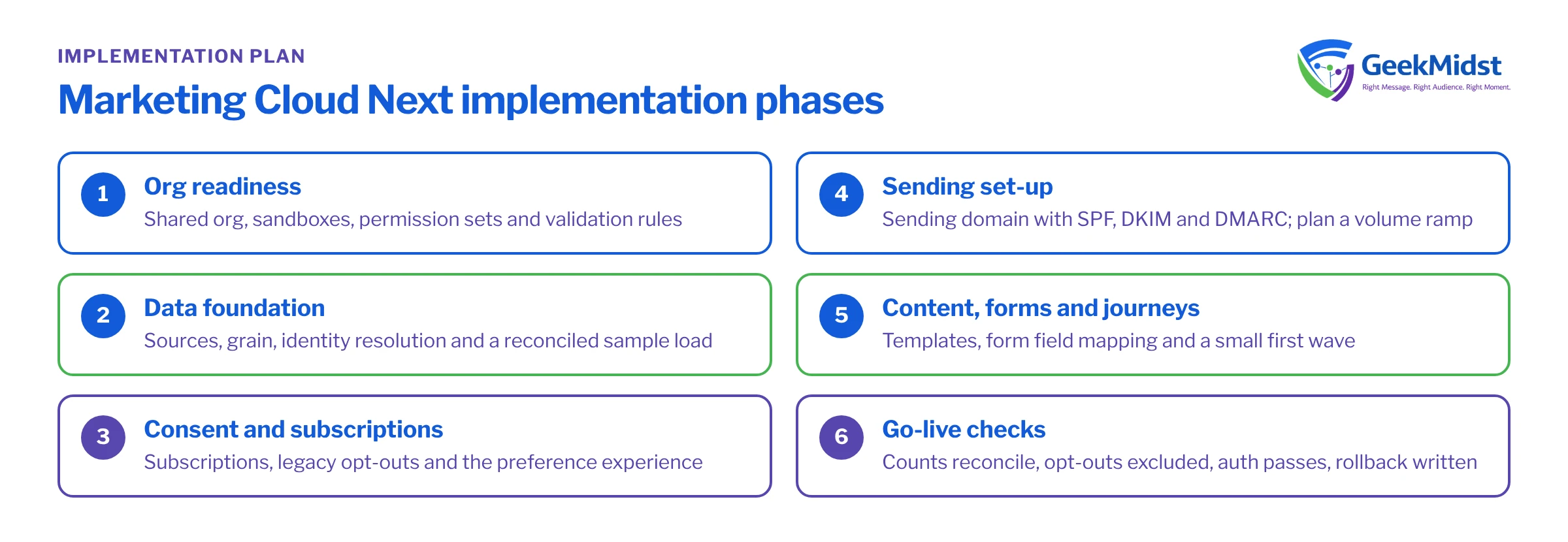
Phase 1: Org readiness
- Confirm which org will host Marketing Cloud Next and whether it shares that org with sales and service teams. Check for conflicting automation on Lead, Contact and Campaign.
- Agree an environment strategy: which sandboxes you will build and test in, and what can or cannot be tested there. See Testing and Deploying Marketing Cloud Next Solutions.
- Create permission sets for marketing users rather than editing profiles. Give builders, approvers and analysts different access.
- Review validation rules and required fields on Lead and Contact. Form submissions and integrations will hit them.
Phase 2: Data foundation
- List every source that must feed audiences: CRM objects, ecommerce orders, web events, product usage. For each, note owner, refresh frequency and key identifiers.
- Decide the grain of each source before mapping it to data model objects. Order headers and order lines are not interchangeable.
- Design identity resolution rules, including which identifiers you trust (email, phone, external customer ID) and how conflicts are reconciled.
- Load a representative sample first and reconcile counts at each layer before loading full history.
Phase 3: Consent and subscriptions
- Write down every subscription your audience can choose (newsletter, product updates, events) and every channel (email, SMS).
- Map current opt-in and opt-out data from legacy systems, including the date and source of each consent where you have it.
- Decide how a global unsubscribe interacts with individual subscriptions, and test it both ways.
- Build the preference and unsubscribe experience before the first campaign, not after.
Phase 4: Sending set-up
- Choose sending domains and subdomains, then complete SPF, DKIM and DMARC with whoever owns DNS. Our guide to SPF, DKIM and DMARC explains what each record does.
- Plan a gradual ramp of volume if the domain or sending infrastructure is new to you.
- Set up sender profiles, reply handling and the physical address required in commercial email footers.
Phase 5: Content, forms and journeys
- Build reusable email templates and content blocks with brand and accessibility checks agreed up front.
- Map each form field to a CRM field and decide what happens when a submission matches an existing person.
- Design each journey on paper first: entry, exit, waits, decisions, suppression and the success measure.
- Keep the first wave small. One welcome journey and one newsletter are a better first launch than ten journeys at once.
Common mistakes and how to spot them
Segments return far fewer people than expected. Usually identity resolution has not run since the last load, a mapping is missing a key field, or the segment filters on a field that is empty for most records. Check counts at the data lake, data model and unified profile layers in turn.
Form submissions create duplicate leads. The form flow is creating records without matching first, or matching on a field that is formatted differently (case, spaces). Review the matching logic described in How Forms and Flows Connect to CRM Records.
People who unsubscribed still appear in send counts. The consent check is happening in the wrong place, or legacy opt-outs were imported to a field the send does not read. Trace one known opted-out person end to end.
Nobody can say whether the launch worked. Measurement was left until after go-live. Agree baselines and, where possible, a holdout group before the first send.
Go-live checklist
- 01
Data checks pass
Record counts reconcile across layers and a sample of unified profiles has been reviewed by someone who knows the customers.
- 02
Consent verified
A test person who opted out of one subscription, and another who opted out globally, are both correctly excluded.
- 03
Authentication confirmed
SPF, DKIM and DMARC pass in the headers of a test email received in at least two external mailbox providers.
- 04
Journeys tested
Every path, wait and exit in each journey has been exercised with test contacts, and send limits are understood.
- 05
Monitoring agreed
Someone owns daily checks for flow errors, bounce spikes and failed data refreshes for the first weeks.
- 06
Rollback plan written
You know how to pause a journey and who decides to do it.
Related reading
Planning a Marketing Cloud Next rollout?
We can review your plan, data sources and consent model against this checklist and help you sequence the work so the first journey launches on solid ground.


