

Securing Salesforce API Integrations
How to choose the right OAuth flow, limit what an integration user can reach, write safer Apex REST endpoints and notice when a credential is being misused.

Most Salesforce integration incidents are not clever attacks. They are an integration user with System Administrator access, a password shared in a spreadsheet, or a client secret committed to a repository. Salesforce API security comes down to three questions: how does the client prove who it is, what can it do once it is in, and would you notice if it misbehaved?
Know which direction you are securing
- Inbound integrations call Salesforce: middleware, a website, a data platform or a mobile app using the REST, SOAP, Bulk or Pub/Sub APIs. You secure these with OAuth, a dedicated integration user and tight permissions.
- Outbound integrations are Salesforce calling something else, from Apex, Flow or External Services. You secure these by keeping credentials in Named Credentials and External Credentials, never in code or custom settings.
Most organisations have both, and the same principles apply: a unique identity per integration, least privilege, short-lived tokens and monitoring.
Pick the right OAuth flow
Inbound OAuth clients are configured as connected apps, and Salesforce has been introducing External Client Apps as a newer model for the same job; check Salesforce Help for which your org should use. Either way, the flow you choose matters more than the app type.
OAuth flows for integrations
| Suitable for | Notes | |
|---|---|---|
| JWT bearer | Server-to-server, no user present | The client signs a token with its private key and the matching certificate is uploaded to the app. No secret travels and no refresh token is needed. |
| Client credentials | Server-to-server where a secret is acceptable | Runs as a configured execution user. Store the client secret safely and rotate it. |
| Web server (authorisation code) | Apps acting for a signed-in user | The user consents and the app receives access and refresh tokens. Use PKCE where supported. |
| Username-password | Avoid for new work | Relies on a stored password, which makes rotation and login policies hard to manage. Salesforce discourages it. |
| Device flow | Command-line tools and limited-input devices | Rarely the right choice for a back-end integration. |
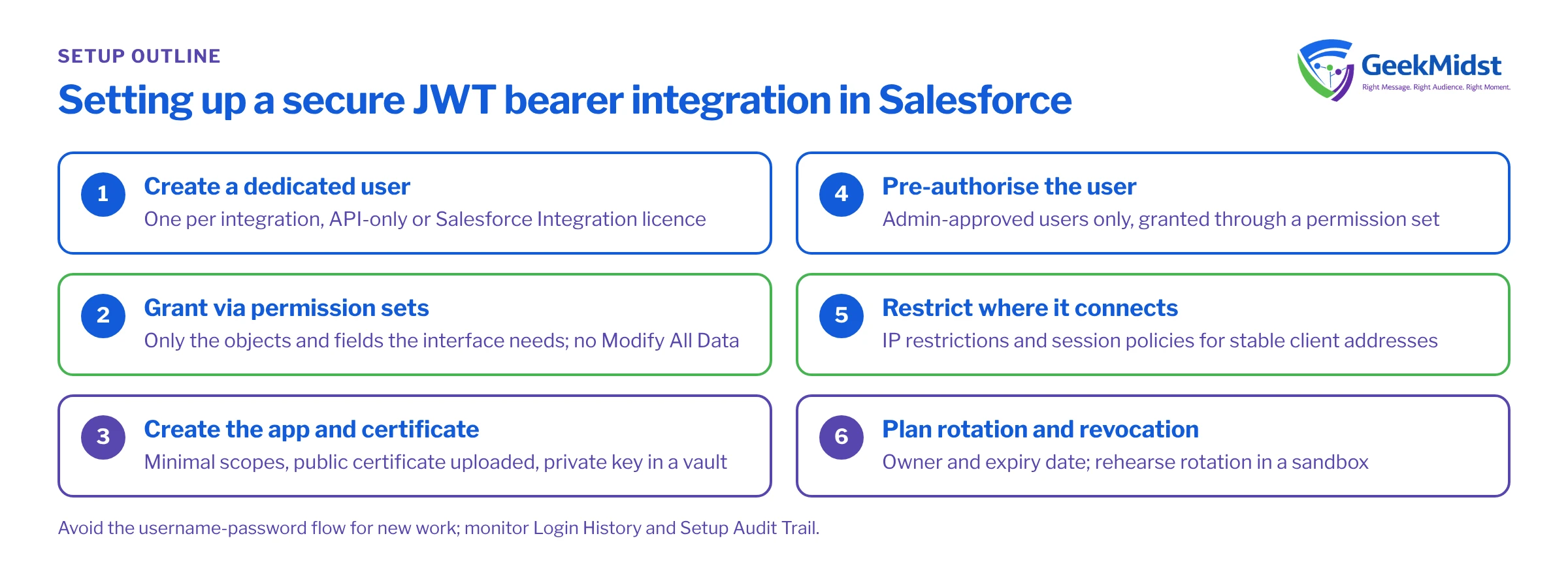
Setting up a JWT bearer integration, in outline
- 01
Create a dedicated integration user
One user per integration, on an API-only profile or the Salesforce Integration user licence where available, so it cannot log in through the UI.
- 02
Grant access with permission sets
Start from minimum access and add only the object, field and system permissions the integration needs. Avoid Modify All Data and View All Data unless there is a documented reason.
- 03
Create the app and upload a certificate
Configure the OAuth app with the scopes required, often just api, upload the public certificate, and keep the private key in the client's secret store.
- 04
Pre-authorise the user
Set the app so only admin-approved users can use it, and grant access through a permission set. Nobody else can then authorise against it.
- 05
Restrict where it connects from
Apply IP restrictions and session policies on the app if the client has stable outbound addresses.
- 06
Plan rotation
Record certificate expiry dates and an owner, and rehearse rotating the certificate in a sandbox before it expires in production.
{
  "iss": "YOUR_APP_CONSUMER_KEY",
  "sub": "integration.orders@example.com",
  "aud": "https://login.salesforce.com",
  "exp": 1767225600
}Limit what the integration can reach
Authentication gets the client in; authorisation decides the damage if credentials leak. Scope the integration user's permission sets to the objects and fields in the interface specification, and review them whenever the interface changes. If the integration only reads Orders, it should not be able to delete Accounts.
Custom Apex REST endpoints deserve extra care, because Apex runs in system mode by default. Declare classes with sharing, run queries and DML in user mode, return only the fields the caller needs, and validate every input. The endpoint below assumes standard Order records.
@RestResource(urlMapping='/orders/v1/*')
global with sharing class OrderStatusResource {

    @HttpGet
    global static void getStatus() {
        RestRequest req = RestContext.request;
        RestResponse res = RestContext.response;
        String orderNumber = req.requestURI.substringAfterLast('/');

        List<Order> orders = [
            SELECT OrderNumber, Status
            FROM Order
            WHERE OrderNumber = :orderNumber
            WITH USER_MODE
            LIMIT 1
        ];

        res.addHeader('Content-Type', 'application/json');
        if (orders.isEmpty()) {
            res.statusCode = 404;
            res.responseBody = Blob.valueOf('{"error":"NOT_FOUND"}');
            return;
        }
        res.statusCode = 200;
        res.responseBody = Blob.valueOf(JSON.serialize(new Map<String, Object>{
            'orderNumber' => orders[0].OrderNumber,
            'status' => orders[0].Status
        }));
    }
}Monitor, and be able to revoke
Assume a credential will leak eventually and make sure you would know. Useful signals include:
- Login History for each integration user, checked for unexpected source IPs or login types.
- Setup Audit Trail for changes to the app, its policies, permission sets and the integration user.
- Event Monitoring, where licensed, for API activity by user and unusual volumes.
- API usage against your org's allocation, which also catches runaway jobs. Check current limits for your org in Salesforce Help.
Keep a short runbook for revoking the app's tokens, freezing the integration user and rotating the certificate or secret, and rehearse it once in a sandbox. Error handling matters too: clients that retry blindly on authentication failures flood logs and hide real problems, as covered in Salesforce API integration error handling.
Quick checklist
- One dedicated user and one app per integration.
- JWT bearer or client credentials for server-to-server work; no username-password flow.
- Permission sets scoped to the interface; no administrator profiles.
- Admin-approved users only, with IP restrictions where practical.
- Secrets in a secret manager or Named Credentials, each with an owner and a rotation date.
- Custom endpoints use
with sharingand user mode. - Login History and the audit trail reviewed on a schedule, with a tested revocation runbook.
For a broader review, use the integration error handling checklist or talk to us about Salesforce integration services.
Have your integrations reviewed
We can audit your integration users, OAuth apps and custom endpoints against these practices and give you a prioritised list of fixes.


