

Account Engagement Forms vs Form Handlers
Forms give you features out of the box. Form handlers give you control of the markup. The right choice depends on who owns the website and what you need to capture.

Your web team wants full control of the page. Your marketing team wants progressive profiling and completion actions. Account Engagement offers two ways to capture prospect data, and choosing the wrong one leads to months of workarounds: missing activity, duplicate prospects, or forms that nobody but a developer can edit.
What each option is
An Account Engagement form is built and hosted in Account Engagement. You design the fields, layout and thank-you behaviour inside the application, then embed the form on your site (usually as an iframe) or place it on an Account Engagement landing page. Account Engagement handles validation, rendering and tracking.
A form handler is an endpoint. Your own website form, built in your CMS or application, posts its data to the form handler URL. Account Engagement maps the posted fields to prospect fields, runs completion actions and redirects the visitor to a success or error location. The markup, styling and front-end validation are yours.
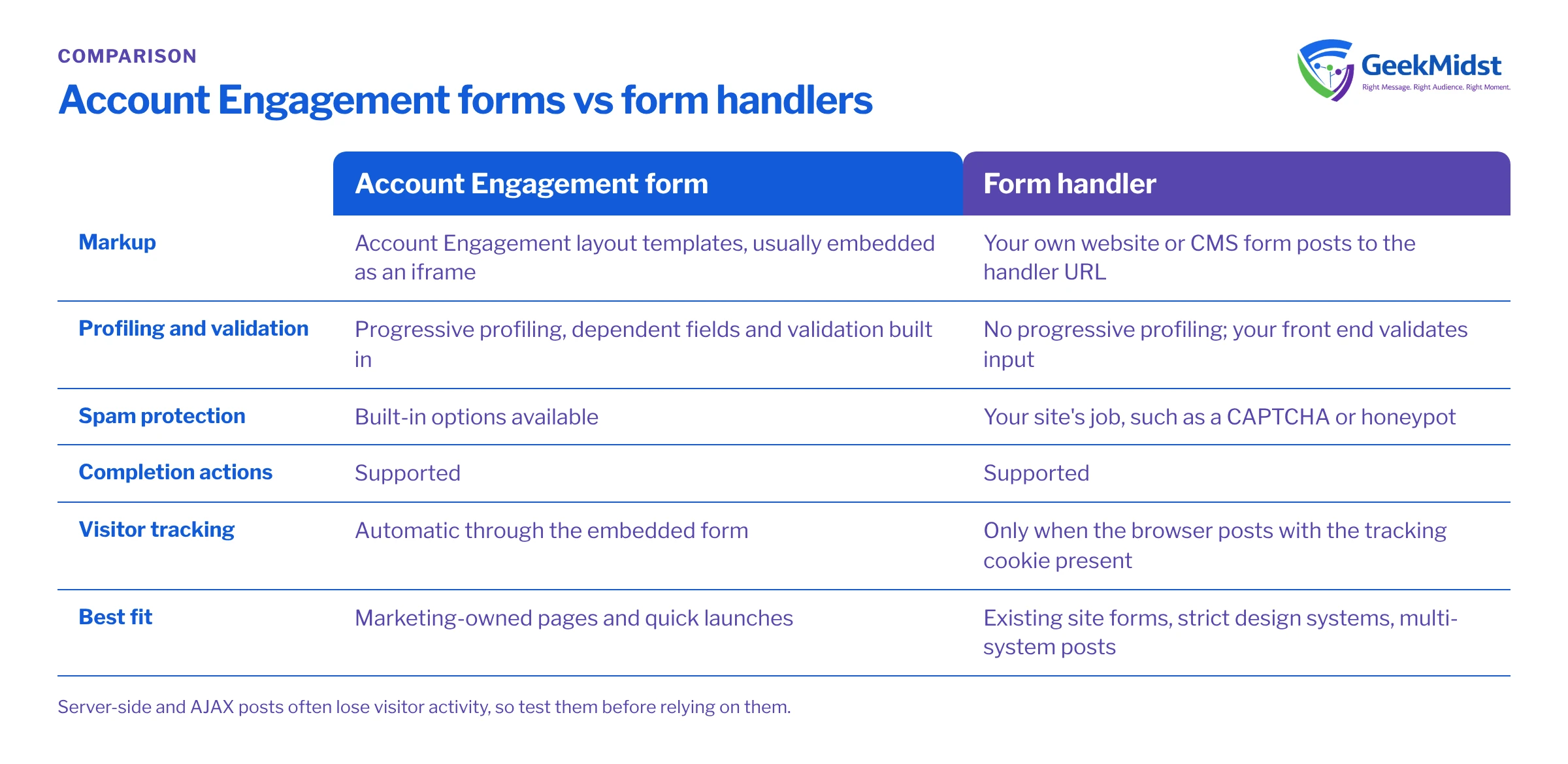
Side-by-side comparison
| Account Engagement form | Form handler | |
|---|---|---|
| Who controls the markup | Account Engagement layout templates | Your website or CMS |
| Progressive profiling | Supported | Not supported, build it yourself |
| Dependent fields and field validation | Built in | Your front end must handle it |
| Bot and spam protection | Built-in options available | Your responsibility on the site |
| Completion actions | Yes | Yes |
| Visitor tracking | Automatic through the embedded form | Works when the browser posts with the tracking cookie present |
| Best fit | Marketing-owned pages, quick launches | Existing site forms, strict design systems, multi-system posts |
When forms are the better choice
Choose Account Engagement forms when marketing needs to create and change forms without a developer, when progressive profiling matters (asking for job title on the second visit rather than the first), and when the page is on an Account Engagement landing page or a site where an iframe is acceptable. Forms are also easier to keep consistent, because field mappings and validation live in one place.
The usual objections are styling and iframe behaviour. Layout templates give you a fair amount of control over CSS, but matching a strict design system exactly can take effort, and iframes need care on mobile so the height adjusts properly.
When form handlers are the better choice
Choose a form handler when the form already exists and must stay in your CMS, when the form posts to more than one system, or when your front-end team needs complete control over accessibility, design and behaviour. Form handlers are also common for event platforms and application sign-ups where the form is part of a larger flow.
The trade-off is responsibility. With a form handler, your site must validate input, protect against spam, and pass field names exactly as Account Engagement expects.
Before you start
The example below is a plain HTML form posting to a form handler. It assumes you have created a form handler in Account Engagement with fields whose external field names are email, first_name, last_name and company. The action URL is a placeholder; copy the real one from your form handler record.
<form action="https://go.example.com/l/000000/2026-01-01/abc123" method="post">
  <label for="fh-email">Work email</label>
  <input id="fh-email" type="email" name="email" required>

  <label for="fh-first">First name</label>
  <input id="fh-first" type="text" name="first_name">

  <label for="fh-last">Last name</label>
  <input id="fh-last" type="text" name="last_name">

  <label for="fh-company">Company</label>
  <input id="fh-company" type="text" name="company">

  <button type="submit">Send</button>
</form>Tracking and identity
Account Engagement links anonymous page views to a prospect through its tracking cookie. When a visitor submits a form or a form handler from their browser on a page carrying your tracking code, the earlier visits are attributed to the new or existing prospect. If your server posts the data instead, the post does not carry the visitor's cookie, so the prospect is created or updated but their browsing history is not connected. That is often acceptable for sign-ups, but it weakens behavioural scoring.
Common mistakes and how to diagnose them
- Submissions arrive but fields are empty. The
nameattributes on your inputs do not match the external field names in the form handler. Compare them character by character. - Every submission lands on the error page. A required field in the form handler is missing from the post, or the email is invalid. Check the form handler's required settings and the error location.
- Duplicate prospects. Check your org's matching behaviour and whether the same person submits with different email addresses. Prospects with a matching CRM record are handled differently from email-only matches, so review your duplicate rules alongside Account Engagement settings.
- Spam floods the database. Form handlers rely on your site's protection. Add a CAPTCHA or honeypot on the site and monitor new prospect volumes.
- Completion actions fire twice. Both the form handler and an automation rule perform the same action. Decide which owns each action and document it.
Quick decision checklist
- Does marketing need to edit the form without a developer? Lean towards forms.
- Is progressive profiling or dependent fields a requirement? Forms.
- Must the form match a strict design system or post to several systems? Form handler.
- Can your site team own validation and spam protection? Required for form handlers.
- Will the post come from the browser on a tracked page? Needed for full visitor history either way.
For how submissions turn into Salesforce leads and contacts, see how forms and flows connect to CRM records and prospect sync errors. Our Account Engagement consulting team can audit an existing form estate.
Questions we hear
Can I use both forms and form handlers in the same account?
Do form handlers support progressive profiling?
Will a form handler create a lead in Salesforce immediately?
Is an iframe form bad for accessibility?
Not sure which capture method fits your site?
We can review your forms, form handlers and tracking setup, and recommend a consistent approach for marketing and web teams.


