

B2B Reorder Portal for Distributors
How we would build a self-service reorder portal for distributors using B2B Commerce, an Experience Cloud LWR site and an ERP integration.

This is an illustrative blueprint. It is a reference architecture, not a write-up of a specific client project; outcomes depend on your data and setup.
This blueprint describes how we would give distributors a self-service portal for repeat orders using B2B Commerce on an Experience Cloud site, with orders flowing to the ERP. It suits manufacturers and wholesalers whose distributors reorder the same products at negotiated prices.
Business problem
Distributors send orders as emailed spreadsheets or PDFs. Inside sales staff re-key them into the ERP, check prices against contract sheets and chase missing details. Part-number and pricing errors lead to credits, and distributors must call to check order status.
The goal is a portal where an authorised buyer signs in, sees only their catalogue and contract prices, reorders from past orders or a saved list, and checks status, while the ERP remains the system of record for fulfilment and invoicing.
Architecture
Components and responsibilities
| Component | Responsibility |
|---|---|
| B2B Commerce store | Catalogue, buyer entitlements, account pricing, cart and checkout |
| Experience Cloud LWR site | Branded, authenticated portal built in Experience Builder |
| Sales Cloud | Accounts, contacts and the sales rep's view of distributor activity |
| Order Management (optional) | Order lifecycle after checkout, including Order on Behalf Of for reps |
| ERP (via MuleSoft or another middleware) | Prices, stock, credit status, fulfilment and invoices |
| Service Cloud (optional) | Cases raised from the portal for order queries and returns |
B2B Commerce runs on the core platform, so buyers, accounts and orders are ordinary Salesforce records visible to sales and service. The storefront is an LWR site; Winter '27 lists Lightning reports and dashboards in LWR sites in its Beta section (dashboards are labelled Beta), which could later give buyers a simple purchase-history view. Winter '27 also introduced multi-cart collaboration for B2B, useful where several people at a distributor build orders together.
Data model
Each distributor is an Account enabled as a buyer account, with Contacts who are portal users. Buyer Groups collect accounts that share a catalogue and pricing. Entitlement Policies control which products a buyer group can see and buy, and Price Books assigned to buyer groups carry negotiated prices. Products sit in a store catalogue with categories.
Carts become Orders at checkout, and with Order Management an Order Summary tracks the order through fulfilment. We add an external ERP order number and status fields so the portal can show progress, and a reorder list object (or the standard wishlist where it fits) for saved baskets. Product and price data usually originates in the ERP, so we document field ownership early; our data model article covers the approach.
Key components
Reordering
Three routes cover most needs: reorder from order history, saved lists for regular baskets, and quick order by SKU and quantity for buyers who know their part numbers. Each re-prices lines at current contract prices.
Pricing and stock
Contract prices are synchronised from the ERP into price books on a schedule. Where real-time price or stock checks matter, a callout at cart or checkout calls the ERP through middleware, with a clear message if the ERP is unavailable. Our guide to middleware versus point-to-point APIs explains the trade-off.
Checkout and order handoff
Checkout validates credit status and minimum quantities, captures PO numbers and delivery addresses, then creates the order. An integration sends it to the ERP and writes back the ERP order number and status. Failed handoffs raise an alert to inside sales.
Access and security
Buyer users get least-privilege access. We review sharing and guest access with the Guest User Sharing Rule Access Report (Winter '27).
Testing and launch
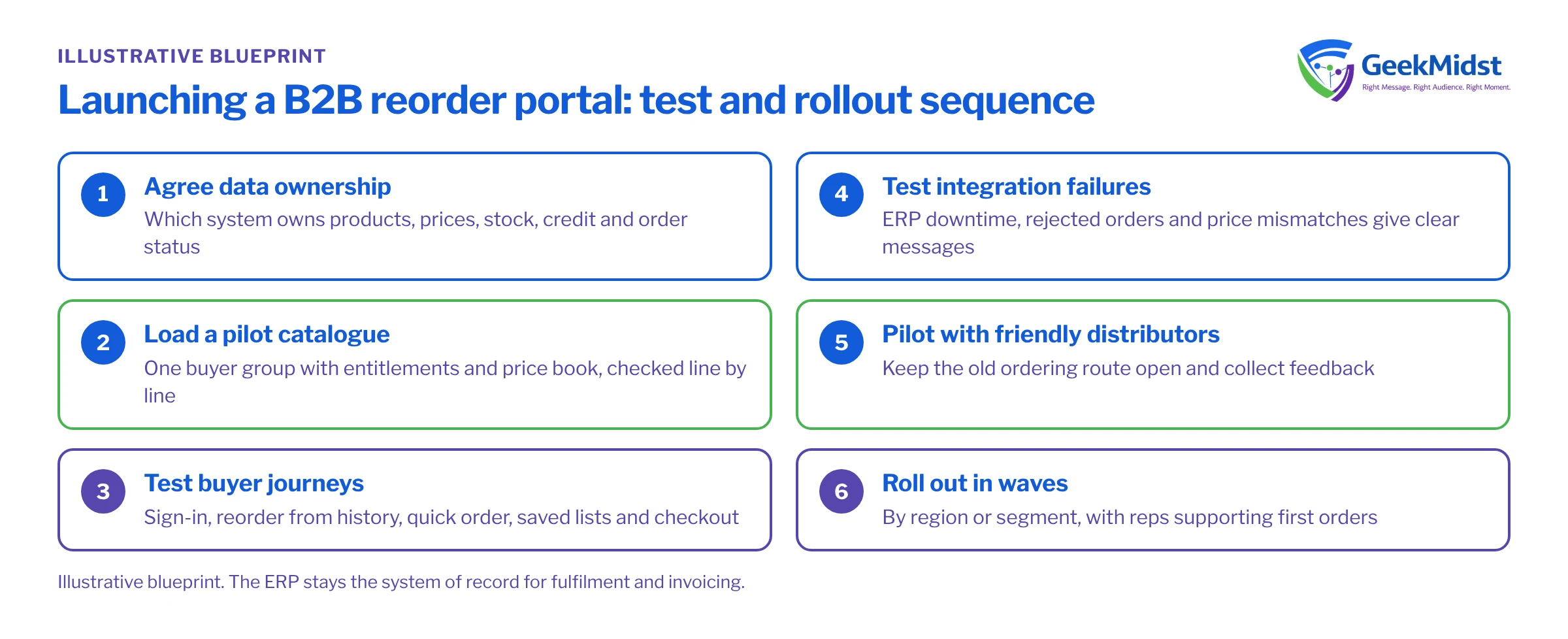
- 01
Agree data ownership
Confirm which system owns products, prices, stock, credit and order status, and how often each syncs.
- 02
Load a pilot catalogue
Set up one buyer group with its entitlements and price book and check prices line by line with the commercial team.
- 03
Test buyer journeys
Script sign-in, reorder from history, quick order, saved lists, checkout and status checks for several buyer roles.
- 04
Test integration failures
Simulate ERP downtime, rejected orders and price mismatches and confirm buyers and staff see clear messages.
- 05
Pilot with friendly distributors
Invite a few distributors, keep the old route open and collect feedback.
- 06
Roll out in waves
Onboard distributors by region or segment, with reps supporting first orders.
Risks and variations
- Messy product data (duplicate SKUs, poor descriptions, missing images) is the most common delay. Start the clean-up early.
- Price disputes erode trust quickly; reconcile portal prices with ERP prices before launch and after each sync change.
- Adoption depends on the portal being faster than email; reps must promote it.
- Approvals: larger distributors may need order approval before submission, which adds workflow on the buyer side.
- Configured products may need Revenue Cloud or a configurator rather than simple reordering.
- Agents: Salesforce's Shopper Agent and Agentic Commerce Search are worth evaluating later, once the core catalogue is clean.
Our Experience Cloud development and Salesforce integration services cover the portal and the ERP connection. See also our manufacturing page.
Sources
Moving distributor orders online?
We can help you plan the catalogue, pricing sync and ERP integration for a B2B reorder portal.


