

Migrating from a Legacy ESP to Marketing Cloud
A phased reference plan for moving email from an older platform to Marketing Cloud Engagement without losing unsubscribes, reputation or history.

This is an illustrative blueprint. It is a reference architecture, not a write-up of a specific client project; outcomes depend on your data and setup.
This is a reference blueprint, not a write-up of a specific client project. It sets out how we would plan a move from an older email service provider (ESP) to Marketing Cloud Engagement, and where these migrations usually go wrong.
The business problem
Organisations leave an ESP for familiar reasons: the contract is up, the platform cannot connect cleanly to Salesforce CRM, segmentation depends on manual exports, or the team wants journeys and personalisation the old tool cannot support. The new platform is chosen; what remains is the move itself.
The risk in an ESP migration is rarely the technology. It is losing something you did not know you depended on: an unsubscribe list stored only in the old platform, a suppression rule configured years ago, a dynamic block that one regional team relies on, or the sending reputation built up on old IP addresses and domains. A migration plan is mostly an inventory and a sequence.
Moving from Marketing Cloud Engagement to Marketing Cloud Next is a different exercise and is not covered here.
Mapping legacy concepts to Marketing Cloud Engagement
| Legacy ESP concept | Marketing Cloud Engagement equivalent | Decision to make |
|---|---|---|
| Lists and audiences | Data extensions, plus lists where needed | Which audiences become sendable data extensions and which are rebuilt as queries |
| Subscriber ID | Subscriber Key | Use a stable CRM identifier, not the email address |
| Global unsubscribes | All Subscribers status, publication lists | How to import and verify every opt-out before first send |
| Bounce and complaint suppressions | Subscriber status and suppression lists | Which history to carry over and for how long |
| Templates and modules | Content Builder templates and content blocks | Rebuild or redesign; avoid copying legacy HTML unchanged |
| Automations | Automation Studio and Journey Builder | Which flows are still needed at all |
| Sending domain and IPs | Sender Authentication Package, dedicated or shared IPs | Domain strategy and IP warming plan |
| Reporting history | Data Views (from cutover onward) plus an archive | Where historical engagement data will live |
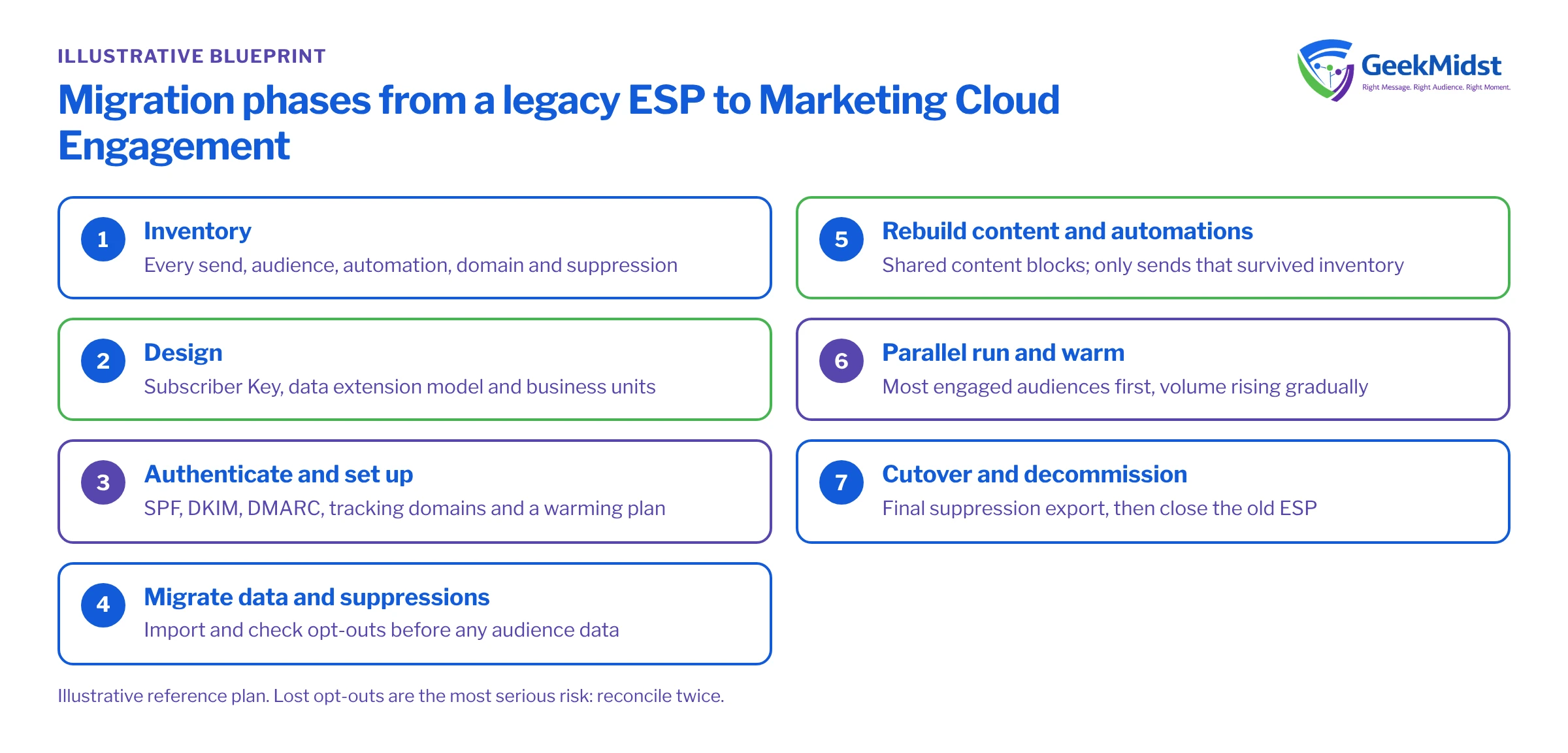
Migration phases
- 01
Inventory
List every send type, audience, automation, template, integration, sending domain and suppression in the old platform. Interview each team that sends. Retire anything no one can justify.
- 02
Design
Decide the Subscriber Key, the data extension model, business unit structure, send classifications and how CRM data will flow in.
- 03
Authenticate and set up
Configure sending domains, SPF, DKIM and DMARC, reply handling and tracking domains. If you are moving to dedicated IPs, agree the warming plan now.
- 04
Migrate data and suppressions
Export audiences and every suppression from the old ESP, stage them, validate, then import. Opt-outs are imported and checked before any audience data is used.
- 05
Rebuild content and automations
Rebuild templates with shared content blocks, then rebuild the sends and automations that survived the inventory, in priority order.
- 06
Parallel run and warm
Move send types across in stages, starting with the most engaged audiences, while the old platform continues the rest. Volume on the new platform rises according to the warming plan.
- 07
Cutover and decommission
Move the remaining sends, update forms and preference links, export final suppressions from the old ESP once more, then close it down.
Data model and consent
Choose the Subscriber Key before anything is imported. Using email address as the key feels convenient during a migration but causes problems later: one person with two addresses becomes two subscribers, and an address change breaks history. A CRM Contact or Lead ID, or a customer ID from your source of truth, is usually the better choice. Our article on data extension design covers keys and sendable relationships.
Treat consent data as the most important dataset in the migration:
- Export global unsubscribes, list-level opt-outs, hard bounces and spam complaints separately, with dates.
- Import opt-outs first, and check counts against the old platform before any marketing audience is loaded.
- Map list-level preferences to publication lists or to your preference model, and decide whether to build a new self-service preference centre at the same time.
- Take a final suppression export on the day the old platform stops sending, because people unsubscribe during the parallel run.
Validate staged data before import. Duplicate keys and missing addresses are the most frequent problems.
Assumptions
The legacy export has been loaded into a staging data extension, ESP_Import_Staging_DE, with SubscriberKey and EmailAddress text fields. The query writes to a review data extension with Overwrite.
SELECT
    s.SubscriberKey,
    COUNT(*) AS RowsForKey,
    COUNT(DISTINCT s.EmailAddress) AS DistinctEmails
FROM ESP_Import_Staging_DE s
GROUP BY s.SubscriberKey
HAVING COUNT(*) > 1
OR COUNT(DISTINCT s.EmailAddress) > 1Sender reputation and warming
Mailbox providers judge your sending by domain and IP reputation. Moving platforms usually means new IPs, and if you are on dedicated IPs they start without history. Ramp volume gradually, beginning with recently engaged subscribers, and expand as bounce and complaint rates stay healthy. Salesforce publishes guidance on IP warming in Salesforce Help; follow it alongside your own engagement data rather than a fixed calendar. Authentication must be complete before the first send, see SPF, DKIM and DMARC for Marketing Cloud.
Testing and launch plan
- Data parity: audience counts and suppression counts in Marketing Cloud match the old platform within an agreed tolerance, with every difference explained.
- Rendering: each rebuilt template is tested across major email clients and on mobile.
- Functional: personalisation fallbacks, unsubscribe links, preference links and tracking all work from a real inbox.
- Process: send approvals and test sends are defined in the new platform before the first live send.
How to measure the migration
The migration itself is measured by parity and health, not uplift. Capture a baseline from the old platform for bounce rate, complaint rate, unsubscribe rate and, if you use seed testing, inbox placement. Track the same measures per send type during the parallel run. A send type moves to the new platform permanently only when its numbers are in line with the baseline. Engagement improvements, if any, come later from better segmentation, and should be measured separately with holdouts.
Risks and variations
- Lost opt-outs: the most serious risk, legally and reputationally. Reconcile twice.
- Overlapping contracts: plan the parallel run against the old contract end date, with margin for warming.
- Hidden integrations: website forms, apps or partner systems that post directly to the old ESP. Find them in the inventory, not after cutover.
- Link and tracking changes: old emails in inboxes will point to old tracking domains that stop working once the account closes.
- Historical data: Data Views only cover activity in Marketing Cloud. Decide where old engagement history lives if anyone needs it.
Related services
Marketing Cloud implementation
Account set-up, business units, data model and first sends on the new platform.
→Email deliverability consulting
Authentication, warming plans and monitoring during the move.
→Data migration services
Staging, validation and reconciliation for large or messy exports.
→Migration runbook template
A structure for cutover tasks, owners and rollback steps.
→Plan your ESP migration
Tell us what you send today and when your current contract ends, and we can outline a phased migration plan.


