

CRM Implementation Whitepaper
A practical whitepaper on Salesforce CRM implementation: six delivery phases, governance that holds up, data migration, adoption and the platform risks to plan for.

A CRM implementation is a change programme with software in it. The configuration is rarely what goes wrong; scope drift, weak ownership, poor data and low adoption are. This whitepaper sets out a phased approach to Salesforce CRM implementation, the governance that keeps it on track, how to migrate data safely, how to drive adoption, and the platform changes in 2026 and 2027 that belong on your risk register.
1. Start with outcomes, not features
Before any design work, write down the three to five business outcomes the programme exists to deliver, and the measure for each. "Sellers spend less time on admin" is an aim; "seller admin hours per week, measured from activity data" is a measure. Every later scope decision should trace back to one of these outcomes. If a requested feature cannot, it goes on a backlog for later, not into the first release.
Choose the edition with the same discipline. Salesforce simplified its Sales Cloud editions on 3 September 2026 into Free Suite, Starter Suite, Pro Suite, Core, Advanced and Max, and some capabilities are listed as available for purchase rather than included. Salesforce also states that pricing and packaging are subject to change. Record the edition and add-ons each outcome depends on, and confirm them with your account team before design sign-off.
2. The six phases
Implementation phases
| Phase | Purpose | Key outputs | Exit criteria |
|---|---|---|---|
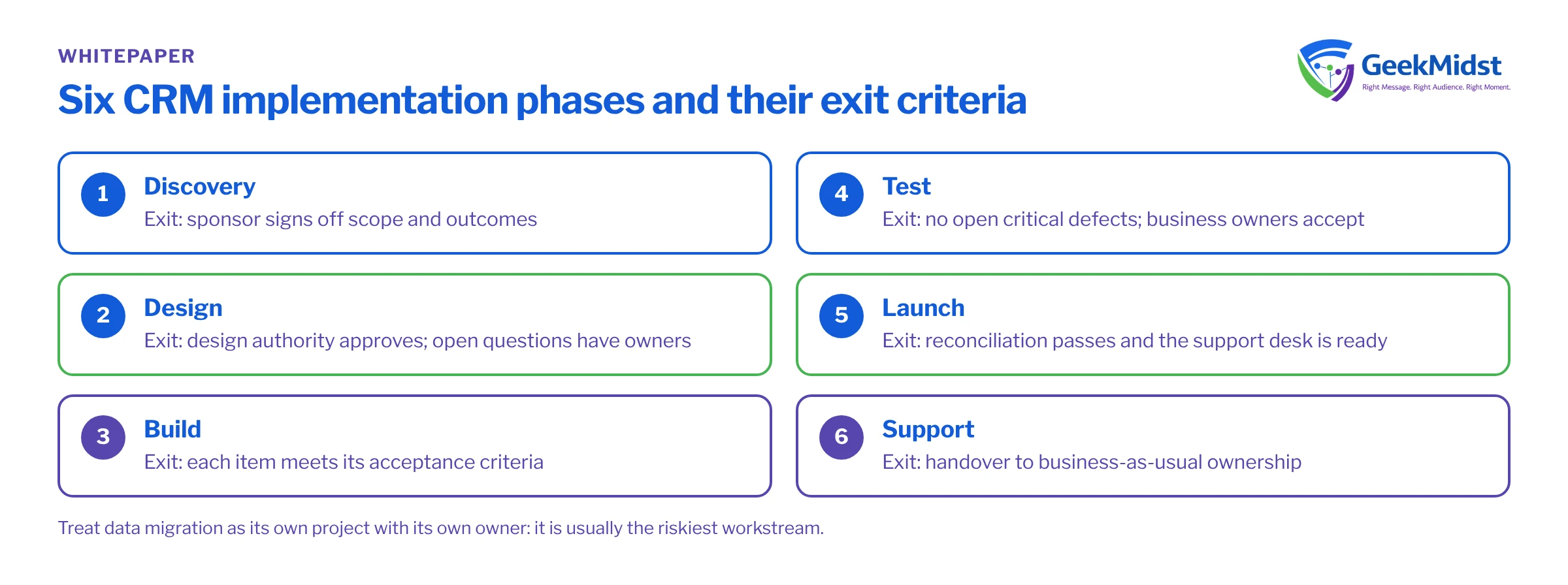
| Discovery | Understand processes, data, users and constraints | Current-state maps, outcome measures, risk log | Sponsor signs off scope and outcomes |
| Design | Decide how Salesforce will support each process | Solution design, data model, integration design, security model | Design authority approves; open questions logged with owners |
| Build | Configure and develop in iterations | Working features in a development sandbox, unit tests | Each item meets its acceptance criteria |
| Test | Prove it works for real users and real data | System, integration and user acceptance test results | No open critical defects; business owners accept |
| Launch | Move users and data into production | Cutover plan, migrated data, trained users | Reconciliation passes; support desk ready |
| Support | Stabilise, then improve | Hypercare log, adoption metrics, backlog | Handover to business-as-usual ownership |
Each phase should end with a short, written decision, not an assumption that everyone agrees. For the build phase, work in short iterations and show working features to the people who will use them. Late surprises are far cheaper to avoid than to fix. Our Salesforce implementation checklist breaks these phases into individual tasks.
3. Governance that holds up
Governance is how decisions get made when the plan meets reality. Keep it light, but make it explicit.
Core roles
| Role | Responsibility | Typical decision |
|---|---|---|
| Executive sponsor | Owns the outcomes and the budget | Approves scope changes that affect cost or dates |
| Product owner | Owns the backlog and priorities | Decides what goes into each release |
| Design authority | Guards the architecture and data model | Approves designs that affect security, data or integrations |
| Data owner | Owns data quality for a domain, such as accounts or products | Signs off migration mappings and cleansing rules |
| Release manager | Owns environments and deployments | Decides when a release is ready to deploy |
Three habits make governance work. First, keep a decision log with the date, the decision, who made it and why. Second, use change control for anything that touches cost, dates or architecture. Third, hold a regular design review so that one-off fixes do not quietly become the architecture. See programme governance for growing teams for more on cadence.
Plan around the release calendar
Salesforce ships named releases through the year. In 2026, Spring '26 started on 23 February, Summer '26 was generally available on 15 June, and Winter '27 rolled out between September and October, with sandbox preview from 28 August. Put these dates in your plan, test in a preview sandbox before each release reaches production, and avoid scheduling go-live in the same week as a major release.
Release tooling
Agree how changes move between environments before the build starts. Salesforce's Winter '27 platform blog refers to "Lifecycle Center (formerly DevOps Center)", while Trailhead and Help still say DevOps Center, so expect both names. If your team scripts deployments, note that the older sfdx (v7) command line "will receive no updates"; use the sf (v2) CLI.
4. Data migration
Data migration is usually the riskiest workstream, because errors are discovered by users after go-live. Treat it as its own project with its own owner.
Data migration steps
- 01
Profile the source
Measure volumes, completeness, duplicates and formats for each source object.
- 02
Agree ownership
Assign a data owner per domain to make cleansing and mapping decisions.
- 03
Map fields
Document each source field, its target field and any transformation in a data dictionary.
- 04
Cleanse and deduplicate
Fix data at the source where possible, and agree survivorship rules for duplicates.
- 05
Plan the load order
Load parent records before children so relationships resolve, and keep legacy IDs for reconciliation.
- 06
Run trial loads
Rehearse the full migration in a sandbox at least twice, timing each run.
- 07
Reconcile
Compare record counts, totals and samples between source and target, and get the data owner's sign-off.
- 08
Cut over
Freeze source changes, run the final load, reconcile again and switch users over.
The data dictionary template gives a structure for the mapping document. If forecasting is one of your outcomes, protect opportunity history during migration. Salesforce's Help article on Einstein Forecasting lists at least 12 months of opportunity history, with Amount filled in on at least 80% of open opportunities, among its requirements.
5. Adoption
A CRM that people avoid does not deliver its business case. Plan adoption from discovery, not from the week before launch.
- Design with users. Involve a group of sellers or agents in design reviews and acceptance testing.
- Train by role. Teach each group the three or four tasks they do every day, in their own process language.
- Name champions. A champion in each team answers quick questions and feeds back problems.
- Meet people where they work. Salesforce's Winter '27 Trailhead content describes Sales Cloud in Slack and in Microsoft Teams. Check availability and licensing for your edition.
- Measure usage. Track logins, records created and key fields completed, by team, from the first week.
6. Risks to plan for
Risk register starters
| Risk | Early signal | Mitigation |
|---|---|---|
| Scope creep | Backlog grows faster than delivery | Tie every item to an outcome; defer the rest to a later release |
| Poor data quality | Trial loads fail or reconcile badly | Assign data owners early; cleanse at source |
| Low adoption | Usage falls after hypercare | Role-based training, champions and usage reporting |
| Integration authentication changes | Integrations use connected apps or retiring OAuth flows | Build new integrations on External Client Apps; Salesforce says connected app support ends in Summer '27 |
| Retiring login flows | Integrations use username-password OAuth | Salesforce retires the username-password, user-agent and hybrid user-agent flows on 20 February 2027 |
| Old API versions | Integrations call API versions 31.0 to 40.0 | These are deprecated in Summer '27 and retired in Summer '28; upgrade them |
| Product end of sale | Scope assumes Salesforce CPQ for a new customer | CPQ is end of sale, not end of life; new customers cannot buy it, and the successor is Revenue Cloud Advanced |
Testing new features carefully
Some Winter '27 features are not yet generally available. Flow Test Mode, with saved test scenarios and assertions, is labelled Beta, as are mock outputs for action and subflow elements. Use them in sandboxes, but do not build a test strategy that depends on them alone. The UAT test plan template helps structure user acceptance testing.
7. Go-live readiness checklist
- Outcomes and measures agreed, with baselines captured before launch.
- No open critical defects, and business owners have accepted the user acceptance tests.
- Data migration rehearsed at least twice, with reconciliation signed off.
- Users trained by role, and champions named.
- Support model, escalation path and hypercare period agreed.
- Integrations checked against the authentication and API version dates above.
Questions we hear
How long does a Salesforce CRM implementation take?
Should we migrate all historical data?
Do we need a design authority on a small programme?
When should training start?
Related reading
Salesforce implementation services
How our implementation work is structured
→Salesforce data migration services
Planning and running data migration
→Designing a data model that scales
Avoiding data model decisions you regret
→Sources
- https://salesforce.com/news/stories/salesforce-simplifies-editions-2026
- https://www.salesforce.com/blog/platform-winter-27-release/
- https://admin.salesforce.com/blog/2026/jens-top-winter-27-release-features-for-admins
- https://www.salesforce.com/sales/cpq/end-of-life/
- https://help.salesforce.com/s/articleView?id=005321979&language=en_US&type=1
Planning a CRM implementation?
We can scope the phases, set up governance and run data migration with your team.


