

Salesforce Integration Whitepaper
A practical whitepaper on Salesforce integration: choosing patterns, layered API design, error handling and monitoring, the 2026-27 security changes, and testing.

Integrations are where a Salesforce programme meets the rest of the business, and where many of its incidents start. This whitepaper covers how to choose an integration pattern, how to structure APIs so they stay maintainable, how to handle errors and monitor them, what changes in Salesforce authentication you need to plan for in 2026 and 2027, and how to test integrations before they reach production.
1. Start with the business event
Every integration should begin with a plain statement of what happens in the business: "an order is placed", "a payment fails", "a customer changes address". For each event, answer four questions before choosing technology:
- Who needs to know, and which system is the source of truth?
- How fast do they need to know: while a user waits, within minutes, or overnight?
- How much data moves, and how often?
- What happens if it fails: can it be retried, and who notices?
The answers point to a pattern. Choosing the tool first, and then fitting the business to it, is the most common cause of fragile integrations.
2. Integration patterns
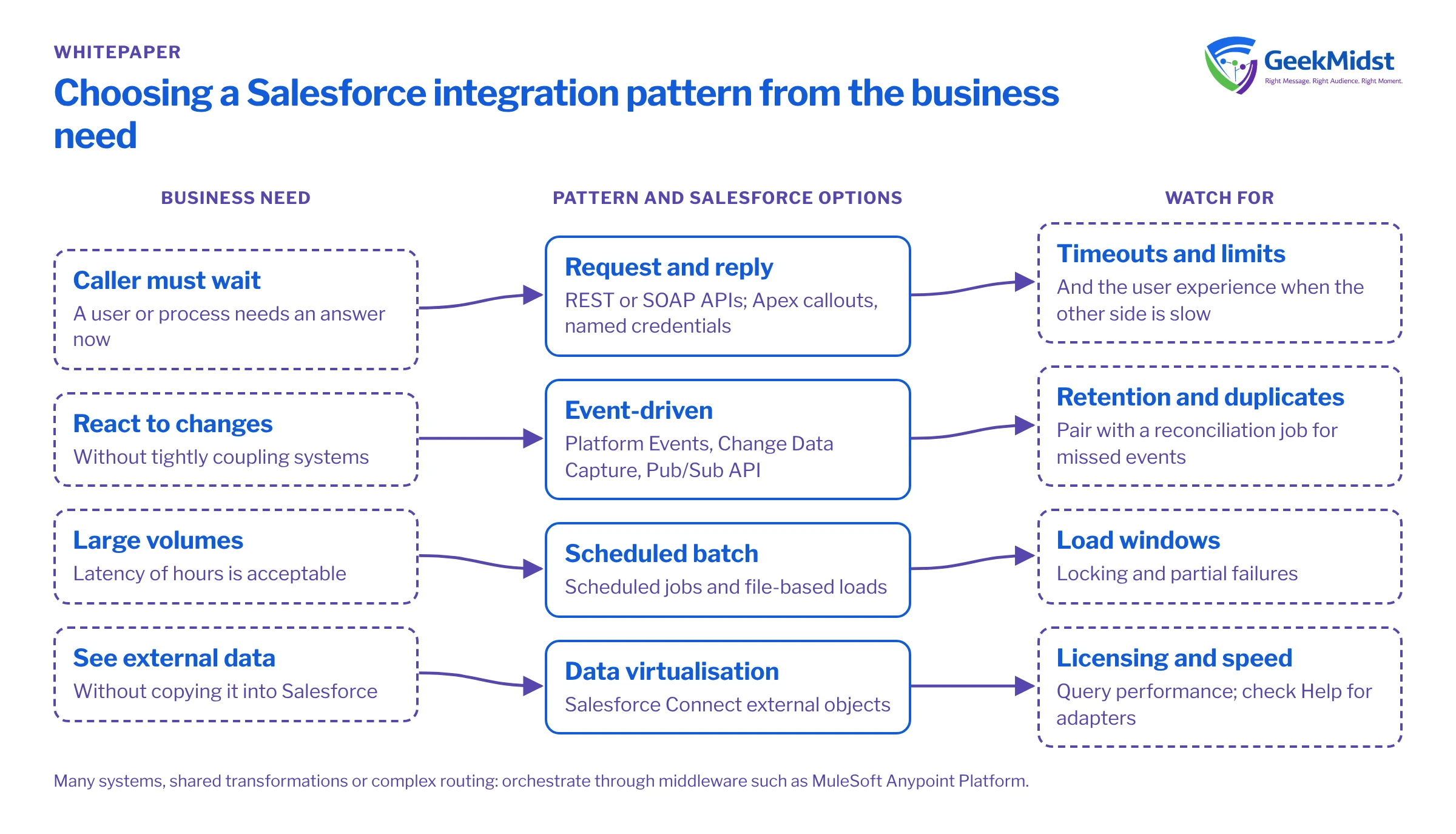
Choosing a pattern
| Pattern | When it fits | Salesforce options | Watch for |
|---|---|---|---|
| Request and reply | A user or process must wait for an answer, such as a credit check | Salesforce REST and SOAP APIs; Apex callouts using named credentials | Timeouts, governor limits and the user experience when the other system is slow |
| Event-driven | Systems should react to changes without being tightly coupled | Platform Events, Change Data Capture, and the Pub/Sub API for external subscribers | Event retention windows and duplicate delivery |
| Scheduled batch | Large volumes where latency of hours is acceptable | Scheduled jobs and file-based loads; check Salesforce Help for current bulk options | Load windows, locking and partial failures |
| Data virtualisation | Users need to see external data without copying it | Salesforce Connect external objects, including custom adapters | Licensing and query performance; check Help for current adapters |
| Orchestrated through middleware | Many systems, shared transformations or complex routing | MuleSoft Anypoint Platform | Extra platform to run and govern |
Events in more detail
Platform Events and Change Data Capture suit decoupled designs. External clients subscribe through the Pub/Sub API, which uses gRPC over HTTP/2 with Avro-encoded messages. Inside Salesforce, Apex triggers can subscribe and run asynchronously after the event is committed. Event filtering is supported for Pub/Sub API, CometD and event relays, but not for Apex triggers.
Retention matters for recovery. Salesforce keeps high-volume platform events and change events for 72 hours, and PushTopic and generic events, now labelled legacy, for 24 hours. A subscriber that is down for longer than the retention window will miss events, so pair event-driven integrations with a reconciliation job. See platform events for decoupled integrations and middleware vs point-to-point APIs.
3. Layered API design
When several systems and channels need the same data, a layered API design keeps change contained. The idea is to separate the APIs that talk to systems from the ones that apply business logic and the ones that serve a particular channel.
Three API layers
| Layer | Responsibility | Example |
|---|---|---|
| System | Exposes one back-end system in a stable, documented way | An API over the ERP's customer table |
| Process | Combines system APIs to apply business rules | "Create customer" that checks credit, then writes to ERP and Salesforce |
| Experience | Shapes data for one channel or consumer | A mobile app endpoint that returns a customer summary |
The benefit is that a change in one back-end system touches one system API, not every consumer. The cost is more components to own, so this approach pays off when you have several consumers. For two systems exchanging one object, a well-built direct integration can be the better choice. MuleSoft's Anypoint Platform is Salesforce's offering for building and managing APIs at this scale; our MuleSoft integration services cover when it fits.
4. Error handling
Assume every call will eventually fail. Design for it from the start.
- Make operations idempotent. Use an external ID or idempotency key so a retried message does not create a duplicate.
- Retry with back-off. Retry transient errors a limited number of times with increasing delays, then stop.
- Park what cannot be processed. Send failed messages to a holding area with the error and the payload, so they can be fixed and replayed.
- Classify errors. Separate transient errors (timeouts, locks) from data errors (validation failures), because only the first kind should be retried automatically.
- Tell a person. Route unresolved failures to a named owner, not a shared mailbox nobody reads.
Salesforce is adding some help here. In Winter '27, Flow can retry automatically after 10 seconds on record-lock errors (status not stated by Salesforce). See API integration error handling and the integration error handling checklist.
5. Monitoring
What to monitor
| Signal | Why it matters |
|---|---|
| Error rate by integration and error type | Shows whether failures are rising and which kind |
| Messages waiting in holding areas | Unprocessed failures are silent data loss |
| End-to-end latency | Shows when "real time" has quietly become "hourly" |
| API consumption against limits | Avoids hitting limits during peaks |
| Authentication failures | Often the first sign of an expired token or a retired flow |
| Reconciliation differences | Proves the systems still agree |
Event Monitoring, one of the four Shield components, provides event data for this kind of analysis and needs the Shield licence or add-on. In Winter '27, Salesforce also lists Observability Center as Beta within the Salesforce Guardian portfolio.
6. Security
Authentication is the area with the most change in 2026 and 2027. Salesforce has announced that connected apps support ends in Summer '27, and that customers should migrate to External Client Apps. Build new integrations as External Client Apps now, and plan the migration of existing connected apps.
Authentication and API dates to plan for
| Date | Change |
|---|---|
| 4 November 2026 | Refresh tokens expire after 30 days of inactivity (production) |
| 30 November 2026 | OAuth device flow is restricted |
| 1 December 2026 | SOAP login() requires the "Use Any API" permission |
| 20 February 2027 | Username-password, user-agent and hybrid user-agent OAuth flows retire |
| Spring '27 | Salesforce to Salesforce retires |
| Summer '27 | Connected apps support ends; SOAP login on API 31.0 to 64.0 retires; API versions 31.0 to 40.0 are deprecated |
| Summer '28 | API versions 31.0 to 40.0 are retired |
Beyond the dates, apply the usual controls: a dedicated integration user per integration with the minimum permissions it needs, credentials stored in named and external credentials rather than code, and regular reviews of which apps hold access. For agent-related integrations, Salesforce lists MCP Risk Scores in Security Center as a Winter '27 feature. See connected apps and OAuth changes and securing Salesforce API integrations.
7. Testing
Test integrations at three levels: each component on its own, each integration end to end in a sandbox, and the full set together under realistic volumes.
Salesforce's Winter '27 developer tools add options here, with these status labels:
- Apex integration tests (
@IntegrationTest), which call real services from scratch orgs: Developer Preview. - Flow Test Mode, with saved scenarios and assertions: Beta.
- Mock outputs for Flow action and subflow elements, so tests can skip live calls: Beta.
Treat preview and beta features as useful extras, not the foundation of your test strategy.
Integration readiness checklist
- 01
Document the event
Source of truth, consumers, timing, volume and failure handling written down.
- 02
Choose the pattern
Pattern chosen against the table above, with the reason recorded.
- 03
Secure it
Integration user, least-privilege permissions and an External Client App in place.
- 04
Handle errors
Idempotency, retries, holding area and a named owner agreed.
- 05
Monitor it
Dashboards and alerts set up for errors, latency, limits and authentication.
- 06
Test it
Component, end-to-end and volume tests passed in a sandbox.
- 07
Check the dates
Flows, API versions and app types checked against the security table.
Questions we hear
Do we need middleware such as MuleSoft?
What should we do about existing connected apps?
How do we recover events missed during an outage?
Can we test against production systems?
Related reading
Salesforce integration services
How we design and build integrations
→Integration complexity assessment
Gauge the effort of your integration landscape
→Named and external credentials
Storing endpoints and authentication safely
→Sources
- https://www.salesforce.com/blog/winter-27-release-architect-highlights/
- https://developer.salesforce.com/blogs/2026/10/developers-guide-to-the-winter-27-release
- https://developer.salesforce.com/docs/atlas.en-us.change_data_capture.meta/change_data_capture/cdc_subscribe.htm
- https://developer.salesforce.com/docs/atlas.en-us.api_streaming.meta/api_streaming/using_streaming_api_durability.htm
- https://www.mulesoft.com/
Reviewing your integrations?
We can assess your current integrations against these patterns and security dates, and plan the changes.


