

Salesforce Personalization Implementation
How to implement Salesforce Personalization: Data 360 first, then event capture, recommenders and Personalization Points, testing, latency and the MCP+ path.

Salesforce now offers two personalization products, built on different architectures. This guide covers implementing Salesforce Personalization, the newer product built natively on the Salesforce Platform and Data 360, and explains where Marketing Cloud Personalization and the MCP+ licence fit. It works through the Data 360 prerequisite, event capture, decisioning, testing and what "real-time" actually means in Salesforce's documentation.
1. Which product are you implementing?
Salesforce Personalization, MCP and MCP+
| Point | Salesforce Personalization | Marketing Cloud Personalization (MCP) | MCP+ |
|---|---|---|---|
| What it is | Next-generation product, native on the Salesforce Platform, powered by Agentforce and Data 360 | Standalone real-time interaction management platform, formerly Interaction Studio and Evergage | Salesforce Personalization plus full MCP functionality |
| Salesforce's positioning | "The recommended path forward" for new customers | Works independently of other Salesforce products | Path for existing MCP customers |
| Data 360 | Must be provisioned | Not stated; MCP works independently of other Salesforce products | Must be provisioned |
| Capture code | Salesforce Interactions SDK with the SalesforceInteractions namespace | Beacon and Sitemap; existing customers can keep the Evergage namespace | Both SDKs can run side by side on one site |
Both the Salesforce Personalization and MCP+ SKUs are priced per org per month, billed annually, and include an allotment of personalization credits. Salesforce says existing MCP customers can get Salesforce Personalization by renewing or swapping to MCP+, "at no additional cost through the MCP+ SKU". For Marketing Cloud Next customers, Salesforce Personalization is offered as an add-on for Growth and Advanced Edition. Confirm what your contract includes with your account team.
No public GA date for Salesforce Personalization was found. It is sold on Salesforce's pricing page, so treat it as available, but check Salesforce Help for the current state of any feature you depend on.
2. The Data 360 prerequisite
Salesforce Personalization reads its data from Data 360, so the Data 360 work comes first and usually takes the longest. CRM data reaches Personalization through Data 360: data streams, then DMOs, then data graphs.
Data 360 objects Personalization needs
| Object | What it holds | Needed for |
|---|---|---|
| Profile Data Graph | Purchase and browse history, affinities and segment membership | Reading the visitor's profile at decision time |
| Item Data Graph | The product or content catalog | Recommending items |
| Real-Time Profile Data Graph | Engagement history with real-time updates | Objective-based recommenders |
| Mapped catalog | Products or content mapped into Data 360 | All recommendations |
If your Data 360 foundation is not yet in place, start with the Data 360 architecture guide and real-time identity resolution and data graphs.
3. Event capture
On the web, Salesforce Personalization uses the Salesforce Interactions SDK, which Salesforce describes as "a single SDK to integrate with either Data 360, Personalization, or both together". Events are sent with sendEvent, and a sitemap maps the objects on your site, such as product pages and categories, to events.
Consent is built in. Salesforce states that the SDK sends events only if a customer has consented to tracking, and stops at once when consent is revoked. That means your consent banner and the SDK must be wired together, and your test plan must include visitors who decline.
For apps, Salesforce lists a Unified SDK for web, iOS and Android. In the Unified Mobile Engagement SDK, Marketing Cloud Advanced Edition users use the Mobile App Messaging module.
Event capture checklist
- Every page type that matters is mapped in the sitemap.
- Product and content IDs in events match the IDs in the Item Data Graph.
- Consent states are tested: accepted, declined and revoked mid-session.
- Logged-in visitors pass an identifier that identity resolution can match.
- If MCP is already on the site, the two SDKs are tested side by side.
4. Decisioning
Decisioning is where Personalization chooses what each visitor sees. It has three building blocks.
Recommenders
Recommender types
| Type | How it works | Requirements |
|---|---|---|
| Rule-based | Sorts items by criteria or by calculated insights such as top sellers | No training needed |
| Objective-based | Deep-learning model that optimises for a goal such as revenue or clicks | A Real-Time Profile Data Graph with engagement history, and at least three recorded engagement activities for initial training |
Both types support filters and a Recommender Simulator, which lets you check results before going live. Visitors with no history get a fallback, such as top sellers, so define the fallback deliberately rather than accepting a default.
Personalization Points
A Personalization Point combines a recommender strategy, a Content Schema (formerly Response Templates) and optional targeting. Salesforce states that each one "needs either an experiment or one or more Decisions". The design principle is "build the logic once, deploy it everywhere": the same logic can serve web, mobile, email and batch.
Channels
- Marketing Cloud Advanced email: the recommender acts as a data source, with a server-side call per recipient at send time.
- Marketing Cloud Engagement: Batch Personalizations generate decisions in bulk for a Data 360 segment and activate them to Engagement for outbound sends.
On the agentic side, Salesforce's pricing page lists "Agentforce Personalization Decisioning", while the product page describes "Agentforce Actions" and a "Get User Intent" action that feeds the decisioning engine. The naming is inconsistent between the two pages, so check current documentation before designing around either.
5. Latency: what "real-time" means
Salesforce's marketing pages describe a "Real-time Personalization Engine" but give no latency figures. The documentation is more specific, and the answer depends on the data path.
Latency facts from Salesforce documentation
| Path | What Salesforce states |
|---|---|
| Data 360 real-time layer | 95% of events complete ingestion to real-time activation within about 500 ms under the Sub-Second Real-Time Profile; performance can vary; no beta or GA label given |
| Real-time data graphs | Required for real-time identity resolution, calculated insights, segments and data actions, each described as working "in milliseconds" |
| Standard web or mobile stream into DLOs | Engagement data every 15 minutes, profile data every hour |
6. Testing
Salesforce Personalization supports A/B and multivariate tests across web experiences and journeys, with automatic cohort assignment and the winner surfaced. Use them, and add your own checks:
Testing a Personalization rollout
- 01
Check capture
Confirm events arrive in Data 360 with the right IDs, for consented visitors only.
- 02
Simulate recommenders
Use the Recommender Simulator to check results for known profiles and for new visitors.
- 03
Test fallbacks
Confirm what visitors with no history, or with tracking declined, see.
- 04
Check rendering
Test each Personalization Point on every page type and device you support.
- 05
Measure latency
Time how long a new event takes to change what a visitor sees, against the path you designed for.
- 06
Run an experiment
Launch with a controlled experiment so the uplift is measured, not assumed.
7. Implementation plan
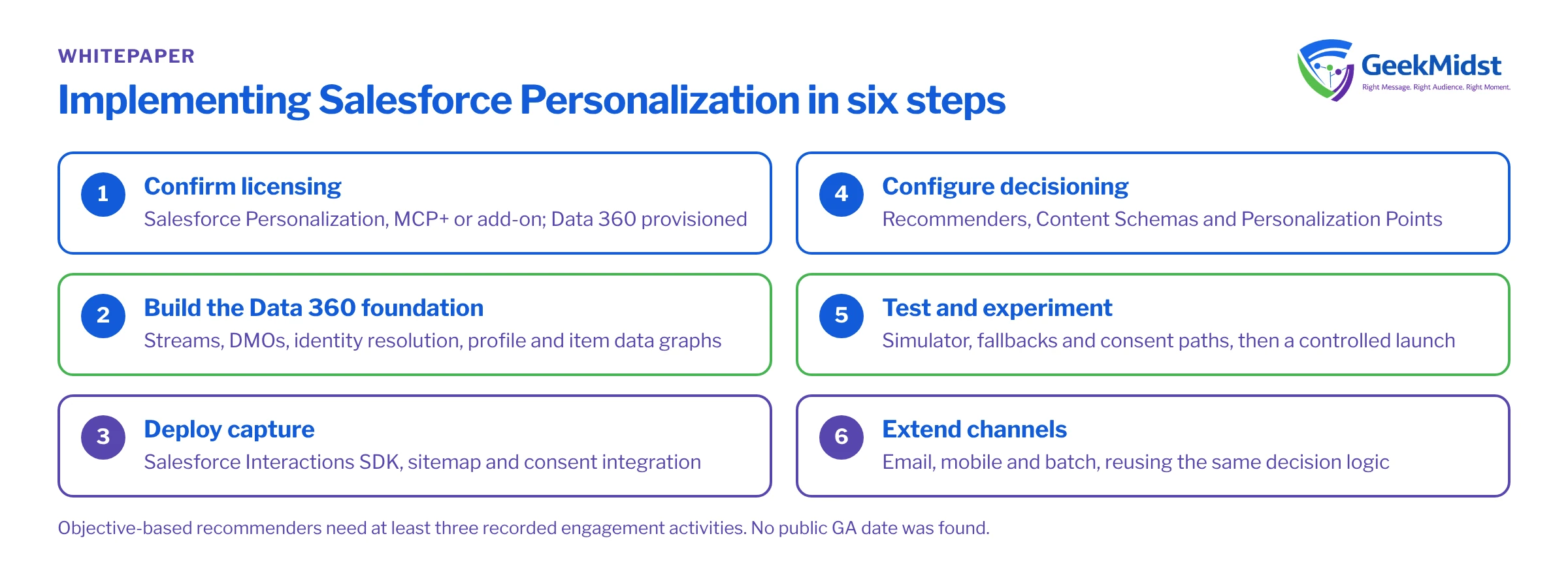
- Confirm licensing: Salesforce Personalization, MCP+ or an add-on to Marketing Cloud Next, with Data 360 provisioned.
- Build the Data 360 foundation: streams, DMOs, identity resolution and the profile and item data graphs.
- Deploy capture: Salesforce Interactions SDK, sitemap and consent integration.
- Configure decisioning: recommenders, Content Schemas and Personalization Points, starting with one or two high-value placements.
- Test and experiment: the steps above, then a controlled launch.
- Extend channels: email, mobile and batch, reusing the same decision logic.
For existing MCP customers
You do not have to switch at once. The two web SDKs can run side by side, and MCP+ keeps your current MCP implementation while adding Salesforce Personalization. A sensible path is to keep proven MCP campaigns running, build the Data 360 foundation, and move placements one by one, measuring each. See real-time personalization engine vs platform for the trade-offs.
Questions we hear
Is Salesforce Personalization the same as Marketing Cloud Personalization?
Can we start without Data 360?
Why are objective-based recommenders not working for new visitors?
What happens when a visitor declines tracking?
Related reading
Salesforce personalization consulting
How we scope and deliver personalization
→Salesforce real-time personalization
The solution blueprint
→What is real-time personalization?
The concepts behind the product
→Sources
- https://www.salesforce.com/marketing/personalization/pricing/?africa=1
- https://www.salesforce.com/marketing/personalization/?bc=DB
- https://developer.salesforce.com/docs/data/salesforce-interactions-sdk/guide/c360a-api-salesforce-interactions-web-sdk.html
- https://trailhead.salesforce.com/content/learn/modules/salesforce-personalization-recommenders-with-agentforce-marketing/explore-salesforce-recommenders
- https://developer.salesforce.com/docs/data/data-cloud-ref/guide/c360a-real-time-ingestion-api.htm
Planning a personalization rollout?
We can check your Data 360 readiness, design capture and decisioning, and run the first experiments with your team.


