

How to Build a Sales ROI Model
A step-by-step sales ROI method with clearly labelled example numbers: the formula, why margin beats revenue, payback and three scenarios.

A sales ROI model answers one question: will the money and effort we put into this sales investment come back, and when? Most models fail not because the maths is hard but because the inputs are generous. Revenue gets counted as profit, time saved gets counted as cash, and the first year is assumed to run at full speed.
This guide walks through a method you can reuse, with a worked example. You can run your own numbers in our sales ROI calculator as you go.
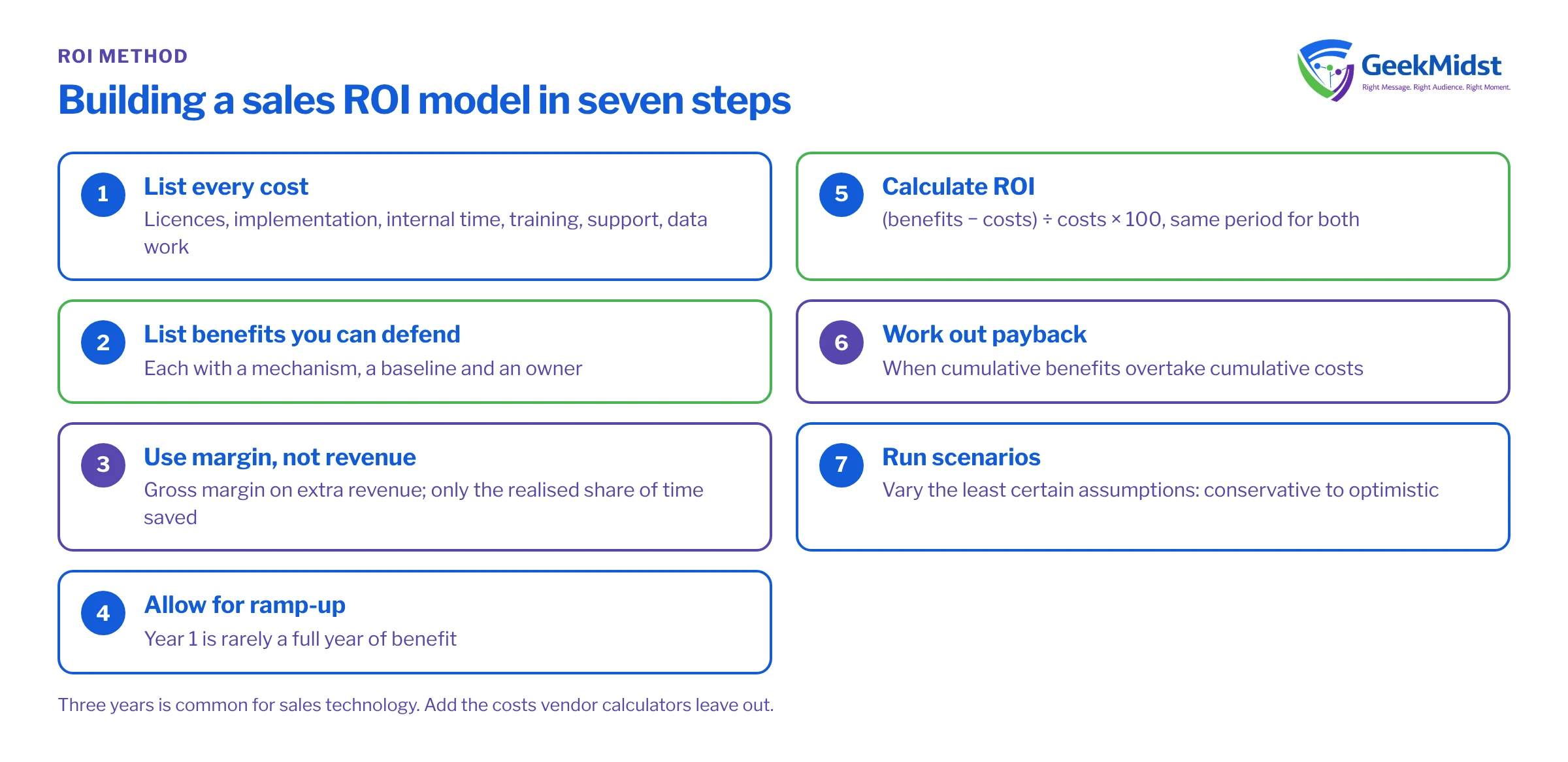
The formula
ROI = (benefits − costs) ÷ costs × 100
Use the same time period for both sides. Three years is common for sales technology because implementation costs land early and benefits build over time. Then add two companion measures: the payback period (when cumulative benefits overtake cumulative costs) and scenarios (what happens if your assumptions are wrong).
Step 1: list every cost
Count the full cost of ownership, not just the subscription. A typical list:
- Subscriptions or licences.
- Implementation services.
- Internal time: project team, subject experts, testing.
- Training and change management.
- Ongoing administration and support.
- Data migration and integration work.
All figures in this article are invented examples, not benchmarks or Salesforce prices. Replace every number with your own.
In our example, a sales team of 20 sellers plans a CRM improvement programme:
Example costs (illustrative only)
| Cost item | Year 1 | Year 2 | Year 3 |
|---|---|---|---|
| Subscriptions | 80,000 | 80,000 | 80,000 |
| Implementation services | 120,000 | 0 | 0 |
| Internal project time | 30,000 | 0 | 0 |
| Training and change | 10,000 | 0 | 0 |
| Administration and support | 0 | 40,000 | 40,000 |
| Total | 240,000 | 120,000 | 120,000 |
Three-year cost in the example: 480,000.
Step 2: list benefits you can defend
Every benefit needs a mechanism (why it happens), a baseline (where you are today) and an owner (who will be measured on it). In the example:
- Higher win rate. The team works 600 opportunities a year. Better pipeline visibility lifts the win rate from 20% to 22%, which is 12 extra deals at an average of 30,000 each: 360,000 extra revenue a year.
- Seller time saved. Each seller saves 2 hours a week on admin over 46 working weeks, valued at 50 an hour: 92,000 of capacity a year.
- Retired tools. An old reporting tool costing 25,000 a year is switched off.
Step 3: use margin, not revenue
This is the step most models skip. Extra revenue is not extra profit. If your gross margin is 40%, the 360,000 of extra revenue is worth 144,000 to the business. Counting the full 360,000 overstates the benefit by more than double.
Treat time savings the same way. Saved hours only become value if they are redeployed into selling or remove a cost such as a planned hire. In the example we assume half is realised, so the 92,000 becomes 46,000.
The example's full-year benefit is therefore 144,000 + 46,000 + 25,000 = 215,000.
Step 4: allow for ramp-up
Benefits rarely start on day one. People need training and data needs cleaning. The example assumes 50% of the benefit in Year 1 and 100% in Years 2 and 3:
- Year 1: 107,500
- Year 2: 215,000
- Year 3: 215,000
- Three-year benefit: 537,500
Step 5: calculate ROI
ROI = (537,500 − 480,000) ÷ 480,000 × 100 = 12.0% over three years.
Now see what happens with revenue instead of margin. The full-year benefit would be 360,000 + 46,000 + 25,000 = 431,000, and the three-year benefit 1,077,500. ROI would be (1,077,500 − 480,000) ÷ 480,000 × 100 = 124.5%. Same project, same assumptions, ten times the answer. That gap is why finance teams distrust revenue-based ROI.
Step 6: work out payback
Track cumulative net benefit year by year:
- Year 1: 107,500 − 240,000 = −132,500
- Year 2: 215,000 − 120,000 = +95,000, so cumulative −37,500
- Year 3: +95,000, so cumulative +57,500
Payback happens during Year 3: 37,500 ÷ 95,000 ≈ 0.4 of a year after the end of Year 2, or about 2.4 years.
Step 7: run scenarios
A single number hides risk. Change the assumptions you are least sure of, here the win-rate uplift and the share of time savings realised, and show a range.
Example scenarios (illustrative only)
| Scenario | Win-rate uplift | Time realised | Full-year benefit | 3-year ROI | Payback |
|---|---|---|---|---|---|
| Conservative | +1 point | 25% | 120,000 | −37.5% | Not within 3 years |
| Expected | +2 points | 50% | 215,000 | 12.0% | About 2.4 years |
| Optimistic | +3 points | 75% | 310,000 | 61.5% | About 1.4 years |
The conservative case doesn't pay back in three years. That isn't a reason to hide it. It tells you which assumption the business case depends on, so you can measure it early and act if it isn't moving.
Common mistakes
- Revenue as benefit. Use contribution or gross margin.
- Time as cash. Apply a realisation factor and explain it.
- No ramp-up. Year 1 is rarely a full year of benefit.
- Missing costs. Internal time, change management and ongoing support are real.
- No baseline. Without today's win rate and cycle time, you can't prove anything later.
- One scenario. Always show a range.
A note on vendor calculators
Vendors publish their own tools. Salesforce's Agentforce ROI Calculator models use cases and shows three-year productivity benefits, agent costs and net benefit, and its disclaimer says results are "provided for illustrative purposes only" and exclude implementation, licence and Data 360 credit costs. Salesforce also has a form-based Sales ROI Calculator. These are useful starting points, but add the costs they leave out before you take a number to your finance team.
Next steps
Run your numbers in our sales ROI calculator, then turn them into a document with the sales business case template. If you want a deeper review, our Salesforce ROI analysis covers measurement after go-live, and measuring the impact of marketing automation honestly explains baselines and holdouts.
Questions we hear
What time period should an ROI model cover?
Should I discount future benefits?
Can I count time savings?
Why is my ROI so much lower than the vendor's?
Sources
Build a business case finance will accept
We can help you set baselines, cost the full programme and present a range of outcomes rather than one optimistic number.


