

Lifecycle Marketing Automation for B2C
How to plan welcome, onboarding, replenishment, win-back and loyalty journeys in Marketing Cloud, with Send Time Optimization, consent and honest measurement.

Lifecycle marketing automation for B2C brands means sending the right message at each stage of a customer's relationship with you: when they sign up, make a first purchase, are due to buy again, go quiet, or become a loyal customer. Many brands run these as separate campaigns built by different people, with overlapping sends and inconsistent consent checks. This page shows how to plan them as one programme in Marketing Cloud, where Send Time Optimization fits, and how to measure the result honestly.
The problem
Without a lifecycle plan, the same person can receive a welcome email, a discount and a win-back message in one week. Data for "due to buy again" sits in an order system nobody has connected. And reports show opens and clicks, not whether anyone bought more. The fix is a shared map of stages, triggers and data, with one set of rules for frequency and consent.
Lifecycle stages
B2C lifecycle stages
| Stage | Typical trigger | Content | Data you need |
|---|---|---|---|
| Welcome | Sign-up or first opt-in | Brand introduction, preferences, first offer if relevant | Consent, source, preferences |
| Onboarding | First purchase or account creation | How to use the product, care tips, related items | Order lines, product attributes |
| Replenishment | Expected run-out date | Reminder to reorder, bundles | Purchase dates, pack sizes, usage interval |
| Win-back | No purchase or engagement for a set period | Reminder, feedback request, offer | Last purchase and engagement dates |
| Loyalty | Tier change, points balance or milestone | Recognition, rewards, early access | Loyalty membership and tier |
How it works in Marketing Cloud
Journey Builder runs each stage as a journey with an entry source, waits, decision splits and messages. A CloudPagesForm Submit Event can act as a journey entry source, and a Smart Capture block on a CloudPage collects form data, which makes sign-up flows straightforward. Automation Studio prepares the data: SQL Query activities build audiences, such as customers due to reorder, and Journey Entry Audience activities feed them into journeys. Contact Builder links data extensions to the contact record through the Contact Key. If you use Data 360, segments can be activated to Marketing Cloud for journeys. For loyalty, Salesforce's Loyalty Management (page title "Customer Loyalty Platform") is positioned by Trailhead within Marketing Cloud Next.
Components
| Component | Role in the lifecycle programme |
|---|---|
| Journey Builder | Runs each stage: entry, waits, splits and messages |
| Automation Studio | Builds audiences on a schedule and feeds journeys |
| Contact Builder | Defines how data extensions relate to each contact |
| CloudPages | Hosts sign-up and preference forms, and can trigger journeys |
| Einstein Send Time Optimization | Picks the best hour to send each email or push message |
| Data 360 (optional) | Unifies profiles and activates segments to Marketing Cloud |
Send Time Optimization
Einstein Send Time Optimization (STO) "determines the best time to send emails or push notifications to each of your contacts". It scores each contact's likelihood of engaging in each of the 168 hours of the week.
- Where it goes: add the STO activity in Journey Builder immediately before the email or push activity, and choose "Best Hour in Next 24" or "Best Hour in Next Week".
- Channels: email and MobilePush. The Trailhead units do not mention SMS, so do not plan on it for text messages.
- Data: the model uses 90 days of engagement data and about 20 factors. Engagement-insight features need at least 7 days of account engagement history or a global-data opt-in. Transactional emails, bounces and test sends are excluded.
- Activation: allow up to 72 hours after activating before using it in a journey.
- Testing: compare no STO, STO and random timing in a Path Optimizer split.
In Marketing Cloud Next, Einstein Send Time Optimization is one of four Einstein email features enabled per channel in Setup. Salesforce does not state its data minimums or edition requirements there, so confirm before you plan. See Salesforce Send Time Optimization explained.
Consent
Use the right send classification for each message: Commercial for marketing, Transactional only for genuine service messages. In Marketing Cloud Next, consent is stored as data model objects in Data 360 and checked at send time. Give people a preference centre so they can reduce frequency rather than unsubscribe from everything; see our self-service preference center. Rules differ by country and channel, so plan for them and check with your legal adviser.
Implementation checklist
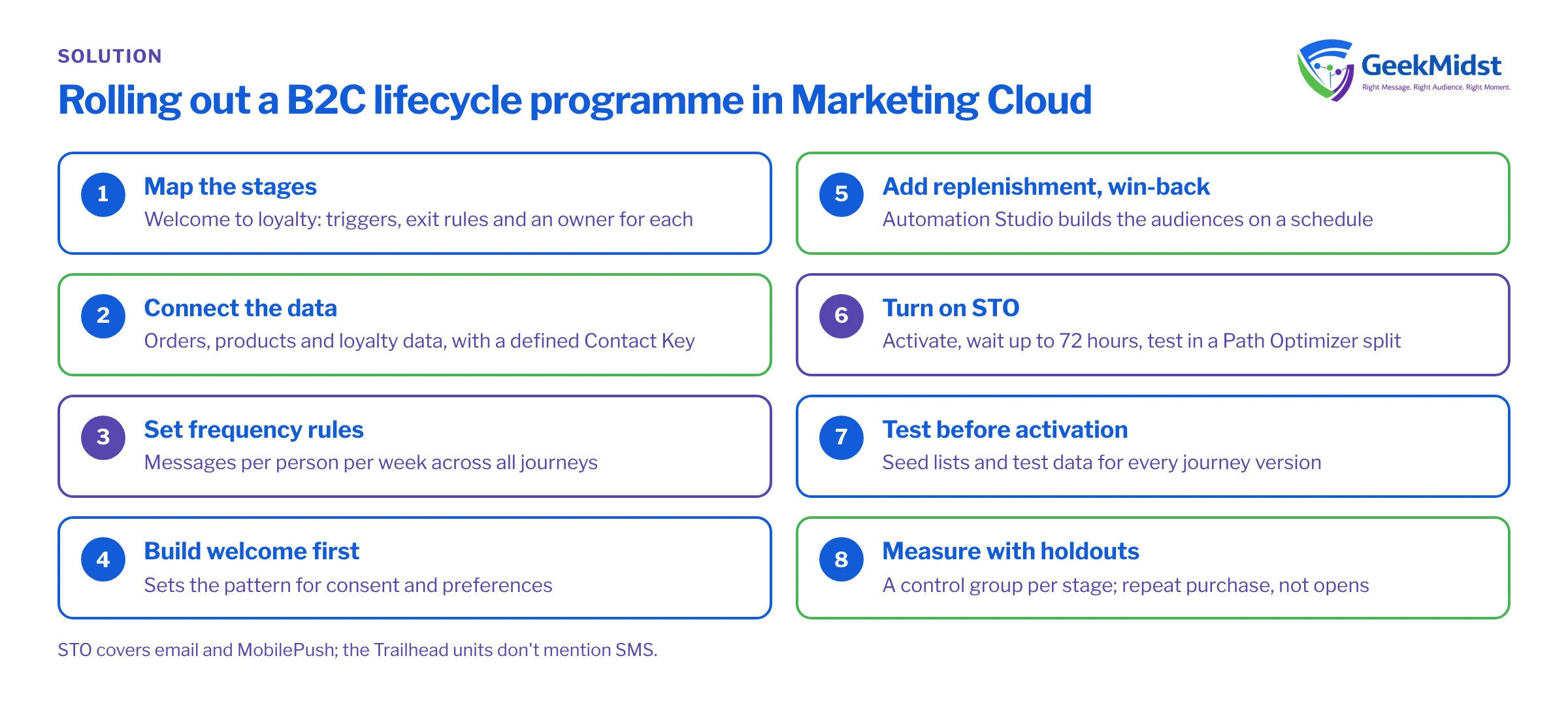
- 01
Map the stages
Agree the stages, triggers, exit rules and owner for each journey.
- 02
Connect the data
Bring in orders, products and loyalty data, and define the Contact Key.
- 03
Set frequency rules
Decide how many messages a person can receive per week across all journeys.
- 04
Build the welcome journey first
It is usually the simplest and sets the pattern for consent and preferences.
- 05
Add replenishment and win-back
Use Automation Studio to build audiences on a schedule.
- 06
Turn on STO
Activate it, wait up to 72 hours, then test it in a Path Optimizer split.
- 07
Test before activation
Use seed lists and test data for every journey version.
- 08
Measure with holdouts
Keep a control group for each stage.
Measuring results
Opens and clicks show engagement, not value. For each stage, keep a random holdout that does not receive the journey, and compare outcomes such as repeat purchase, reorder timing or reactivation. Review results per stage, because a strong welcome journey can hide a weak win-back. Track unsubscribes and complaints too: a journey that sells more but drives opt-outs may cost you later. Measuring the impact of marketing automation honestly covers the method.
Prerequisites and licences
You need Marketing Cloud Engagement or Marketing Cloud Next, with Einstein features activated for STO. MobilePush requires the mobile SDK in your app. Data 360 and Loyalty Management are separate products, so check licensing with your account team. If CRM data must reach Marketing Cloud, Marketing Cloud Connect needs Enterprise, Unlimited or Performance edition. Related blueprints: welcome and onboarding, re-engagement and win-back and loyalty tier messaging. Our Journey Builder consulting team can build them with you.
Questions we hear
Does Send Time Optimization work for SMS?
How much data does STO need?
Which lifecycle journey should we build first?
How do we stop journeys overlapping?
Sources
Related reading
Connecting webinar platforms to Salesforce
Registrations, attendance and follow-up journeys
→Commerce Cloud consulting
B2C and B2B storefronts and order management
→Plan your lifecycle programme
Tell us which journeys you run today and where they overlap. We can map the stages, data and consent rules with you.


