

Salesforce Native Integrations Explained
"Native" can mean five different things in Salesforce. Learn what each one means for where data lives, who maintains it, and what to ask a vendor.

"Native integration" is one of the most stretched phrases in the Salesforce ecosystem. A vendor might mean an app installed in your org, a connector Salesforce itself built, external data shown in Salesforce without copying it, an integration platform Salesforce owns, or simply that their product uses Salesforce's APIs. Each meaning has very different consequences for where data lives, who maintains the integration and what breaks when something changes.
This article explains the main meanings, flags which details our sources could not confirm, and ends with questions to ask before you sign.
Meaning 1: an app installed in your org
Often "native" means the vendor's product is delivered as a managed package that you install into your Salesforce org, usually from AppExchange. Its objects, code and screens then run inside Salesforce. Our fact sheets don't cover AppExchange packaging in general, so check the listing and Salesforce Help for how a given package is built, licensed and upgraded.
Salesforce's own products use this model too. Marketing Cloud Connect requires a managed package installed in CRM, and works with Enterprise, Unlimited or Performance editions or a Developer sandbox. It needs two system users and, for most functionality, both a Marketing Cloud licence and a Sales Cloud or Service Cloud licence. See Marketing Cloud Connect sync patterns and pitfalls.
Meaning 2: a connector Salesforce provides
Some connectors are built into Salesforce products. Data 360 connects to CRM sources such as Sales Cloud, Service Cloud, Industries, B2C Commerce and Marketing Cloud Engagement through what Salesforce calls "zero cost connectors". Data 360's zero copy integration also reads data in Snowflake, Databricks, BigQuery, Redshift and others, through query federation and other mechanisms; Salesforce's page labels file federation "In Beta Now", which may be out of date.
Meaning 3: external data shown in Salesforce
Salesforce Connect shows data from another system as external objects, without copying it into Salesforce. It is still current: the Winter '27 (API 68.0) Apex Developer Guide documents custom adapters built with DataSource.Connection and DataSource.Provider, including writable sources. A Salesforce Connect adapter for Amazon DynamoDB has been GA since 2022.
Unconfirmed: the full adapter list (such as OData and cross-org adapters), the __x object suffix, and add-on licensing by edition are general knowledge that our sources could not confirm on Help. Check Salesforce Help before relying on them. Our guide to data virtualisation vs replication covers when this pattern fits.
Meaning 4: MuleSoft
MuleSoft is Salesforce-owned, but it is a separate product with its own licence. The Anypoint Platform handles APIs and integration, and MuleSoft Composer is still documented, with release notes dated May 2026 and no retirement notice. MuleSoft Agent Fabric adds an agent registry, AI Gateway and related tools. Calling a MuleSoft integration "native" usually means "built with Salesforce's own integration product", not "runs inside your org". See integration middleware vs point-to-point APIs.
Meaning 5: events from the platform
Platform Events and Change Data Capture (CDC) let Salesforce publish changes for other systems to consume.
- Subscribing. External clients use the Pub/Sub API (gRPC, HTTP/2, Avro). Inside Salesforce, Apex triggers can subscribe; they run asynchronously after commit.
- Filtering. Event filtering works with the Pub/Sub API, CometD and event relays, but not Apex triggers.
- Retention. High-volume platform events and change events are kept for 72 hours. PushTopic and generic events are labelled "(Legacy)" and kept for 24 hours, and standard-volume events are "no longer available".
Read Platform Events for decoupled integrations for design patterns.
What each kind of "native" means
| Meaning | Where the data lives | Who maintains it | Our sources |
|---|---|---|---|
| Managed package in your org | Inside Salesforce | The package vendor, plus your admins | AppExchange in general not covered; check the listing |
| Salesforce-provided connector | Copied into the Salesforce product, or read in place | Salesforce | Documented for Data 360 and Marketing Cloud Connect |
| Salesforce Connect | Stays in the external system | You or the adapter provider | Custom and DynamoDB adapters confirmed; other details unconfirmed |
| MuleSoft | Moves between systems through APIs | You, on a separate licence | Documented |
| Platform Events and CDC | Published from Salesforce to subscribers | You | Documented |
Connected apps and External Client Apps
Almost every integration authenticates to Salesforce somehow, and this is changing. According to the Winter '27 security material in our sources, connected apps support ends in Summer '27, and Salesforce's direction is to migrate to External Client Apps. Related OAuth changes are also listed:
- Refresh tokens expire after 30 days of inactivity from 4 November 2026 in production.
- The OAuth device flow is restricted from 30 November 2026.
- The username-password, user-agent and hybrid user-agent flows retire on 20 February 2027.
- Salesforce to Salesforce retires in Spring '27.
Verify these dates against Salesforce Help before acting. Our sources flag them as important to check. We cover the practical steps in connected apps and OAuth changes: what to do and named credentials and external credentials explained, so we won't repeat them here.
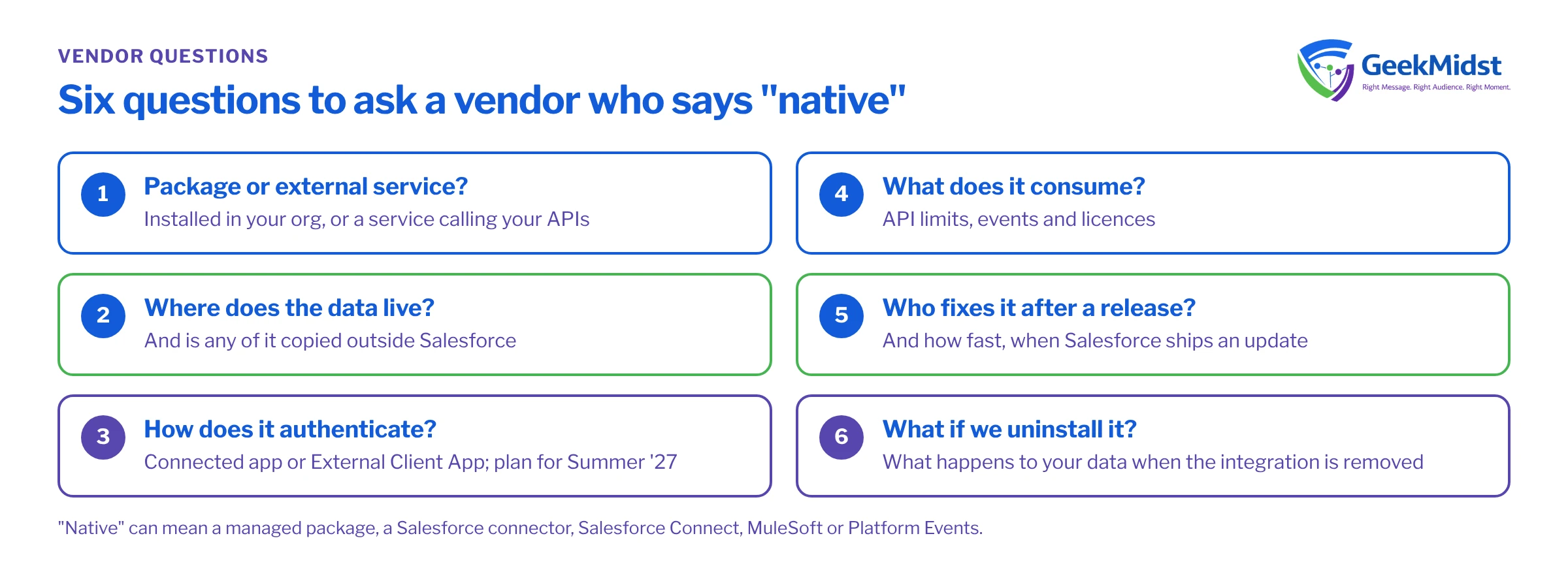
Questions to ask a vendor who says "native"
- Is it a managed package installed in our org, or an external service calling our APIs?
- Where does our data live, and is any of it copied outside Salesforce?
- How does it authenticate: connected app, External Client App or something else? What is the plan for the Summer '27 change?
- Which API limits, events or licences does it consume?
- Who fixes it when Salesforce releases an update, and how fast?
- What happens to our data if we uninstall it?
Choosing a pattern
No pattern is "best". Packages are fast to adopt but tie you to a vendor's release cycle. Salesforce Connect avoids copying data but depends on the external system being available. MuleSoft adds governance and reuse at the cost of another platform. Events decouple systems but need consumers who handle retries and replay. Our integration complexity assessment helps you size the work, and our Salesforce integration services and MuleSoft integration services cover delivery.
Questions we hear
Is a native integration always better?
Is MuleSoft a native Salesforce integration?
Do connected apps stop working in Summer '27?
Does Salesforce Connect copy data into Salesforce?
Sources
Pick the right integration pattern
We can review your systems and recommend an integration approach, including your plan for External Client Apps.


